|

-
Mar 26th, 2015, 12:53 PM
#1
Thread Starter
New Member

Tax Calculations and Textbox Displaying
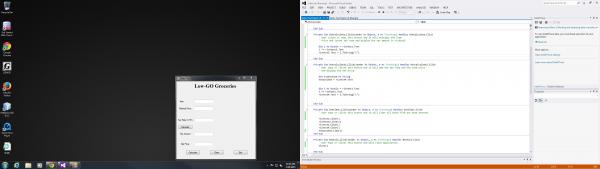
Hello to everyone who will be looking at this thread i must admit i am a totally new to VB.Net but i was hoping to get some feedback, comments, pointers in the right direction to the problems i have in my code i have compiled so far. I need to display the Item Name along with the Net Price in txtbox4.
any help is much appreciated with much regards.
VBNoobie84 
-
Mar 26th, 2015, 12:56 PM
#2
Re: Tax Calculations and Textbox Displaying
Well, we sorta need to know where the data is coming from and what you've tried to do so far that hasn't worked. The images you have above are too small to read your code - at least on my machine. 
 I always add to the reputation of those whose posts are helpful, and even occasionally to those whose posts aren't helpful but who obviously put forth a valiant effort. That is, when the system will allow it.  My war with a browser-redirect trojan
-
Mar 26th, 2015, 12:57 PM
#3
Re: Tax Calculations and Textbox Displaying
Same here. Try displaying your code by pasting the code in code tags, they look like this:
[CODE]'Hello world![/CODE]
-
Mar 27th, 2015, 11:59 AM
#4
Thread Starter
New Member
Re: Tax Calculations and Textbox Displaying
 Originally Posted by VBNoobie84

Hello to everyone who will be looking at this thread i must admit i am a totally new to VB.Net but i was hoping to get some feedback, comments, pointers in the right direction to the problems i have in my code i have compiled so far. I need to display the Item Name along with the Net Price in txtbox4.
any help is much appreciated with much regards.
VBNoobie84
Sorry about that i will try my best to post it with code tags.
again im not sure if i did the code tags correctly i apologize in advance the program i am trying to compile is supposed to be like a checkout at a grocery. I am at the point where i need to display the item name and the final total price in richtxt4. Its compiled that only the item net price shows in richtxt4.
Code:
Public Class SalesTax
    Private Sub TextBox1_TextChanged(sender As Object, e As EventArgs) Handles richtxt1.TextChanged

    End Sub
    Private Sub Form1_Load(sender As Object, e As EventArgs) Handles MyBase.Load>

    End Sub

    Private Sub btnCalculate_Click(sender As Object, e As EventArgs) Handles btnCalculate.Click>
        ' User clicks or taps this button and it will multiply the Item
        ' Price and curent tax rate and display the tax amount in richtxt3

        Dim i As Double = richtxt1.Text
        i *= richtext2.Text
        richtxt3.Text = i.ToString("C")

    End Sub

    Private Sub btncalculate2_Click(sender As Object, e As EventArgs) Handles btncalculate2.Click
        ' User taps or clicks this button and it will add the tax rate and the item price
        ' and display the net price.

        Dim txtboxItem As String
        txtboxItem = richtxt4.Text


        Dim i As Double = richtxt3.Text
        i += richtxt1.Text
        richtxt4.Text = i.ToString("C")


    End Sub

    Private Sub btnClear_Click(sender As Object, e As EventArgs) Handles btnClear.Click
        ' User taps or clicks this button and it will clear all boxes from any data entered.

        richtxt1.Clear()
        richtext2.Clear()
        richtxt3.Clear()
        richtxt4.Clear()
        txtboxItem.Clear()
    End Sub

    Private Sub BtnExit_Click(sender As Object, e As EventArgs) Handles BtnExit.Click
        ' User taps or clicks this button and will close application.
        Me.Close()

    End Sub

    Private Sub richtxt3_TextChanged(sender As Object, e As EventArgs) Handles richtxt3.TextChanged

    End Sub
End Class
Last edited by dday9; Mar 27th, 2015 at 03:31 PM.
Reason: Added Code Tags
-
Mar 27th, 2015, 12:24 PM
#5
Re: Tax Calculations and Textbox Displaying
I'm sorry, but I have to laugh... I think you misunderstood dday's explaniation of using the code tags - first time I've seen someone do that and actually a little surprised I hadn't seen it done like that before - hats off to your doggedness in manipulating the code like that. But ... it works like this:
[code] <- use this to mark the START of your code
THIS is where your code code
[/code] <- use this to mark the END of the code
So an example would look like this:
[code]
Dim a as Integer
a = 10
Messagebox.show(a.Tostring)
[/code]
and it will come out looking like this:
Code:
Dim a as Integer
a = 10
Messagebox.show(a.Tostring)
-tg
-
Mar 27th, 2015, 12:38 PM
#6
Re: Tax Calculations and Textbox Displaying
There's actually a toolbar button above the editor that has a '#' symbol. This will take any highlighted text and wrap it in code tags.
So you can put your code in the editor, highlight it, and then use the toolbar button to enclose it in code tags.
Or... you can just click on the toolbar button and it will put empty tags in the editor. You can then paste your code in between the tags.
I always add to the reputation of those whose posts are helpful, and even occasionally to those whose posts aren't helpful but who obviously put forth a valiant effort. That is, when the system will allow it.
My war with a browser-redirect trojan
 Posting Permissions
- You may not post new threads
- You may not post replies
- You may not post attachments
- You may not edit your posts
-
Forum Rules
|
Click Here to Expand Forum to Full Width
|



 Reply With Quote


