


We've been using the same macro for years on the older Office versions. Now we have Office 2010 and the macro still works except for saving the workbooks. I've attached screen shots of the errors. Here is a quick breakdown of what the macro does:
1. Opens a template file (which already has macros inside it).
2. Opens some other excel files and manuiplates and transfers the data to the template file.
3. Saves the template file as a new workbook with a unique name.
The problem with the new Office 2010 is that I cannot figure out how to write the code to save as a macro enabled file?? Here is the code snipit where I am trying to save the file and where I get the errors. The error comes after the "MasterWb.SaveAs...." line.
Any help would be greatly appreciated!!
Code:Workbooks.Open(Filename:="H:\Maintenance\Schedule Template\Rochelle Weekly Schedule Individual Master.xltm").RunAutoMacros Which:=xlAutoOpen DO ALL THE DATA MANIPULATION STUFF fileSavePath = DiscWB.Path & "\" fileSaveName = "Contract " & Format(Now + 3, "mm-dd-yyyy") & ".xlsm" MasterWb.SaveAs Filename:=fileSavePath & fileSaveName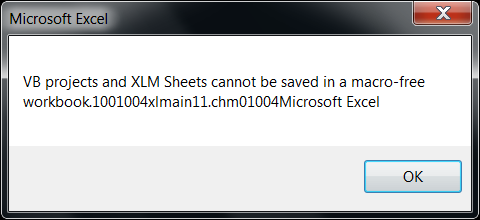

 Reply With Quote