|
-
Sep 13th, 2010, 05:30 AM
#1
Windows Live Messenger - Disable Advertisments
The advertisements in windows live messenger is causing a lot of problems with my routine work.
1. I'm getting the errors as shown in the screenshot to frequently and I must leave what I'm doing and click Yes/No.
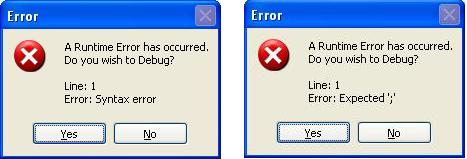
2. Some application periodically steals focus from the current active window. So when I'm typing and suddenly it stops typing in that window, because that window no longer has the focus. I must press alt+tab or click the icon in start menu bar to first focus the application again and then restore typing into it.
I suspect Windows Live messenger is doing this, though not 100% sure.
So anyone knows any ways to disable the advertisments in Windows Live Messenger, or any other workaround to these problems.
Regards,
Pradeep
 Posting Permissions
- You may not post new threads
- You may not post replies
- You may not post attachments
- You may not edit your posts
-
Forum Rules
|
Click Here to Expand Forum to Full Width
|



 icon on the left of the post.


 Reply With Quote