|

-
Apr 1st, 2024, 10:50 PM
#1
Thread Starter
Fanatic Member

 Printing a Large Image from Combined PNG Files: Ensuring Correct Width Settings Printing a Large Image from Combined PNG Files: Ensuring Correct Width Settings
I've stumbled upon an intriguing challenge with my printer's handling of document order. Initially, I was baffled by how my printer would process 30 print jobs, seemingly disregarding the intended sequence. For instance, it would print job 10 before job 3. After some research and community feedback, I thought I had discovered a clever workaround: combining several documents into one large file and sending this singular, sizable document to the printer, sidestepping the issue of individual file processing.
This approach, as I understood, would not be hindered by file size constraints, with assurances that sending approximately 40 MB to a printer wouldn't pose a problem. However, my attempts have hit a snag.
So far I have not been able to properly print such a long image. Depending on the software that I use, the printer either scales the large image to fit on a single DIN A4 page or, perplexingly, fails to print at all.
I was expecting that my printer (Brother MFC-L8690CDW) would use the default settings (DIN A4) and print the image, and when it recognizes that it does not fit onto a single DIN A4 page, it would just continue printing on the next page. But it does not do that.
Reflecting on previous successes, I suspect my method might have worked when merging PDFs rather than PNGs. Yet, my preference leans heavily towards PNGs for their flexibility—particularly for tasks like printing, drawing, or adding text directly onto the images, which is more cumbersome with PDFs.
Herein lies my conundrum and the reason for reaching out to this knowledgeable community: How can I effectively print a large image, composed of merged PNG files, without it being unjustly resized or altogether ignored by the printer? The catch is the printer must strictly adhere to the image's width, ensuring the printout mirrors the intended dimensions, especially given that "Fit to page" is disabled and the default paper setting is A4.
Has anyone tackled a similar issue or can offer insights into adjusting printer settings or employing VB6 strategies to manage such large-image printouts successfully? Your expertise and any shared wisdom on navigating this hurdle would be immensely appreciated.
This is what such an image file looks like:
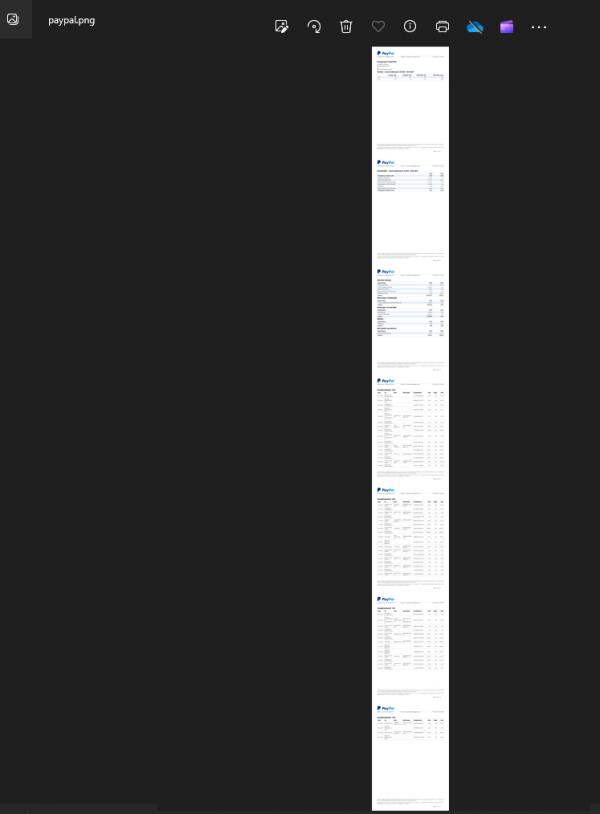

Last edited by tmighty2; Apr 1st, 2024 at 11:02 PM.
-
Apr 2nd, 2024, 02:19 AM
#2
Re: Printing a Large Image from Combined PNG Files: Ensuring Correct Width Settings
I don't think this anything to do with VB6, but is more a generic printer (driver) question/problem.
Secondly you posted in the Codebank instead of a the normal VB6 forum.
Question: Why do you create a huge PNG? Why not create a PDF with page breaks.
-
Apr 2nd, 2024, 03:07 AM
#3
Thread Starter
Fanatic Member
Re: Printing a Large Image from Combined PNG Files: Ensuring Correct Width Settings
Edit: I am using magick to split it and repage it, it works fine. I will post the solution later.
-
Apr 2nd, 2024, 03:08 AM
#4
Thread Starter
Fanatic Member
Re: Printing a Large Image from Combined PNG Files: Ensuring Correct Width Settings
I think it would be fine for others to see VB6 code solve it. I hope it's ok to post that here. It could be done with any other language, but I find it nice not having to convert language x to VB6.
-
Apr 2nd, 2024, 03:36 AM
#5
Re: Printing a Large Image from Combined PNG Files: Ensuring Correct Width Settings
The VB "trick" would be, not merging the PNG to a single PNG, but printing the individual PNG files one by one.
-
Apr 2nd, 2024, 07:05 AM
#6
Re: Printing a Large Image from Combined PNG Files: Ensuring Correct Width Settings
 Originally Posted by Arnoutdv

The VB "trick" would be, not merging the PNG to a single PNG, but printing the individual PNG files one by one.
Yep, and that "printing" can also be a simple "CC-based drawing" on a cCairoContext (derived from a Surfacetype of PDFSurface).
Demo-wise I've provided a "SimplePDF.zip" for that already here in the following CodeBank-entry:
https://www.vbforums.com/showthread....rawingRoutine)
The project-reference of that Zip-File can be switched from vbRichClient5 to RC6 without problems...
The routine: Private Sub btnCreatePDF_Click() contains the necessary steps (code-lines).
If the task is, to just render "one single PNG" on each PDF-Page,
then this boils down to a very simple loop (over the PNGs) ...
For Each PNGSrf
... CC.RenderSurfaceContent PNGSrf, 72, 72 'render the Png-Surface with some PageOffsets in Points
... PDFSrf.EmitPDFPage False, PgWidthPoints, PgHeightPoints 'emit the current PDF-page and prepare for a new one
Loop
Instead of calling the dedicated (larger) Drawing-Routines (for Table- and Text-renderings) which are currently in the Demo.
Olaf
-
Apr 2nd, 2024, 08:44 AM
#7
Re: Printing a Large Image from Combined PNG Files: Ensuring Correct Width Settings
I have moved this thread from the codebank to the general questions forum, but I'm still not convinced this is a VB6 question.
@tmighty2 - Is this a general printing question that should belong in the General PC forum or are you looking for code help specifically using VB6?
-
Jun 5th, 2025, 04:49 PM
#8
Thread Starter
Fanatic Member
Re: Printing a Large Image from Combined PNG Files: Ensuring Correct Width Settings
Thank you very much, Olaf! Your suggestion was / is the perfect solution for more than 1 problem for me.
Tags for this Thread
 Posting Permissions
- You may not post new threads
- You may not post replies
- You may not post attachments
- You may not edit your posts
-
Forum Rules
|
Click Here to Expand Forum to Full Width
|



 Reply With Quote


