|

-
Feb 27th, 2022, 03:24 AM
#1
Thread Starter
Addicted Member

Retrieve Hardware Monitorring Values
I would like to retrieve the hardware monitoring values without having to use admin rights IE "Run as Administrator.
Using WMI requires admin rights.
I am most interested in CPU temperature, CPU fan speed and case fan speed (if present). Hard drive / SSD temperature would be nice.
Is this possible?
-
Feb 27th, 2022, 05:04 AM
#2
Addicted Member

Re: Retrieve Hardware Monitorring Values
G'Day Tesla
I have been down this rabbit hole myself and I was not limited to VB6, I doubt you will be able to do this only using VB 
Check this post of CP -> https://stackoverflow.com/questions/...pu-temperature
BTW - I used speccy to valid and you will notice it is wanting Admin, it is possible to 'flip' into debug to get around this BUT !!!
-
Feb 27th, 2022, 07:47 AM
#3
Re: Retrieve Hardware Monitoring Values
These are not readily available metrics from Windows. There are too many sensors and motherboard/cpu types and it seems they report environmental information using no particular standard. This is the reason why such utilities as Speedfan or Open Hardware Monitor exist. They are able to focus upon the task of extracting this data and presenting it within their apps for all the new mobos that come onto the market. It is quite a task.
What I have done in the past with Speedfan is to use its shared memory area which SF uses to write current values of all sensors it detects. Unfortunately, although the data is present within shared memory it is not identified as to which sensor is producing which data, so some guesswork is required to guess which and I was unable to resolve my logic so I moved onto OHM. Of course you need to have Speedfan running to have the shared memory data updated.
I also heard rumours a while back that Speedfan development had stalled.
I have some C++ code for this but none for VB6.
Code:
/*
 * SpeedFan Information Tool 1.0
 *
 * Retrieves temperature information from SpeedFan and outputs it to the console.
 *
 * (c) 2008, Christopher Vagnetoft
 * Free to use and reuse under the GNU Public License (GPL) v2.
 *
 * Note: This is probably the only sample available on the internet on how to
 * access SpeedFans shared memory using C++. Disturbing, isn't it?
 */

#include <stdio.h>
#include <windows.h>

// pragma pack is included here because the struct is a pascal Packed Record,
// meaning that fields aren't aligned on a 4-byte boundary. 4 bytes fit 2
// 2-byte records.
#pragma pack(1)

// This is the struct we're using to access the shared memory.
struct SFMemory {
	WORD version;
	WORD flags;
	int MemSize;
	int handle;
	WORD NumTemps;
	WORD NumFans;
	WORD NumVolts;
	signed int temps[32];
	signed int fans[32];
	signed int volts[32];
};

// Name of filename and memory map name to open.
const char* filename = "SFSharedMemory_ALM";
const char* mapname  = "SFSharedMemory_ALM";
UINT nSize = sizeof(SFMemory);

int main() {

	// Store our recalculated values here
	int temp[32];

	// Open file
	HANDLE file = (HANDLE)CreateFile(filename,GENERIC_READ | GENERIC_WRITE, 0, NULL, OPEN_ALWAYS, FILE_ATTRIBUTE_NORMAL, NULL);
	// Create file mapping
	HANDLE filemap = (HANDLE)CreateFileMapping(file,NULL,PAGE_READWRITE,0,nSize,mapname);
	// Get pointer
	SFMemory* sfmemory = (SFMemory*)MapViewOfFile(filemap, FILE_MAP_READ, 0, 0, nSize);

	if (sfmemory) {
		// Grab the first n values.
        for (int n = 0; n < 32; n++) {
            temp[n] = (int)(sfmemory->temps[n]/100);
        }
		printf("Speedfan Quick Reader by Christopher Vagnetoft, modified by Dean Beedell and Harry Whitfield");
        printf("\n");
       	if (temp[0] == 0 && temp[1] == 0 &&  temp[2] == 0 &&  temp[3] == 0 &&  temp[4] == 0 &&  temp[5] == 0 &&  temp[6] == 0 &&  temp[7] == 0 ) {
           printf("Speedfan not yet running ");
           printf("\n");
           printf("no temperatures");
           printf("\n");

        }
        else {
           printf("%i ", sfmemory->NumTemps);
           printf("\n");
           //printf("GPU: %ic  HD0: %ic  HD1:  %ic  Core1: %ic  Core2: %ic  Ambient:  %ic ",temp[0],temp[1],temp[2],temp[3],temp[4],temp[5],temp[6],temp[7]);

           printf(" %ic%*ic%*ic%*ic%*ic%*ic%*ic%*ic%  ",temp[0],5,temp[1],5,temp[2],5,temp[3],5,temp[4],5,temp[5],5,temp[6],5,temp[7]);
		   printf("\n");
        }
	} else {
		printf("Speedfan Quick Reader by Dean Beedell and Harry Whitfield");
        printf("\n");
		printf("Failed to open shared memory.");
	}

	// Close the handles we opened.
	CloseHandle(filemap);
	CloseHandle(file);

}
-oOo-
In OHM things are slightly easier in some respects but worse in others. OHM writes its data to a collection within WMI and thus WMI calls can be used to extract the data and identify the sensors. I have some .js code which encapsulates the WMI commands to extract that data but no VB6 for you. Of course you need to have OHM running to have the WMI data updated.
Code:
// This is a JSCRIPT file to be run in Windows.
// It cannot be run directly in the Yahoo! Widget Engine.
// Instead, it should be run using a cscript command in a Widget Engine runCommand.
// For example:
// runCommand("cscript //Nologo C:/Users/g6auc/Desktop/updateOHM.js >C:/Users/g6auc/Desktop/output.txt");

function getTemps(){
    var strComputer = "."; // localhost
    var loc = new ActiveXObject("WbemScripting.SWbemLocator");
    var svc = loc.ConnectServer(strComputer, "root\\OpenHardwareMonitor");

    //coll = svc.ExecQuery("SELECT * FROM Sensor WHERE Name LIKE '%CPU Core%' AND SensorType = 'Temperature'");
    var coll = svc.ExecQuery("SELECT * FROM Sensor WHERE SensorType = 'Temperature'"); // reports data in wbemtest
    //coll = svc.ExecQuery("SELECT * FROM Sensor WHERE Identifier = '/nvidiagpu/0/temperature/0'");

    var items = new Enumerator(coll);
    var out = "[\r\n";

    function q(s) {
    	return "\"" + s + "\"";
    }

    function jsonObj(key0, val0, key1, val1, key2, val2, key3, val3) {
    //function jsonObj(key0, val0, key1, val1, key2, val2) {
     	var s = "{";
     	s += q(key0) + ":" + val0 + ",";
    	s += q(key1) + ":" + val1 + ",";
    	//s += q(key2) + ":" + val2;
    	s += q(key2) + ":" + val2 + ",";
    	s += q(key3) + ":" + val3;
     	s += "}";
    	return s;
    }

    while (!items.atEnd()) {
    	if (out.length > 3) {
    		out += ",\r\n";
    	}
        //out += jsonObj("name", q(items.item().Name), "value", items.item().Value, "max", items.item().Max);
        //out += jsonObj("name", q(items.item().Name), "value", items.item().Value, "max", items.item().Max, "identifier", items.item().Identifier);
        out += jsonObj("name", q(items.item().Name), "value", items.item().Value, "max", items.item().Max, "identifier", q(items.item().Identifier));
        items.moveNext();
    }

    WScript.Echo(out + "\r\n]\r\n");
}

getTemps();
OHM may also be open source so you can see what it does.
The negative side of using OHM is that it is open source and no particular organisation is focussing upon keeping it going, development had stalled last time I looked and therefore support for newer mobos and cpus may be missing.
oOo-
This may disappoint you but the situation is worse on MACs, the environmental metrics are virtually unobtainable as Apple does not want you to know this information!
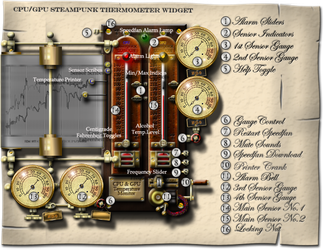
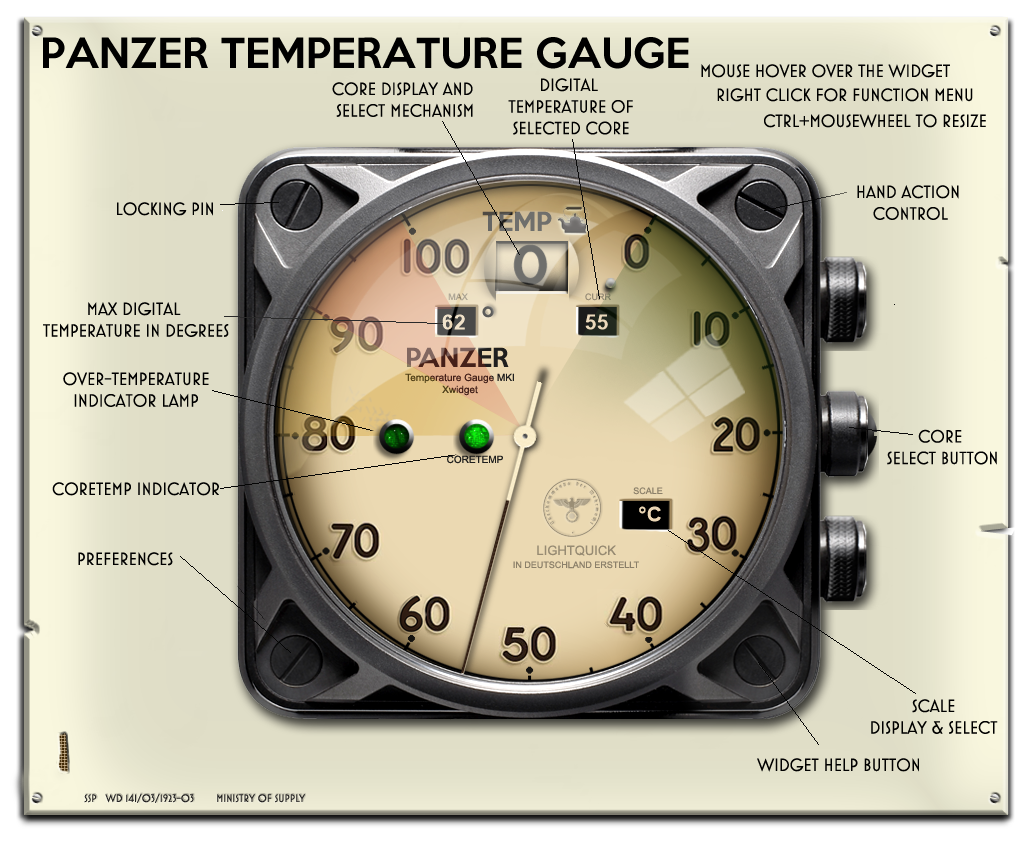
Finally, I built these Windows apps using the above:
Last edited by yereverluvinuncleber; Feb 27th, 2022 at 08:05 AM.
https://github.com/yereverluvinunclebert
Skillset: VMS,DOS,Windows Sysadmin from 1985, fault-tolerance, VaxCluster, Alpha,Sparc. DCL,QB,VBDOS- VB6,.NET, PHP,NODE.JS, Graphic Design, Project Manager, CMS, Quad Electronics. classic cars & m'bikes. Artist in water & oils. Historian.
By the power invested in me, all the threads I start are battle free zones - no arguing about the benefits of VB6 over .NET here please. Happiness must reign.
-
Feb 27th, 2022, 11:04 AM
#4
Re: Retrieve Hardware Monitorring Values
Since you are using .NET, then just use it as it is intended - NuGet packages library is your best friend. Quick search on nuget.org for Open Hardware Monitor returned this package as first result: Libre Hardware Monitor source repository on GitHub
The repository contains example in C# so I quickly rewrote it in VB.NET so people without C# knowledge can use it.
Note that my example is using .NET 6 which is a bit different from .NET Framework examples but the library supports .NET Framework 4.6.1+ so there is no problem using it from wide range of projects.
Using Visual Studio create new VB.NET console application. Put following code in Program.vb module or whatever your console template generated:
VB.NET Code:
Imports LibreHardwareMonitor.Hardware
 Module Program
    Sub Main(args As String())
        Console.WriteLine("LibreHardwareMonitor library test with VB.NET")
        Console.WriteLine("---------------------------------------------")
         Dim computer = New Computer() With {
            .IsCpuEnabled = True,
            .IsGpuEnabled = True,
            .IsMemoryEnabled = True,
            .IsMotherboardEnabled = True
        }
         computer.Open()
        computer.Accept(New UpdateVisitor())
         For Each hw In computer.Hardware
            Console.WriteLine($"Hardware {hw.Name}")
             For Each shw In hw.SubHardware
                Console.WriteLine($"Sub-hardware {shw.Name}")
                For Each sensor In hw.Sensors
                    Console.WriteLine($"  Sensor: {sensor.Name}, Value: {sensor.Value}")
                Next
            Next
             For Each sensor In hw.Sensors
                Console.WriteLine($"  Sensor: {sensor.Name}, Value: {sensor.Value}")
            Next
             Console.WriteLine()
        Next
         Console.WriteLine()
        Console.WriteLine("Press Enter to exit...")
        Console.ReadLine()
    End Sub
End Module
There is required another class which implements IVisitor interface of LibreHardwareMonitor library. Add new class with name UpdateVisitor.vb:
VB.NET Code:
Imports LibreHardwareMonitor.Hardware
 Friend Class UpdateVisitor
    Implements IVisitor
     Public Sub VisitComputer(computer As IComputer) Implements IVisitor.VisitComputer
        computer.Traverse(Me)
    End Sub
     Public Sub VisitHardware(hardware As IHardware) Implements IVisitor.VisitHardware
        hardware.Update()
        For Each subHardware In hardware.SubHardware
            subHardware.Accept(Me)
        Next
     End Sub
     Public Sub VisitSensor(sensor As ISensor) Implements IVisitor.VisitSensor
     End Sub
     Public Sub VisitParameter(parameter As IParameter) Implements IVisitor.VisitParameter
     End Sub
End Class
Here is sample output from my old laptop:
Code:
LibreHardwareMonitor library test with VB.NET
---------------------------------------------
Hardware ASUS UX430UNR

Hardware Intel Core i7-8550U
  Sensor: CPU Core #1, Value: 13.777089
  Sensor: CPU Core #2, Value: 5.882353
  Sensor: CPU Core #3, Value: 11.437904
  Sensor: CPU Core #4, Value: 0
  Sensor: CPU Total, Value: 7.774341
  Sensor: CPU Core #1, Value:
  Sensor: CPU Core #2, Value:
  Sensor: CPU Core #3, Value:
  Sensor: CPU Core #4, Value:
  Sensor: CPU Package, Value:
  Sensor: CPU Core #1 Distance to TjMax, Value:
  Sensor: CPU Core #2 Distance to TjMax, Value:
  Sensor: CPU Core #3 Distance to TjMax, Value:
  Sensor: CPU Core #4 Distance to TjMax, Value:
  Sensor: Core Max, Value:
  Sensor: Core Average, Value:
  Sensor: CPU Core #1, Value:
  Sensor: CPU Core #2, Value:
  Sensor: CPU Core #3, Value:
  Sensor: CPU Core #4, Value:

Hardware Generic Memory
  Sensor: Memory Used, Value: 6.399399
  Sensor: Memory Available, Value: 9.464424
  Sensor: Memory, Value: 40.339577
  Sensor: Virtual Memory Used, Value: 8.711414
  Sensor: Virtual Memory Available, Value: 9.527409
  Sensor: Virtual Memory, Value: 47.76303

Hardware NVIDIA GeForce MX150
  Sensor: GPU Core, Value: 53
  Sensor: GPU Core, Value: 607.5
  Sensor: GPU Memory, Value: 405
  Sensor: GPU Core, Value: 0
  Sensor: GPU Memory Controller, Value: 0
  Sensor: GPU Video Engine, Value: 0
  Sensor: GPU Bus, Value: 0
  Sensor: GPU Hot Spot, Value: 61.5
  Sensor: GPU Memory Total, Value: 2048
  Sensor: GPU Memory Free, Value: 1983
  Sensor: GPU Memory Used, Value: 64
  Sensor: GPU PCIe Rx, Value: 0
  Sensor: GPU PCIe Tx, Value: 0


Press Enter to exit...
As other people already mentioned, various hardware returns temperatures in different registers so sometimes it is hard to know which value from sensors is exactly the temperature. Check HW Monitor for example and you can see TMPIN1, TMPIN2, TMPIN3 on some motherboards and one of these temps is CPU, other is VRM on motherboard, third is something else.
Last edited by peterst; Feb 27th, 2022 at 11:08 AM.
-
Feb 27th, 2022, 11:17 AM
#5
Re: Retrieve Hardware Monitorring Values
My previous usage of OHM was quite a few years ago and I wasn't aware that LibreHardwareMonitor even existed as a fork of Open Hardware Monitor. I'll have a look at the forked application myself. It looks as if it has really come on in the last year or so.
Useful information thanks
https://github.com/yereverluvinunclebert
Skillset: VMS,DOS,Windows Sysadmin from 1985, fault-tolerance, VaxCluster, Alpha,Sparc. DCL,QB,VBDOS- VB6,.NET, PHP,NODE.JS, Graphic Design, Project Manager, CMS, Quad Electronics. classic cars & m'bikes. Artist in water & oils. Historian.
By the power invested in me, all the threads I start are battle free zones - no arguing about the benefits of VB6 over .NET here please. Happiness must reign.
-
Feb 27th, 2022, 11:44 AM
#6
Re: Retrieve Hardware Monitorring Values
LibreHardwareMonitor lib is based on OpenHardwareMonitor so for older (.NET Framework 4.5+) projects following NuGet package can be used: https://www.nuget.org/packages/OpenHardwareMonitor/
Create .NET Framework console app and add OpenHardwareMonitor 0.9.6 using NuGet package manager. Then use following code in Main sub:
VB.NET Code:
Imports OpenHardwareMonitor.Hardware
 Module Module1
     Sub Main()
        Console.WriteLine("OpenHardwareMonitor library test with VB.NET")
        Console.WriteLine("--------------------------------------------")
         Dim computer = New Computer() With {
            .CPUEnabled = True,
            .GPUEnabled = True,
            .MainboardEnabled = True
        }
        computer.Open()
        computer.Accept(New UpdateVisitor())
         For Each hw In computer.Hardware
            Console.WriteLine($"Hardware {hw.Name}")
             For Each shw In hw.SubHardware
                Console.WriteLine($"Sub-hardware {shw.Name}")
                For Each sensor In hw.Sensors
                    Console.WriteLine($"  Sensor: {sensor.Name}, Value: {sensor.Value}")
                Next
            Next
             For Each sensor In hw.Sensors
                Console.WriteLine($"  Sensor: {sensor.Name}, Value: {sensor.Value}")
            Next
             Console.WriteLine()
        Next
         Console.WriteLine()
        Console.WriteLine("Press Enter to exit...")
        Console.ReadLine()
    End Sub
 End Module
The only difference is the imported library and these flags during Computer() class initialization:
VB.NET Code:
Dim computer = New Computer() With {
    .CPUEnabled = True,
    .GPUEnabled = True,
    .MainboardEnabled = True
}
-
Feb 27th, 2022, 06:23 PM
#7
Thread Starter
Addicted Member
Re: Retrieve Hardware Monitorring Values
 Originally Posted by peterst

LibreHardwareMonitor lib is based on OpenHardwareMonitor so for older (.NET Framework 4.5+) projects following NuGet package can be used: https://www.nuget.org/packages/OpenHardwareMonitor/
Create .NET Framework console app and add OpenHardwareMonitor 0.9.6 using NuGet package manager. Then use following code in Main sub:
Code:
Imports LibreHardwareMonitor.Hardware


Module Program
    Sub Main(args As String())
        Console.WriteLine("OpenHardwareMonitor library test with VB.NET")
        Console.WriteLine("--------------------------------------------")

        Dim computer = New Computer() With {
            .CPUEnabled = True,
            .GPUEnabled = True,
            .MainboardEnabled = True
        }
        computer.Open()
        computer.Accept(New UpdateVisitor())

        For Each hw In computer.Hardware
            Console.WriteLine($"Hardware {hw.Name}")

            For Each shw In hw.SubHardware
                Console.WriteLine($"Sub-hardware {shw.Name}")
                For Each sensor In hw.Sensors
                    Console.WriteLine($"  Sensor: {sensor.Name}, Value: {sensor.Value}")
                Next
            Next

            For Each sensor In hw.Sensors
                Console.WriteLine($"  Sensor: {sensor.Name}, Value: {sensor.Value}")
            Next

            Console.WriteLine()
        Next

        Console.WriteLine()
        Console.WriteLine("Press Enter to exit...")
        Console.ReadLine()


    End Sub

End Module

Friend Class Computer
    Public Property CPUEnabled As Boolean
    Public Property GPUEnabled As Boolean
    Public Property MainboardEnabled As Boolean

    Public Sub New()
        Dim computer = New Computer() With
        {
            .CPUEnabled = True,
            .GPUEnabled = True,
            .MainboardEnabled = True
        }

    End Sub

End Class
Friend Class UpdateVisitor
    Implements IVisitor

    Public Sub VisitComputer(computer As IComputer) Implements IVisitor.VisitComputer
        computer.Traverse(Me)

    End Sub

    Public Sub VisitHardware(hardware As IHardware) Implements IVisitor.VisitHardware
        hardware.Update()
        For Each subHardware In hardware.SubHardware
            subHardware.Accept(Me)
        Next

    End Sub

End Class
I have copied your code into a console application and installed OpenHardwareMonitor lib, I have dotnet version 4.8 installed. I have downloaded dotnet 6.0 but would rather not install it if I don'e have too.
However I am getting some errors.
IVisitor is not defined
IComputer is not defined
IHardware is not defined
Open is not a member of Computer
Accept is not a member of Computer
Hardware is not a member of Computer
There is also a warning Namespace or type specified in the Imports 'LibreHardwareMonitor.Hardware' doesn't contain any public member or cannot be found. Make sure the namespace or the type is defined and contains at least one public member. Make sure the imported element name doesn't use any aliases.
-
Feb 28th, 2022, 03:36 AM
#8
Re: Retrieve Hardware Monitorring Values
If you are using OpenHardwareMonitor then it probably had a different name space. Try deleting those imports, did VS suggest different ones?
-
Feb 28th, 2022, 05:59 AM
#9
Re: Retrieve Hardware Monitorring Values
Official documentation about NuGet package manager:
Install and manage packages in Visual Studio using the NuGet Package Manager
And it should be clear that changing to different package needs changing the imported namespaces. Also don't create classes that already exist in the library, just fix the imports.
-
Jan 17th, 2024, 05:25 AM
#10
Re: Retrieve Hardware Monitorring Values
To wrap this old thread up with information that might be useful to vb.netters, I extract temperature information from OHM using VB6 in this manner:
Code:
' ----------------------------------------------------------------
' Procedure Name: getGblSensorArray
' Purpose: Obtains the names of all the Sensors from the system
' Procedure Kind: sub
' Procedure Access: public
' Author: beededea
' Date: 13/01/2024
' ----------------------------------------------------------------
Public Sub getgblSensorArray(ByRef thisArray() As String, ByRef gblSensorCount As Integer)

    Dim strComputer As String
    Dim objSWbemLocator As Object
    Dim objSWbemServices As Object
    Dim colItems As Object
    Dim objItem As Object
    Dim thisSensorCount As Integer: thisSensorCount = 0
    Dim I As Integer

    On Error GoTo getGblSensorArray_Error

    strComputer = "."  ' localhost

    Set objSWbemLocator = CreateObject("WbemScripting.SWbemLocator")
    Set objSWbemServices = objSWbemLocator.ConnectServer(strComputer, "root\OpenHardwareMonitor")
    Set colItems = objSWbemServices.ExecQuery("SELECT * FROM Sensor WHERE SensorType = 'Temperature'")

    thisSensorCount = colItems.Count

    ReDim thisArray(thisSensorCount, 4) As String
    For Each objItem In colItems
        thisArray(I, 1) = objItem.Name
        thisArray(I, 2) = objItem.Value
        thisArray(I, 3) = objItem.Max
        thisArray(I, 4) = objItem.Identifier
        I = I + 1
    Next

    gblSensorCount = thisSensorCount

    On Error GoTo 0
    Exit Sub

getGblSensorArray_Error:

    MsgBox "Error " & Err.Number & " (" & Err.Description & ") in procedure getGblSensorArray, line " & Erl & "."

End Sub
The lines to connect and query WMI in VB6 are more or less the same as in my JScript version above. Should be applicable to VB.NET.
https://github.com/yereverluvinunclebert
Skillset: VMS,DOS,Windows Sysadmin from 1985, fault-tolerance, VaxCluster, Alpha,Sparc. DCL,QB,VBDOS- VB6,.NET, PHP,NODE.JS, Graphic Design, Project Manager, CMS, Quad Electronics. classic cars & m'bikes. Artist in water & oils. Historian.
By the power invested in me, all the threads I start are battle free zones - no arguing about the benefits of VB6 over .NET here please. Happiness must reign.
 Posting Permissions
- You may not post new threads
- You may not post replies
- You may not post attachments
- You may not edit your posts
-
Forum Rules
|
Click Here to Expand Forum to Full Width
|



 Reply With Quote

