|

-
Mar 16th, 2021, 09:28 AM
#1
Thread Starter
Addicted Member

Help needed translating c# code
Hi
I've been trying to translate some example itext code into vb.net for a few days now.
Link is here
The code is to grab text from a specified area of a pdf and only if it's a specified font. I'm trying to use this to separate out some text that has some other text beneath it in a different font.
The code on the page is available in c# and java, but I only know vb.net, so I've had to copy and paste into online translators like carloslag and that's taken me to the point where I can extract by font, but the specified area is being ignored and I'm getting all the text in the pdf with the specified font.
I could post what I've done so far, but I thought it might be better for someone to look at this from scratch. If it would help to post what I've done I'll happily do so.
Please help - I'm really struggling with this as I don't have sufficient knowledge of either c# OR itext!
The c# code is below.
Code:
using System;
using System.IO;
using iText.Kernel.Font;
using iText.Kernel.Geom;
using iText.Kernel.Pdf;
using iText.Kernel.Pdf.Canvas.Parser;
using iText.Kernel.Pdf.Canvas.Parser.Data;
using iText.Kernel.Pdf.Canvas.Parser.Filter;
using iText.Kernel.Pdf.Canvas.Parser.Listener;

namespace iText.Samples.Sandbox.Parse
{
    public class ParseCustom
    {
        public static readonly String DEST = "results/txt/parse_custom.txt";

        public static readonly String SRC = "../../../resources/pdfs/nameddestinations.pdf";

        public static void Main(String[] args)
        {
            FileInfo file = new FileInfo(DEST);
            file.Directory.Create();

            new ParseCustom().ManipulatePdf(DEST);
        }

        public virtual void ManipulatePdf(String dest)
        {
            PdfDocument pdfDoc = new PdfDocument(new PdfReader(SRC));

            Rectangle rect = new Rectangle(36, 750, 523, 56);
            CustomFontFilter fontFilter = new CustomFontFilter(rect);
            FilteredEventListener listener = new FilteredEventListener();

            // Create a text extraction renderer
            LocationTextExtractionStrategy extractionStrategy = listener
                .AttachEventListener(new LocationTextExtractionStrategy(), fontFilter);

            // Note: If you want to re-use the PdfCanvasProcessor, you must call PdfCanvasProcessor.reset()
            new PdfCanvasProcessor(listener).ProcessPageContent(pdfDoc.GetFirstPage());

            // Get the resultant text after applying the custom filter
            String actualText = extractionStrategy.GetResultantText();

            pdfDoc.Close();

            // See the resultant text in the console
            Console.Out.WriteLine(actualText);

            using (StreamWriter writer = new StreamWriter(dest))
            {
                writer.Write(actualText);
            }
        }

        // The custom filter filters only the text of which the font name ends with Bold or Oblique.
        protected class CustomFontFilter : TextRegionEventFilter
        {
            public CustomFontFilter(Rectangle filterRect)
                : base(filterRect)
            {
            }

            public override bool Accept(IEventData data, EventType type)
            {
                if (type.Equals(EventType.RENDER_TEXT))
                {
                    TextRenderInfo renderInfo = (TextRenderInfo) data;
                    PdfFont font = renderInfo.GetFont();
                    if (null != font)
                    {
                        String fontName = font.GetFontProgram().GetFontNames().GetFontName();
                        return fontName.EndsWith("Bold") || fontName.EndsWith("Oblique");
                    }
                }

                return false;
            }
        }
    }
}
Thanks
-
Mar 16th, 2021, 10:23 AM
#2
Re: Help needed translating c# code
Don't use online translators. Download Instant VB from Tangible Software Solutions. Once you've done the conversion, compare the C# and VB code to see how similar they are and where the specific differences are, so you will know what to look for next time.
Last edited by jmcilhinney; Mar 16th, 2021 at 11:39 AM.
-
Mar 16th, 2021, 11:37 AM
#3
Thread Starter
Addicted Member
Re: Help needed translating c# code
Thanks for the tip re Instant VB - it seems to work much better than the online translators.
Unfortunately though the resulting code still seems to ignore the filter area - 'Rectangle(36, 750, 523, 56)' - and pulls out all the text across the whole pdf.
I'll keep trying to suss out what's wrong - maybe something I've done is causing an issue somehow.
-
Mar 16th, 2021, 12:12 PM
#4
Thread Starter
Addicted Member
Re: Help needed translating c# code
OK I'm still scratching my head as to why this won't work. Below is the code from Instant VB - I've just changed the input/output file names.
I've attached my test file here: test page.pdf
.... which is just some text spread over the page and some lines which say 'THIS TEXT SHOULD NOT BE READ' which are in Arial which I've used for testing the font filter.
When I run the below I get the whole page of text, not just a region.
Any suggestions as to what I'm missing gratefully received! - I get the feeling it must be something minor but I'm stumped.
Code:
Imports System
Imports System.IO
Imports iText.Kernel.Font
Imports iText.Kernel.Geom
Imports iText.Kernel.Pdf
Imports iText.Kernel.Pdf.Canvas.Parser
Imports iText.Kernel.Pdf.Canvas.Parser.Data
Imports iText.Kernel.Pdf.Canvas.Parser.Filter
Imports iText.Kernel.Pdf.Canvas.Parser.Listener

Namespace iText.Samples.Sandbox.Parse
	Public Class ParseCustom

		Public Shared ReadOnly DEST As String = "C:\test\output.xt"

		Public Shared ReadOnly SRC As String = "C:\test\test page.pdf"

		Public Shared Sub Main(ByVal args() As String)
			Dim file As New FileInfo(DEST)
			file.Directory.Create()

			Call (New ParseCustom()).ManipulatePdf(DEST)
		End Sub

		Public Overridable Sub ManipulatePdf(ByVal dest As String)
			Dim pdfDoc As New PdfDocument(New PdfReader(SRC))

			Dim rect As New Rectangle(36, 750, 523, 56)

			Dim fontFilter As New CustomFontFilter(rect)
			Dim listener As New FilteredEventListener()

			' Create a text extraction renderer
			Dim extractionStrategy As LocationTextExtractionStrategy = listener.AttachEventListener(New LocationTextExtractionStrategy(), fontFilter)

			' Note: If you want to re-use the PdfCanvasProcessor, you must call PdfCanvasProcessor.reset()
			Call (New PdfCanvasProcessor(listener)).ProcessPageContent(pdfDoc.GetFirstPage())

			' Get the resultant text after applying the custom filter
			Dim actualText As String = extractionStrategy.GetResultantText()

			pdfDoc.Close()

			' See the resultant text in the console
			Console.Out.WriteLine(actualText)

			Using writer As New StreamWriter(dest)
				writer.Write(actualText)
			End Using
		End Sub

		' The custom filter filters only the text of which the font name ends with Calibri.
		Protected Class CustomFontFilter
			Inherits TextRegionEventFilter

			Public Sub New(ByVal filterRect As Rectangle)
				MyBase.New(filterRect)
			End Sub

			Public Overrides Function Accept(ByVal data As IEventData, ByVal type As EventType) As Boolean
				If type.Equals(EventType.RENDER_TEXT) Then
					Dim renderInfo As TextRenderInfo = DirectCast(data, TextRenderInfo)
					Dim font As PdfFont = renderInfo.GetFont()
					If Nothing IsNot font Then
						Dim fontName As String = font.GetFontProgram().GetFontNames().GetFontName()
						Return fontName.EndsWith("Calibri")
					End If
				End If

				Return False
			End Function
		End Class
	End Class
End Namespace
-
Mar 16th, 2021, 03:47 PM
#5
Re: Help needed translating c# code
The problem lies in the overridden Attach method.
As it stands, it returns True if text is about to be rendered using the Calibri Font, and False for all other circumstances.
Returning True allows the processing to continue, so all the callibri text is processed, but returning False stops further processing so whilst the text in Arial font is not rendered, the clipping rectangle is also ignored.
What it should be doing is returning False when text is about to be rendered in a font that is NOT Calibri (so rendering of that text does not happen). For all other circumstances, the base class's Accept method should be called to check if processing should be allowed to continue according to any other filters in effect, and then the result of that call to the base method is what needs to be returned by the overridden method:
Code:
Public Overrides Function Accept(ByVal data As IEventData, ByVal type As EventType) As Boolean

	'   ignore all text rendering where the Font is not Calibri
	If type.Equals(EventType.RENDER_TEXT) Then
		Dim renderInfo As TextRenderInfo = DirectCast(data, TextRenderInfo)

		Dim font As PdfFont = renderInfo.GetFont()
		If font IsNot Nothing Then
			Dim fontName As String = font.GetFontProgram().GetFontNames().GetFontName()
			If Not fontName.EndsWith("Calibri") Then
				'   font is not Calibri so
				'   do not continue processing this TEXT RENDER event
				Return False
			End If
		End If

	End If

	'   check if the base class allows processing of everything else
	Return MyBase.Accept(data, type)
End Function
Last edited by Inferrd; Mar 16th, 2021 at 03:52 PM.
-
Mar 17th, 2021, 05:06 AM
#6
Thread Starter
Addicted Member
Re: Help needed translating c# code
You nailed it! - just tried out your code and it works just fine.
Many, many thanks for taking the time to explain it - I'll learn from this.
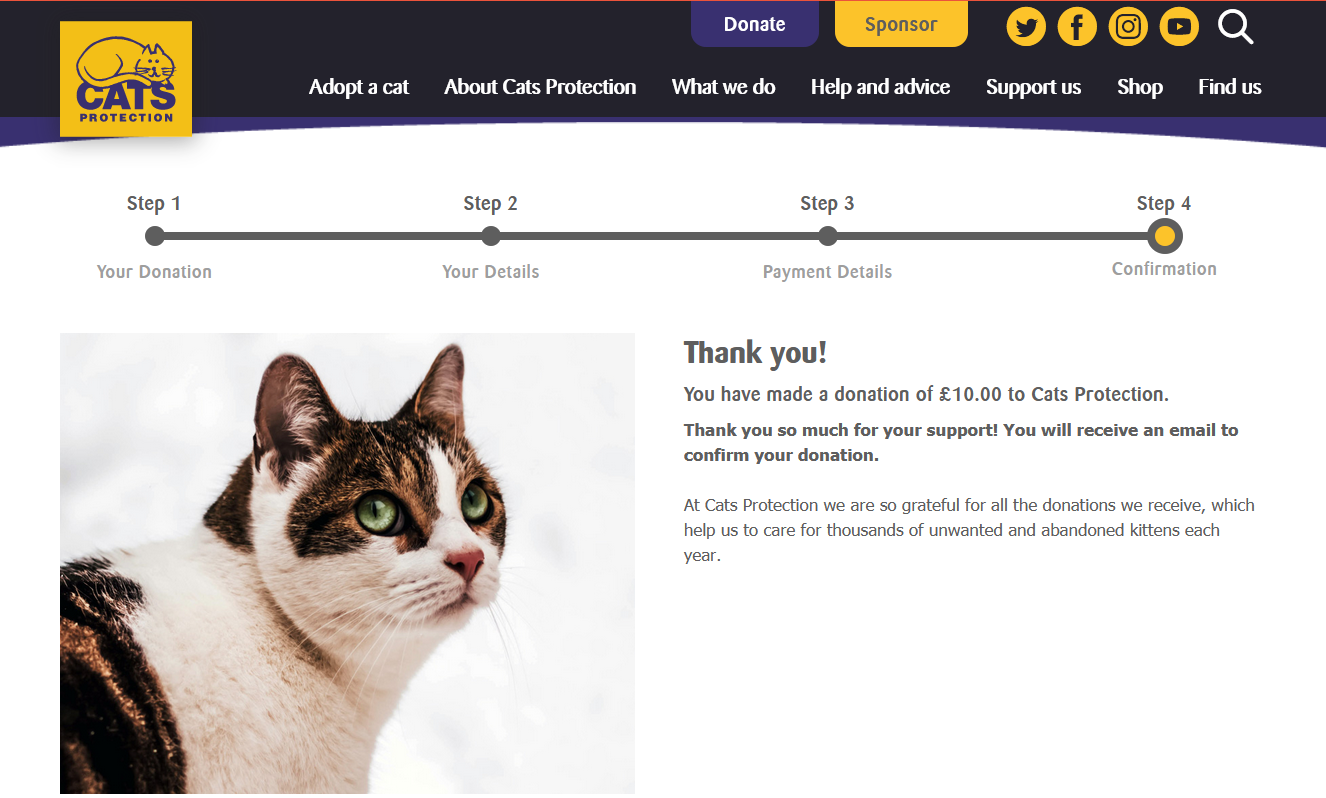
Do you have a favourite charity? - I feel like I should make a small donation on your behalf as getting this right was really important to me!
-
Mar 17th, 2021, 05:26 AM
#7
Re: Help needed translating c# code
Glad it worked for you. I'm happy to help when I'm able to, just as others have helped me. Always been an advocate for "Pay it Forward" 
-
Mar 17th, 2021, 05:35 AM
#8
Thread Starter
Addicted Member
Re: Help needed translating c# code
That's a great attitude, and since I spent so long banging my head against the wall on this....

-
Mar 17th, 2021, 06:09 AM
#9
Re: Help needed translating c# code
Nice. My cat died 2 years ago and I still miss her deeply, so I thank you
Tags for this Thread
 Posting Permissions
- You may not post new threads
- You may not post replies
- You may not post attachments
- You may not edit your posts
-
Forum Rules
|
Click Here to Expand Forum to Full Width
|



 Reply With Quote

