|

-
May 1st, 2019, 05:55 PM
#1
Thread Starter
Member

Point of sale Keyboard - exclusive use
Hi all,
I hope someone can help me
I have written a popular EPoS application in Vb.net and it is Full screen and I have set TopMost to true but I have had a few customers call me to say sometimes when the tills boot the PoS application does not do anything
after some digging i have found that the focus is not set onto the application.
So I was wondering how can I keep the keyboard focus on my PoS application and not on any of the other program
If I have to do a keyboard hack then I will (advice on that would be most welcomed)
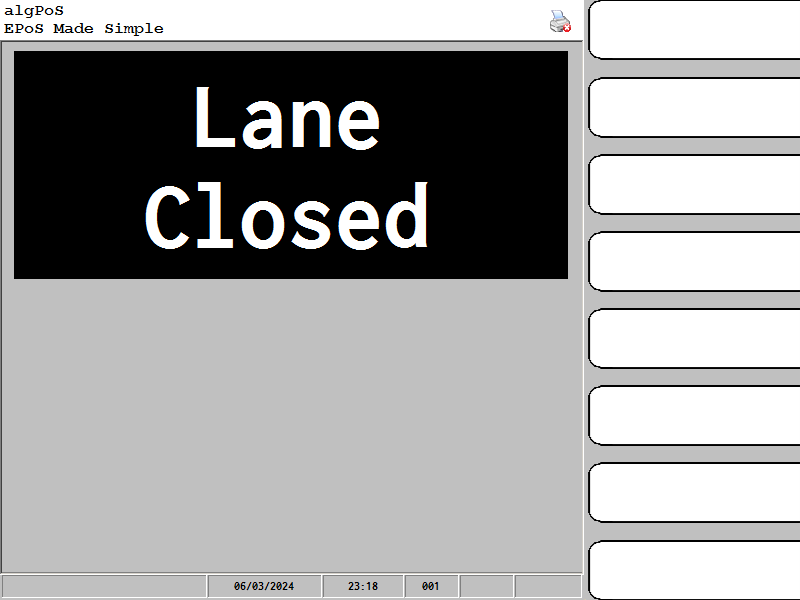
this is my EPoS application
-
May 1st, 2019, 06:20 PM
#2
Re: Point of sale Keyboard - exclusive use
I assume that you have the systems set to Kiosk Mode. Have you verified that there is not some type of boot error when this happens?
Possibly useful link:
https://stackoverflow.com/questions/...lose-its-focus
-
May 2nd, 2019, 02:03 AM
#3
Thread Starter
Member
Re: Point of sale Keyboard - exclusive use
I am not sure if I am booting Windows 7 into Kiosk mode but i do have a small start up app that shuts down the explorer program and then starts any other apps before my main app starts up.
The problem is I can not replicate this error on my test machine as it works fine on that machine.
Would the only way to make sure it never looses the keyboard is to hook the keyboard to the PoS application only?
-
May 2nd, 2019, 02:03 AM
#4
Thread Starter
Member
Re: Point of sale Keyboard - exclusive use
I am not sure if I am booting Windows 7 into Kiosk mode but i do have a small start up app that shuts down the explorer program and then starts any other apps before my main app starts up.
The problem is I can not replicate this error on my test machine as it works fine on that machine.
Would the only way to make sure it never looses the keyboard is to hook the keyboard to the PoS application only?
-
May 2nd, 2019, 10:42 AM
#5
Re: Point of sale Keyboard - exclusive use
Would the only way to make sure it never looses the keyboard is to hook the keyboard to the POS application only?
This may not be a good idea. What if you need to perform some maintenance activities on the POS machine?
The best idea would be to see what is actually happening on the specific POS terminal. POS systems are prime targets for hackers, and the symptoms you are describing may be the result of a compromise on that PC. It could also be some sort of hardware issue or failure. An accurate diagnosis of the problem would be the best plan.
-
May 2nd, 2019, 07:40 PM
#6
Thread Starter
Member
Re: Point of sale Keyboard - exclusive use
 Originally Posted by jdc2000

This may not be a good idea. What if you need to perform some maintenance activities on the POS machine?
The best idea would be to see what is actually happening on the specific POS terminal. POS systems are prime targets for hackers, and the symptoms you are describing may be the result of a compromise on that PC. It could also be some sort of hardware issue or failure. An accurate diagnosis of the problem would be the best plan.
I can grantee 100% the till has not been hacked (it is not on any internet facing network) and for maintenance the system can be rebooted and a Admin user can log in and that account has all the standard functions working on the PoS
Code:
'**************************************
'Windows API/Global Declarations for :System Wide [ Global] Keyboard Hook - Pure VB
'**************************************
Public Declare Function CallNextHookEx Lib "user32" (ByVal hHook As Long, ByVal ncode As Long, ByVal wParam As Long, lParam As Any) As Long
Public Declare Function UnhookWindowsHookEx Lib "user32" (ByVal hHook As Long) As Long
Public Declare Function SetWindowsHook Lib "user32" Alias "SetWindowsHookA" (ByVal nFilterType As Long, ByVal pfnFilterProc As Long) As Long
Public Declare Function SetWindowsHookEx Lib "user32" Alias "SetWindowsHookExA" (ByVal idHook As Long, ByVal lpfn As Long, ByVal hmod As Long, ByVal dwThreadId As Long) As Long
Public Declare Sub CopyMemory Lib "kernel32" Alias "RtlMoveMemory" (Destination As Any, Source As Any, ByVal Length As Long)
Global Const WH_KEYBOARD_LL = 13
Public Const HC_ACTION = 0
Type HookStruct
vkCode As Long
scancode As Long
flags As Long
time As Long
dwExtraInfo As Long
End Type
I found the above while on google would anyone say that is the way to go?
Tags for this Thread
 Posting Permissions
- You may not post new threads
- You may not post replies
- You may not post attachments
- You may not edit your posts
-
Forum Rules
|
Click Here to Expand Forum to Full Width
|



 Reply With Quote

