|

-
Nov 6th, 2018, 05:10 PM
#1
 [RESOLVED] RotateTransform gradient not in sync [RESOLVED] RotateTransform gradient not in sync
So doing some drawing in a drop down and when I dont transform it it draws as expected. However when I transform the brush 90 degrees, for ex. it seems to also transform the rectangle. However if I adjust for that then it draws outside the border as if the rectangle isnt transformed. I think my rectangle and brush rectangle are out of alignment causing it to tile or draw out of the border.
Its an 11 x 10 pixel rectangle and the first column of pixels is the "margin" resulting in a 10 x 10 square.
No transform
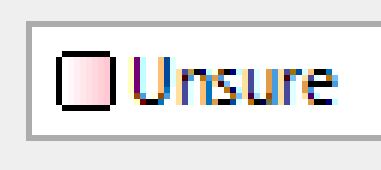
Transform 90

Transform 45

Code:
Pen pen = new Pen(Color.Black, 1);
Graphics rectGraphics;
Bitmap img = new Bitmap(11, 10);
rectGraphics = Graphics.FromImage(img);
rectGraphics.DrawLine(pen, 2, 0, 9, 0); //rounded rectangle
rectGraphics.DrawLine(pen, 10, 1, 10, 8); //rounded rectangle
rectGraphics.DrawLine(pen, 9, 9, 2, 9); //rounded rectangle
rectGraphics.DrawLine(pen, 1, 8, 1, 1); //rounded rectangle

Rectangle innards = new Rectangle(2, 1, 8, 8);
LinearGradientBrush lgb = new LinearGradientBrush(innards, Color.White, Color.White, 0, false);

ColorBlend cb = new ColorBlend();
cb.Positions = new[] { 0.0f, 0.5f, 1.0f };
cb.Colors = new[] { Color.White, Color.Pink, Color.Red };
lgb.InterpolationColors = cb;
lgb.RotateTransform(90);

rectGraphics.FillRectangle(lgb, innards); //fill rectangle innards
pen.Dispose();
rectGraphics.Dispose();
VB/Office Guru™ (AKA: Gangsta Yoda™  ®) ®)
I dont answer coding questions via PM. Please post a thread in the appropriate forum. 
Microsoft MVP 2006-2011
Office Development FAQ (C#, VB.NET, VB 6, VBA)
Senior Jedi Software Engineer MCP (VB 6 & .NET), BSEE, CET
If a post has helped you then Please Rate it! 
• Reps & Rating Posts • VS.NET on Vista • Multiple .NET Framework Versions • Office Primary Interop Assemblies • VB/Office Guru™ Word SpellChecker™.NET • VB/Office Guru™ Word SpellChecker™ VB6 • VB.NET Attributes Ex. • Outlook Global Address List • API Viewer utility • .NET API Viewer Utility •
System: Intel i7 6850K, Geforce GTX1060, Samsung M.2 1 TB & SATA 500 GB, 32 GBs DDR4 3300 Quad Channel RAM, 2 Viewsonic 24" LCDs, Windows 10, Office 2016, VS 2019, VB6 SP6
-
Nov 6th, 2018, 05:23 PM
#2
Re: RotateTransform gradient not in sync
Never fails, soon as I post a thread I figure it out.
So seems an overload of the LinearGradienBrush has an angle argument. So I changed to that overload and commented the RotateTransform and it works as needed now.
Changes:
Code:
LinearGradientBrush lgb = new LinearGradientBrush(innards, Color.Black, Color.Black, 45);
...
...
//lgb.RotateTransform(90);

VB/Office Guru™ (AKA: Gangsta Yoda™ ®)
I dont answer coding questions via PM. Please post a thread in the appropriate forum.
Microsoft MVP 2006-2011
Office Development FAQ (C#, VB.NET, VB 6, VBA)
Senior Jedi Software Engineer MCP (VB 6 & .NET), BSEE, CET
If a post has helped you then Please Rate it!
• Reps & Rating Posts • VS.NET on Vista • Multiple .NET Framework Versions • Office Primary Interop Assemblies • VB/Office Guru™ Word SpellChecker™.NET • VB/Office Guru™ Word SpellChecker™ VB6 • VB.NET Attributes Ex. • Outlook Global Address List • API Viewer utility • .NET API Viewer Utility •
System: Intel i7 6850K, Geforce GTX1060, Samsung M.2 1 TB & SATA 500 GB, 32 GBs DDR4 3300 Quad Channel RAM, 2 Viewsonic 24" LCDs, Windows 10, Office 2016, VS 2019, VB6 SP6
 Posting Permissions
- You may not post new threads
- You may not post replies
- You may not post attachments
- You may not edit your posts
-
Forum Rules
|
Click Here to Expand Forum to Full Width
|



 Reply With Quote