|

-
Jul 30th, 2017, 06:35 PM
#11
Addicted Member

Re: CommonControls (Replacement of the MS common controls)
Nice work krool .
for listview i had already processed my code like what you have just provided to solve this error . and i also recommend that all autosizing is set even after listview items population because of "lvwColumnHeaderAutoSizeToitems" has to know the max length of all items .
think about these improvements . i think they are easy to be included compared to this massive work and will increase usability level for listview
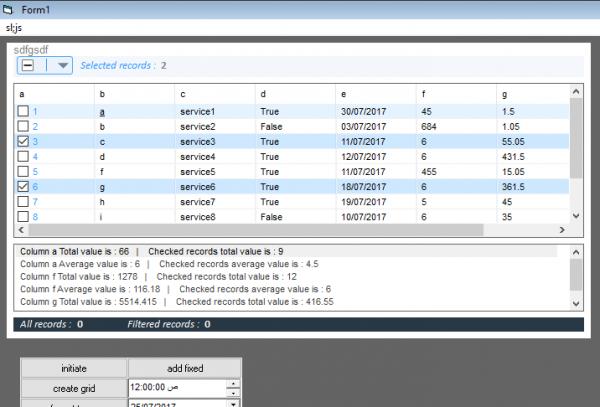
1- listview column header backcolor
2- listview item alternate row color (items backcolor)
3- this one is necessary and will solve many problems :: making the header multiline or adding a sub-header or may be a footer to display sum or overage values for numerical columns if the user needs this function for both group level and all items level .
4- select all/none/inverse
5- command list which is dynamic for commands to be added maybe with default buttons like(delete-highlight .....) for checked or selected records
6- alias for bool values like say ( "in stock" if true ) ( "out of stock" if false )
7 - the most important one i think is related to working with touch screens . can we make listview scrolling is called by mousedown of listview . because it is annoying when in touch screens catching the scrollbar and scrolling is not a comfort
i am working on these improvements already , but i think it will be well more engineered if you make them in your original control
 Posting Permissions
- You may not post new threads
- You may not post replies
- You may not post attachments
- You may not edit your posts
-
Forum Rules
|
Click Here to Expand Forum to Full Width
|



 Reply With Quote