|

-
Mar 31st, 2016, 11:09 AM
#1
Thread Starter
Member

 [RESOLVED] Ignore/close WebBrowser1's script errors without manually clicking Yes/No buttons [RESOLVED] Ignore/close WebBrowser1's script errors without manually clicking Yes/No buttons
Hello everyone.
I have an annoying problem with website's annoying script errors popping every few seconds from WebBrowser1 in my program. Is there any way to automatically close them/ignore them so they will not interrupt WebBrowser1's tasks?
Here's a screenshot of the following error:
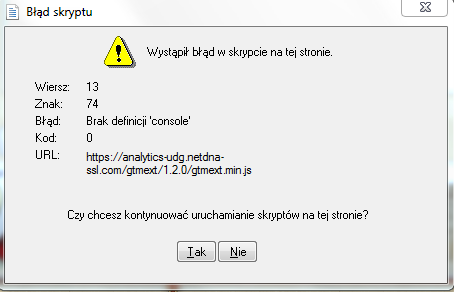
Thanks for Your help, I'll give reputation for help :]
-
Mar 31st, 2016, 11:18 AM
#2
Re: Ignore/close WebBrowser1's script errors without manually clicking Yes/No buttons
On form load or whereever, have you tried setting,..
Code:
WebBrowser1.ScriptErrorsSuppressed = True
WebBrowser.ScriptErrorsSuppressed Property
https://msdn.microsoft.com/en-us/lib...v=vs.110).aspx
-
Mar 31st, 2016, 11:20 AM
#3
Member
Re: Ignore/close WebBrowser1's script errors without manually clicking Yes/No buttons
 Originally Posted by n1000

Hello everyone.
I have an annoying problem with website's annoying script errors popping every few seconds from WebBrowser1 in my program. Is there any way to automatically close them/ignore them so they will not interrupt WebBrowser1's tasks?
Here's a screenshot of the following error:
Thanks for Your help, I'll give reputation for help :]
Select webbrowser control and in properties, set scripterrorssuppressed = true.
-
Mar 31st, 2016, 11:27 AM
#4
Thread Starter
Member
Re: Ignore/close WebBrowser1's script errors without manually clicking Yes/No buttons
Thanks guys 
Tags for this Thread
 Posting Permissions
- You may not post new threads
- You may not post replies
- You may not post attachments
- You may not edit your posts
-
Forum Rules
|
Click Here to Expand Forum to Full Width
|



 Reply With Quote

