|

-
Jan 14th, 2015, 03:23 AM
#1
Thread Starter
New Member


Doubt to extract sub element value from a XML node
Hi there,
I´m new to this board and this is my first post. I´m a beginner in VB .NET and I apologize in advance if I´m raising an stupid question. I searched around the board and Googled it but I probably was unable to use the correct words to find out what I´m looking for. I´m totally new to XML parsing as well...
I have the code below which is supposed to populate a richbox, line by line with the elements and attributes of each <Tool ID> node, which starts with <Tool ID> (Where ID is the 1st attribute I do extract) and ends with </Tool>.
I´m successful extracting the first elements and attributes after the element "<Tool", but for the elements that are within the sub element cutter and holder, I´m struggling to figure out how to move the descendent to "<Cutter>" and next "<Holder>" and extract the elements from there, while keeping the loop looking for each "<Tool" element as a whole new set. The idea is to append lines to the richbox for each new "<Tool"...
I think I have to shift "offer" to look into the next sub node (<Cutter>) and next (<Holder>) using something like offer = offer.NextNode but that´s not working...
Can someone point me out in the right direction here or recommend some resource I could learn about how to do it?
Below you can see also the XML code with (<Cutter>) and (<Holder>) sub nodes highlighted.
Many thanks in advance,
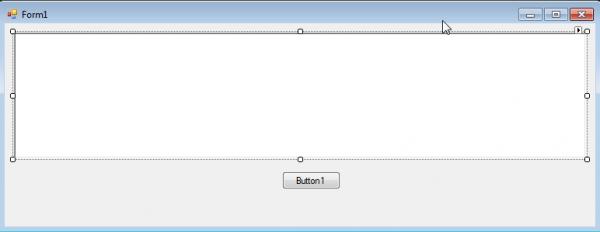
Code:
Imports System.IO
Imports System.IO.Compression
Imports System.Xml
Imports System.Text
Imports System.Threading
Imports System.Xml.XPath
Public Class Form1
Public Delay As Integer = 500
Private Sub Button1_Click(sender As Object, e As EventArgs) Handles Button1.Click
Dim path As String = "C:\Development\File.xml"
XDocument.Load(path)
Dim doc = XElement.Load(path)
For Each offer As XElement In doc.Descendants("Tool")
If offer.HasElements Then
The extraction works fine up to this portion: Code:
This is where the extraction starts to fail since the elements here are within a sub element named <Cutter> Code:
If ID <> Nothing Then
RichTextBox1.AppendText("Tool ID: " & ID.ToString & " | " & "Unidade: " & Unidades & " | " & "Descrição: " & Descricao & _
" | " & "Tipo: " & Tipo & " | " & "Referencia: " & Entidade & " | " & "Entidade: " & Entidade & " | " & "Arquivo: " & Arquivo & _
" | " & "Grupo: " & Grupo & vbNewLine)
End If
End If
Next
End Sub
End Class
Below my XML file
Code:
<?xml version="1.0"?>
<Tools>
<Tool ID="100003" Units="Millimeter">
<Description>100003</Description>
<Teeth>1</Teeth>
<Type>Turning</Type>
<Cutter>
<Reference ID="12143 - N123G2-0300-0002-GF">
<FileName>Z:\Bibliotecas\Vericut\TBT_MASTER_LIBRARY.tls</FileName>
<ToolID>Torneamento - Insertos paramétricos</ToolID>
<EntityName>12143 - N123G2-0300-0002-GF</EntityName>
<Origin>
<X>34.8</X>
<Y>0</Y>
<Z>-82.9</Z>
</Origin>
<Rotation>
<X>0</X>
<Y>-90</Y>
<Z>0</Z>
</Rotation>
<NoSpin>0</NoSpin>
<Alternate>Off</Alternate>
</Reference>
</Cutter>
<Holder>
<Reference ID="12135 - C5-570-32-LF">
<FileName>Z:\Bibliotecas\Vericut\TBT_MASTER_LIBRARY.tls</FileName>
<ToolID>Holders & Acessorios</ToolID>
<EntityName>12135 - C5-570-32-LF</EntityName>
<NoSpin>0</NoSpin>
<Alternate>Off</Alternate>
</Reference>
<Reference ID="12142 - 570-32L123G18B067A">
<FileName>Z:\Bibliotecas\Vericut\TBT_MASTER_LIBRARY.tls</FileName>
<ToolID>Holders & Acessorios</ToolID>
<EntityName>12142 - 570-32L123G18B067A</EntityName>
<Origin>
<X>21</X>
<Y>0</Y>
<Z>-42</Z>
</Origin>
<NoSpin>0</NoSpin>
<Alternate>Off</Alternate>
</Reference>
</Holder>
<DrivenPoint ID="1">
<Type>-1</Type>
<Radius>0</Radius>
<X>35</X>
<Y>0</Y>
<Z>-83.1</Z>
</DrivenPoint>
<DrivenPoint ID="2">
<Type>-1</Type>
<Radius>0</Radius>
<X>32</X>
<Y>0</Y>
<Z>-83.1</Z>
</DrivenPoint>
<CutterCompensation ID="1">0.2</CutterCompensation>
<CutterCompensation ID="2">0.2</CutterCompensation>
</Tool>
<Tool ID="100004" Units="Millimeter">
<Description>100004</Description>
<Teeth>1</Teeth>
<Type>Turning</Type>
<Cutter>
<Reference ID="12140 - N123G2-0318-0008">
<FileName>Z:\Bibliotecas\Vericut\TBT_MASTER_LIBRARY.tls</FileName>
<ToolID>Torneamento - Insertos paramétricos</ToolID>
<EntityName>12140 - N123G2-0318-0008</EntityName>
<Origin>
<X>34.2</X>
<Y>0</Y>
<Z>-82.3</Z>
</Origin>
<Rotation>
<X>0</X>
<Y>-90</Y>
<Z>0</Z>
</Rotation>
<NoSpin>0</NoSpin>
<Alternate>Off</Alternate>
</Reference>
</Cutter>
<Holder>
<Reference ID="12135 - C5-570-32-LF">
<FileName>Z:\Bibliotecas\Vericut\TBT_MASTER_LIBRARY.tls</FileName>
<ToolID>Holders & Acessorios</ToolID>
<EntityName>12135 - C5-570-32-LF</EntityName>
<NoSpin>0</NoSpin>
<Alternate>Off</Alternate>
</Reference>
<Reference ID="12139 - 570-32L123G18B130A">
<FileName>Z:\Bibliotecas\Vericut\TBT_MASTER_LIBRARY.tls</FileName>
<ToolID>Holders & Acessorios</ToolID>
<EntityName>12139 - 570-32L123G18B130A</EntityName>
<Origin>
<X>21</X>
<Y>0</Y>
<Z>-42</Z>
</Origin>
<NoSpin>0</NoSpin>
<Alternate>Off</Alternate>
</Reference>
</Holder>
<DrivenPoint ID="1">
<Type>-1</Type>
<Radius>0</Radius>
<X>35</X>
<Y>0</Y>
<Z>-83.1</Z>
</DrivenPoint>
<DrivenPoint ID="2">
<Type>-1</Type>
<Radius>0</Radius>
<X>31.82</X>
<Y>0</Y>
<Z>-83.1</Z>
</DrivenPoint>
<CutterCompensation ID="1">0.8</CutterCompensation>
<CutterCompensation ID="2">0.8</CutterCompensation>
</Tool>
</Tools>
Last edited by MillTurnBr; Jan 14th, 2015 at 03:03 PM.
Tags for this Thread
 Posting Permissions
- You may not post new threads
- You may not post replies
- You may not post attachments
- You may not edit your posts
-
Forum Rules
|
Click Here to Expand Forum to Full Width
|



 Reply With Quote