|

-
May 9th, 2013, 10:05 PM
#1
Thread Starter
Lively Member

monthcalendar help using two forms
Using VB2012. Have two forms. As of now, Form1 has a label equal to today's date. Next to it is a button called "Change Date". If the button is clicked it then calls up a monthcalendar on form2. Once the new date is selected it needs to replace the date in the label on form1. How would I go about doing this task. Thanks.
-
May 9th, 2013, 10:23 PM
#2
Re: monthcalendar help using two forms
On your dialogue form, expose the MonthCalendar selection via a read-only property:
Code:
Public Class CalendarDialogue

    Public ReadOnly Property SelectedDate As Date
        Get
            Return MonthCalendar1.SelectionStart
        End Get
    End Property

End Class
Your main form will then do something like this:
Code:
Private Sub changeDateButton_Click(sender As Object, e As EventArgs) Handles changeDateButton.Click
    Using dialogue As New CalendarDialogue
        If dialogue.ShowDialog() = DialogResult.OK Then
            Label1.Text = dialogue.SelectedDate.ToShortDateString()
        End If
    End Using
End Sub
To make ShowDialog return OK, set the DialogResult property of the OK Button on the dialogue form to OK or else set the form's DialogResult property to OK in the OK Button's Click event handler. The first option is preferable if you wouldn't be doing anything else in the Click event handler.
-
May 9th, 2013, 11:23 PM
#3
Thread Starter
Lively Member
Re: monthcalendar help using two forms
I don't get it. I must of done something wrong. When "change date" or button1 in this case, is clicked it calls up form2 which displays a calendar when the user clicks on a new date, nothing happens to the date on form1. Also changed the diaolog result to "OK".
Code:
Public Class Form1

    Private Sub Form1_Load(sender As Object, e As EventArgs) Handles MyBase.Load
        Me.Label1.Text = Format(Today, "yyMMdd")
    End Sub

    Private Sub Button1_Click(sender As Object, e As EventArgs) Handles Button1.Click
        Using dialog As New CalendarDialog
            If dialog.ShowDialog() = Windows.Forms.DialogResult.OK Then
                Label1.Text = dialog.SelectedDate.ToShortDateString
            End If
        End Using
    End Sub
End Class
Code:
Public Class CalendarDialog

    Public ReadOnly Property SelectedDate As Date
        Get
            Return MonthCalendar1.SelectionStart
        End Get
    End Property
End Class
-
May 10th, 2013, 12:00 AM
#4
Re: monthcalendar help using two forms
Did you read and, more importantly, implement what I said in the last paragraph of post #2? You're only setting the Label Text if ShowDialog returns OK so of course nothing will happen if ShowDialog doesn't return OK.
-
May 10th, 2013, 05:31 AM
#5
Thread Starter
Lively Member
Re: monthcalendar help using two forms
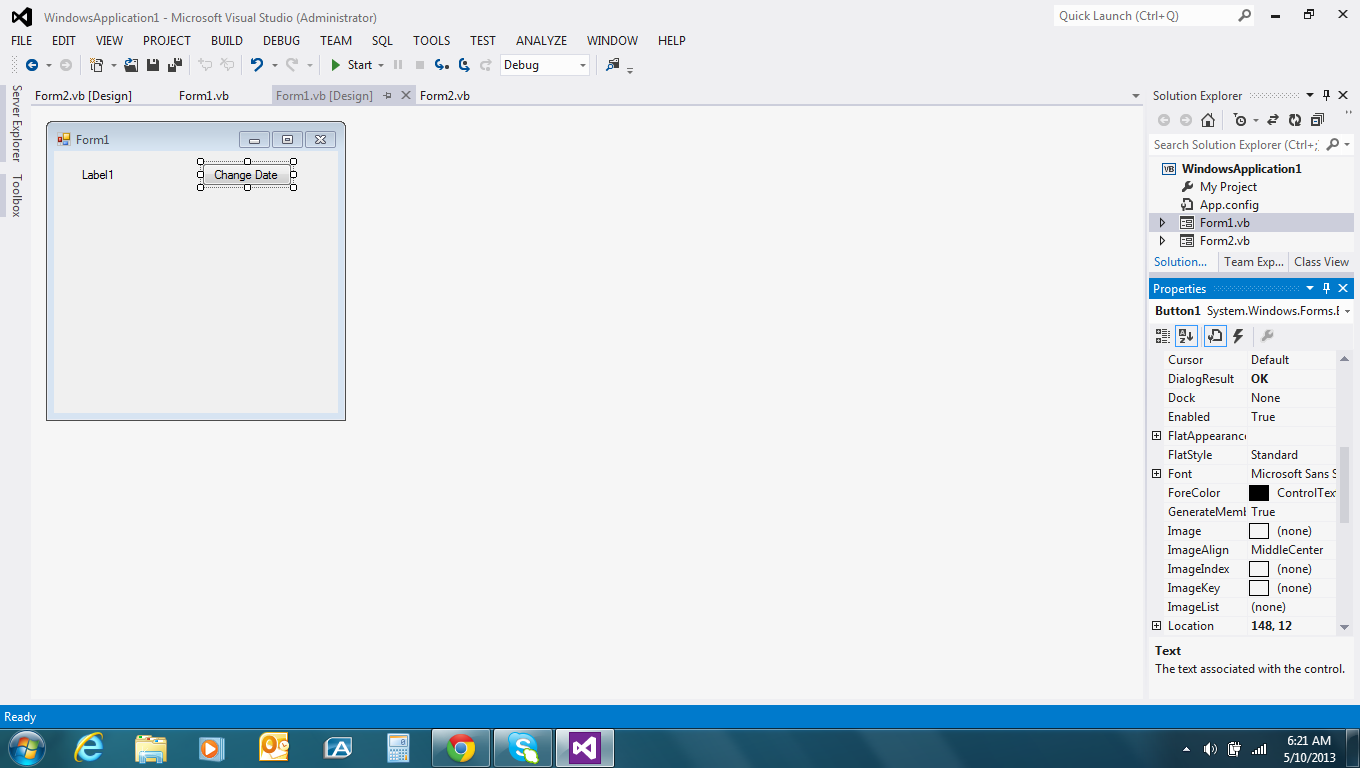
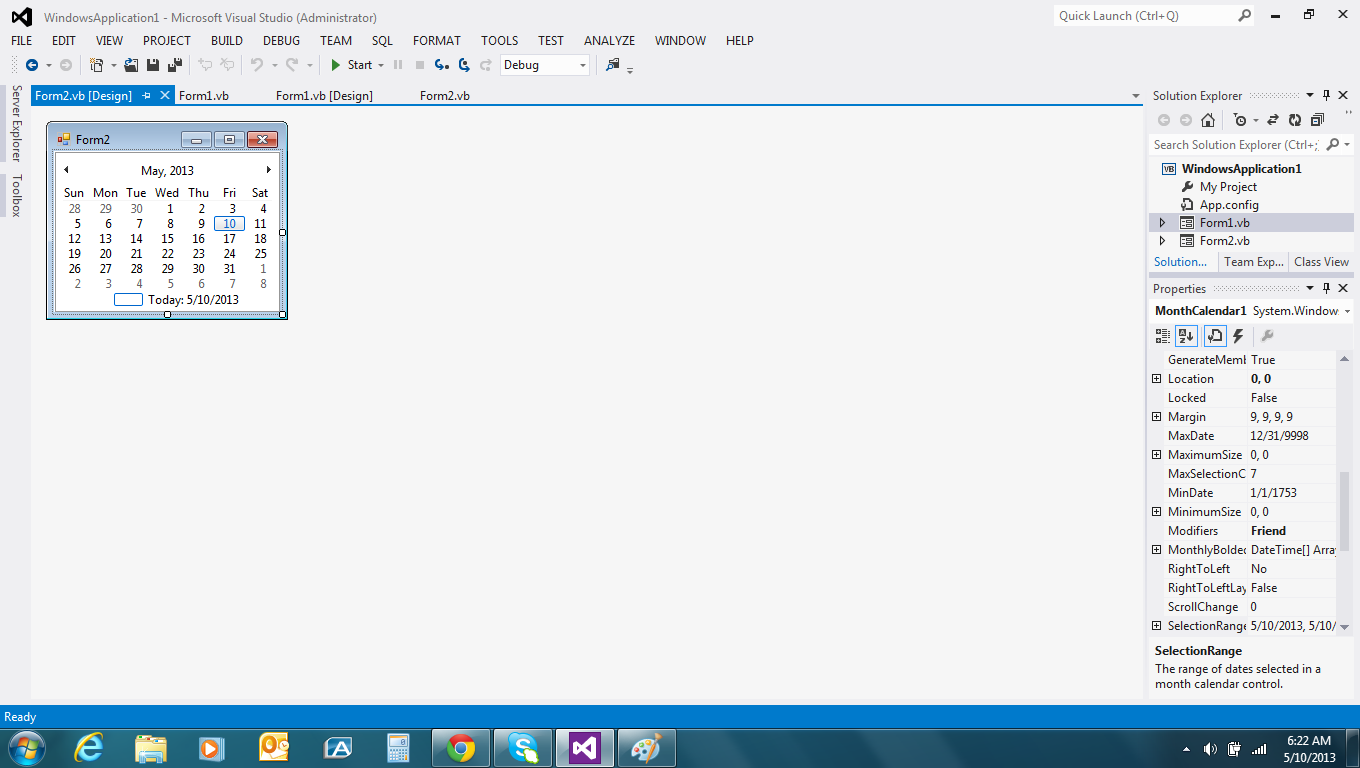
Button1 dialogresult is set to OK.
-
May 10th, 2013, 05:53 AM
#6
Re: monthcalendar help using two forms
You might want to read more carefully:
 Originally Posted by jmcilhinney

To make ShowDialog return OK, set the DialogResult property of the OK Button on the dialogue form to OK or else set the form's DialogResult property to OK in the OK Button's Click event handler.
It would generally be the case that that dialogue would have an OK button and a Cancel button and you would only update the caller if the user clicked OK. When the user clicks OK then that should set the DialogResult of the dialogue to OK, which in turn makes ShowDialog return OK. Setting the Button's DialogResult to OK does that. If you're not letting the user choose to cancel the operation then there's no point testing the value returned by ShowDialog because you're going to perform the action regardless.
-
May 11th, 2013, 01:42 PM
#7
Thread Starter
Lively Member
Re: monthcalendar help using two forms
Thank you greatly for your help. After recreating the form two(calendarForm) adding a couple of things like an "OK" button. The code works great. However, how would I go about changing the format of the date. For starters, instead of (MM/dd/year). I would like it to show ("S" & "yyMMdd"). It is very important that the letter "S" precedes the date. Thank you again,
-
May 11th, 2013, 07:39 PM
#8
Re: monthcalendar help using two forms
In my example code, I have called ToShortDateString to use the default short date format for the current system. If you want a specific format then you call ToString instead and pass the appropriate format string, e.g.
Code:
MessageBox.Show(Date.Now.ToString("SyyMMdd"))
-
May 11th, 2013, 09:32 PM
#9
Thread Starter
Lively Member
Re: monthcalendar help using two forms
It worked. Thank you so very much.
-
May 11th, 2013, 09:40 PM
#10
Re: monthcalendar help using two forms
For more information on formatting, check this out:
http://msdn.microsoft.com/en-us/library/26etazsy.aspx
Note the links on the left-hand side that provide information about specific format strings for various types.
-
May 11th, 2013, 10:05 PM
#11
Thread Starter
Lively Member
Re: monthcalendar help using two forms
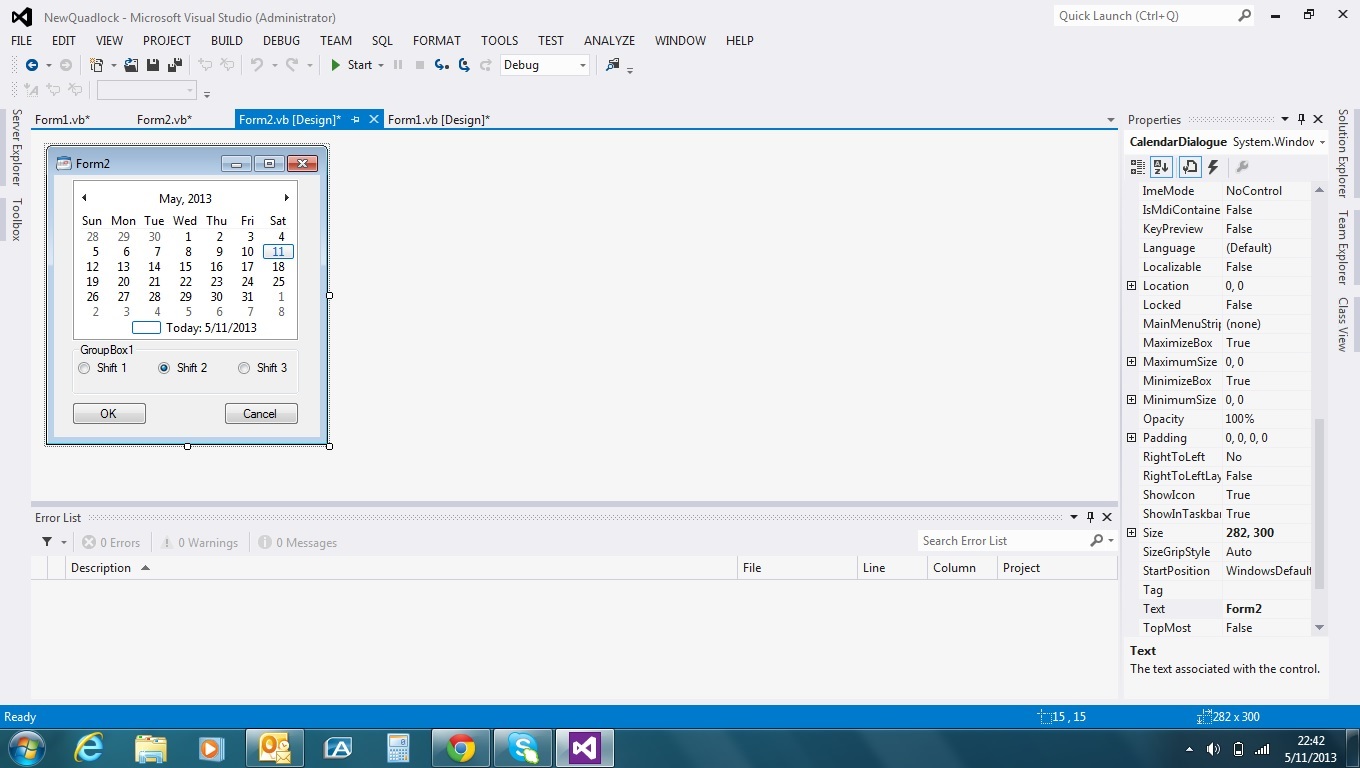
Thanks. Very helpful. One more question. Above is the new and improved form that works thanks to you. My question is how could I append the number from the radiobutton to the end of my date code. i.e. S1305112 if radiobutton number two was checked. I got it to work on form one based on the current time of day.
-
May 11th, 2013, 10:23 PM
#12
Re: monthcalendar help using two forms
Your battery is running a bit low. 
Add another property to your dialogue form that returns an appropriate Integer based on the checked RadioButton. The calling form can then get both property values and put them together as appropriate, e.g.
Code:
String.Format("S{0:yyMMdd}{1}", dialogue.SelectedDate, dialogue.ShiftNumber)
-
May 11th, 2013, 10:38 PM
#13
Thread Starter
Lively Member
Re: monthcalendar help using two forms
Do you mean this? Also tried it with another word "Return" in front of the word "String.format....". In either cases I get an error message stating: "dialogue is not declared. It maybe inaccessible due to its protection level."
Code:
    Public Class CalendarDialogue
    Public ReadOnly Property SelectedDate As Date
        Get
            Return MonthCalendar1.SelectionStart.ToString()
            String.Format("S{0:yyMMdd}{1}", dialogue.SelectedDate, dialogue.ShiftNumber)
        End Get
    End Property
End Class
-
May 11th, 2013, 10:50 PM
#14
Re: monthcalendar help using two forms
No I don't mean that. I mean what I said. What I said was to add another property to your dialogue form, not to change the existing property. The dialogue form will have two properties defined by you: one for the selected date and one for the selected shift. After the dialogue closes, the calling form will get the values of those two properties and put them together into a single String as I demonstrated and then use it as appropriate.
-
May 11th, 2013, 11:09 PM
#15
Thread Starter
Lively Member
Re: monthcalendar help using two forms
Your a lifesaver. Thanks a bunch. It worked.
 Posting Permissions
- You may not post new threads
- You may not post replies
- You may not post attachments
- You may not edit your posts
-
Forum Rules
|
Click Here to Expand Forum to Full Width
|



 Reply With Quote
