|

-
Mar 1st, 2013, 04:54 PM
#1
Thread Starter
Addicted Member

 [RESOLVED] Visual Studio 2012 IDE Problem? [RESOLVED] Visual Studio 2012 IDE Problem?
I was showing smth to my cousin in teamviewer, and he clicked something, and this window shows up at the top of my vs ide and I can't find any way to get rid of it. Anyone knows how?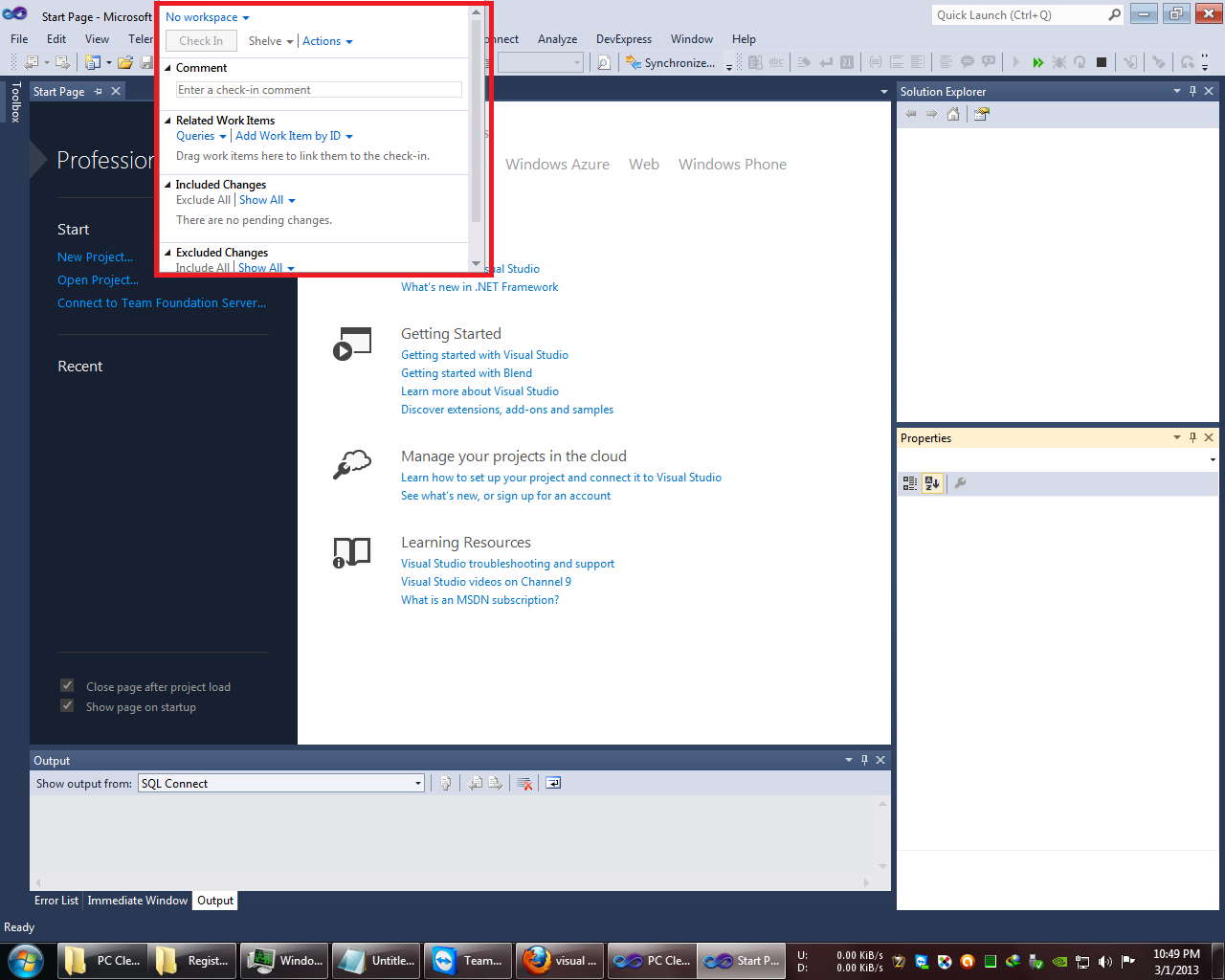
-
Mar 1st, 2013, 07:41 PM
#2
Re: Visual Studio 2012 IDE Problem?
I believe that that is the Team Explorer and it is usually docked to the right-hand side of the IDE along with the Solution Explorer, etc. Just like those other tool windows, even when undocked it should have a title bar and tool bar at the top. Using the title bar you should be able to drag the window and redock it or else close it altogether. I wonder whether it has somehow been dragged up so far that the top section is off the screen. That shouldn't be able to happen but, if it has, I'm not sure how you'd fix it. I believe that there may be a way to reset the IDE to it's original layout but I'm not sure how. You could try the Import & Export Settings menu item and see if importing a new set of settings will reset the tool windows.
-
Mar 1st, 2013, 08:07 PM
#3
Thread Starter
Addicted Member
Re: Visual Studio 2012 IDE Problem?
Yeah, it was the Team Explorer which is indeed docked at the right. And the problem was as you said, it was dragged so high that it's top section was off the screen. I resized it and finally the top reappeared on my screen which allowed me to remove it from there and dock it into it's proper place. Phew, I was considering reinstalling VS and all my add-ons because of it.
 Posting Permissions
- You may not post new threads
- You may not post replies
- You may not post attachments
- You may not edit your posts
-
Forum Rules
|
Click Here to Expand Forum to Full Width
|



 Reply With Quote
