|

-
May 14th, 2009, 10:59 PM
#1
Thread Starter
Lively Member

DBGrid
Hey
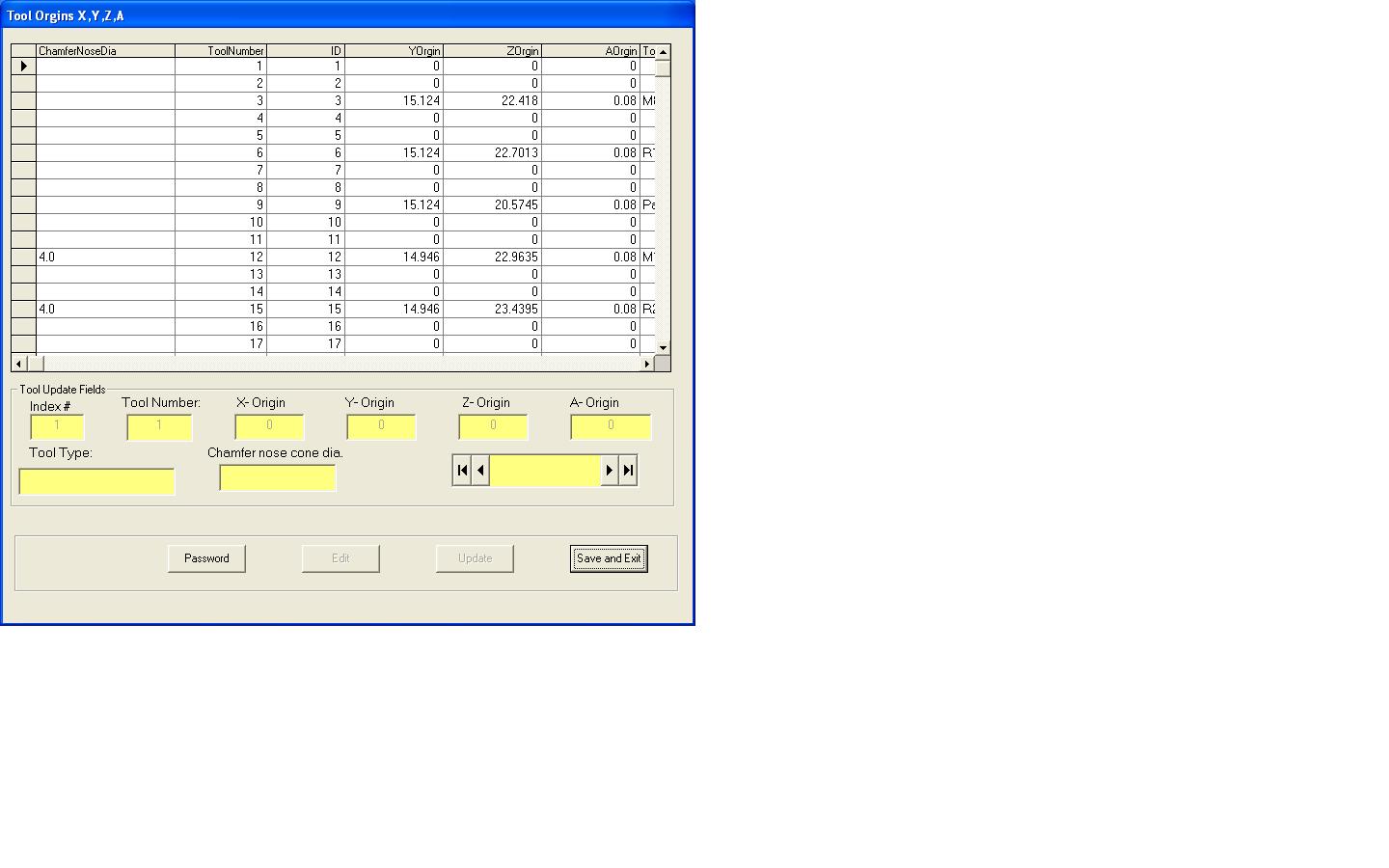
I have this project that i have not looked at in a while. My PC crashed and i had to reinstall windows XP. The problem is my DBGrid is resizing to the left. I cannot see any of my values. Anyone ever see anything like this?
Thanks,
Reston
-
May 15th, 2009, 04:54 AM
#2
Re: DBGrid
What do you mean "Resizing to the left"? I think you're going to need to show us some screenshots on this one.
The best argument against democracy is a five minute conversation with the average voter - Winston Churchill
Hadoop actually sounds more like the way they greet each other in Yorkshire - Inferrd
-
May 15th, 2009, 10:15 PM
#3
Thread Starter
Lively Member
Re: DBGrid
I will take some screen shots and post them.
Thanks for the reply
-
May 23rd, 2009, 10:44 PM
#4
Thread Starter
Lively Member
 Re: DBGrid Re: DBGrid
Hey all
This is a form in my app ,but i'm having trouble with the size of the columns in this. They are not in the order of the access data base and the size of the columns seem to be pretty large.
This is the code that i'm using as the form loads.
Thanks for any help
VB Code
Private Sub Form_Load()
sPath = "C:\Nif3\Table1.mdb"
Set daoDB36 = DBEngine.OpenDatabase(sPath)
Set rs = daoDB36.OpenRecordset("ToolOrgins")
Set datToolOrgins.Recordset = rs
End Sub
VB Code
Last edited by tiguy; May 23rd, 2009 at 10:49 PM.
-
May 24th, 2009, 07:13 PM
#5
Re: DBGrid
You can go to the Property Pages and the Layout tab and set the Width of the columns.
-
May 26th, 2009, 10:37 PM
#6
Thread Starter
Lively Member
 Posting Permissions
- You may not post new threads
- You may not post replies
- You may not post attachments
- You may not edit your posts
-
Forum Rules
|
Click Here to Expand Forum to Full Width
|



 Reply With Quote


 ™
™