|

-
Oct 5th, 2005, 07:37 PM
#1
Thread Starter
Frenzied Member


-
Oct 5th, 2005, 07:52 PM
#2
Re: [serious] stinks in photoshop, any idea for improvment
Its cuz your using a gradient..those are really ugly with the colors you used. Id suggest to start off with:
Get the brush tool out, right click and place some cool looking ones around the picture(Grunge  ) )
Or, Mess with some filters (start off with Render->Clouds) and then filter away 
-
Oct 5th, 2005, 07:56 PM
#3
Hyperactive Member

Re: [serious] stinks in photoshop, any idea for improvment
-
Oct 5th, 2005, 08:07 PM
#4
Thread Starter
Frenzied Member
Re: [serious] stinks in photoshop, any idea for improvment
can you show me how can i enhance it for better looking?
-
Oct 5th, 2005, 08:16 PM
#5
Thread Starter
Frenzied Member
-
Oct 5th, 2005, 08:25 PM
#6
Re: [serious] stinks in photoshop, any idea for improvment
-
Oct 5th, 2005, 08:31 PM
#7
Thread Starter
Frenzied Member
Re: [serious] stinks in photoshop, any idea for improvment
Is it better: ? How can i improve it more?
try 1:
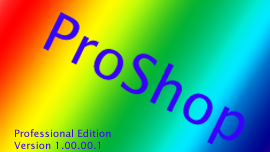
try2:
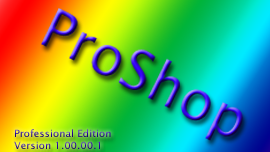
-
Oct 5th, 2005, 08:45 PM
#8
Thread Starter
Frenzied Member
-
Oct 5th, 2005, 08:51 PM
#9
Re: [serious] stinks in photoshop, any idea for improvment
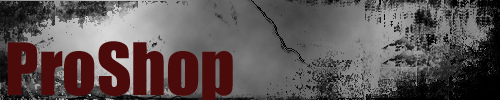
i dunno if you like these..uses both the techniques i just told you

-
Oct 5th, 2005, 09:06 PM
#10
Thread Starter
Frenzied Member
Re: [serious] stinks in photoshop, any idea for improvment
very nice done |2eM!x , i just if you sow might other tryis i am not into the dark colors i am more into the (original rainbow) colors, more compact and simple. and i think on going that directions.
too bad you can't rate in here 
any tips for my direction?
 Posting Permissions
- You may not post new threads
- You may not post replies
- You may not post attachments
- You may not edit your posts
-
Forum Rules
|
Click Here to Expand Forum to Full Width
|



 Reply With Quote


