|

-
Oct 29th, 2023, 04:39 AM
#1
Thread Starter
Hyperactive Member


Binding Keywords/General Questions ADO.NET
Hi all o7.
I'm new to binding thing and have already watched few videos but they were all SQL based. I am using ADO.NET for its simplicity and being default on Visual Studio, Not an internet covered project, no need to any usernames and passwords and database is a *.mdb file. Fields are some integers and strings. Validating rules were somehow done.
Am I using right things so far?
2 main questions I have:
I saw somewhere you can bind a textbox or a label to a field (or a column) called "first name" for instance. It suppose to show a row first name cell which you were clicked previously.
You may also use "Binding Navigator" control which is a handy tool to sort of "roam around" the database.
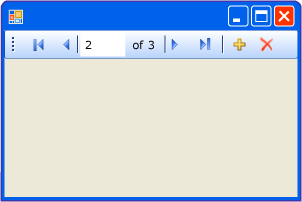
Now consider you have a lots of UserControls (in quantity of db rows). How to assign bindings or link them in UC design window, once you give it an address (row id or something else) they automatically gets/sets value to database (Duplex read/write)?
I want it to be a real-time updatable table. Meaning that there is no save buttons to perform overwriting database. How to save or update in ADO.net? I accidentally here realized that "Copy to file location" should be false to achieve such thing but when there is no *.mdb file in my output folder, InitilizeComponent cannot fill the grid with my dataset.
Last edited by pourkascheff; Oct 29th, 2023 at 04:47 AM.
Reason: Visuals
Tags for this Thread
 Posting Permissions
- You may not post new threads
- You may not post replies
- You may not post attachments
- You may not edit your posts
-
Forum Rules
|
Click Here to Expand Forum to Full Width
|



 Reply With Quote