


Get just selected text from a text file. Might help some beginners such as myself.
Thanks to Chris who gave me a start.
Code:Imports System.IO Imports System.Text.RegularExpressions Public Class Form1 Private Sub btnLoad_Click(sender As Object, e As EventArgs) Handles btnLoad.Click Dim pattern As String = "-\s" 'Match a white-space character followed by a hyphen. Dim getText As String 'Set variable getText = My.Computer.FileSystem.ReadAllText("C:\SomeSums\Saved_Results.txt") 'Get the file Dim elements() As String = Regex.Split(getText, pattern) 'Place in array split Dim j As Integer = 1 'Set variable TextBox1.Text = getText 'Show text as it is in file For i = 0 To elements.Length - 1 'Lenght of Array ListBox1.Items.Add(elements(i)) 'Place the split text in listbox Next For i = 1 To elements.Length / 2 'Length of array / 2 Me.Controls("Label" & i.ToString).Text = elements(j) 'Show every other line from array j += 2 'Increase to get every second item Next End Sub End Class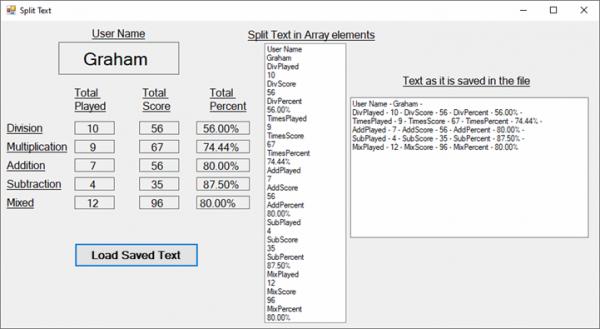

 Reply With Quote