|

-
Apr 11th, 2020, 05:36 AM
#1
Thread Starter
Lively Member

 [RESOLVED] Modernizing the VB6 IDE [RESOLVED] Modernizing the VB6 IDE
Modern VB v1.7 has been released!
Here's a brief changelog:
- Included detailed instructions on the root of the release explaining all the procedures necessary to correctly setup ModernVB
- Menu icons have been updated with a few new icons and tweaks
- Project Explorer icons are now replaced by modern icons automatically (thanks to Olaf Schmidt for the concept)
- Initial support for international languages on the add-in side (requires using the optimal settings registry file)
- Patches now include English, French, Spanish and Chinese language support as well as unlimited undo/redo functionality
- Minor tweaks and fixes (Gauge bar docking to Menu should work correctly now)
If you're one of the people who haven't been able to use ModernVB because your Visual Basic is not in English, give this release a shot!
See the release thread for details!
Hello everyone!
I have this project I made for personal use a few years ago, and recently I've been considering releasing it to the public so I began to refine and expand it.
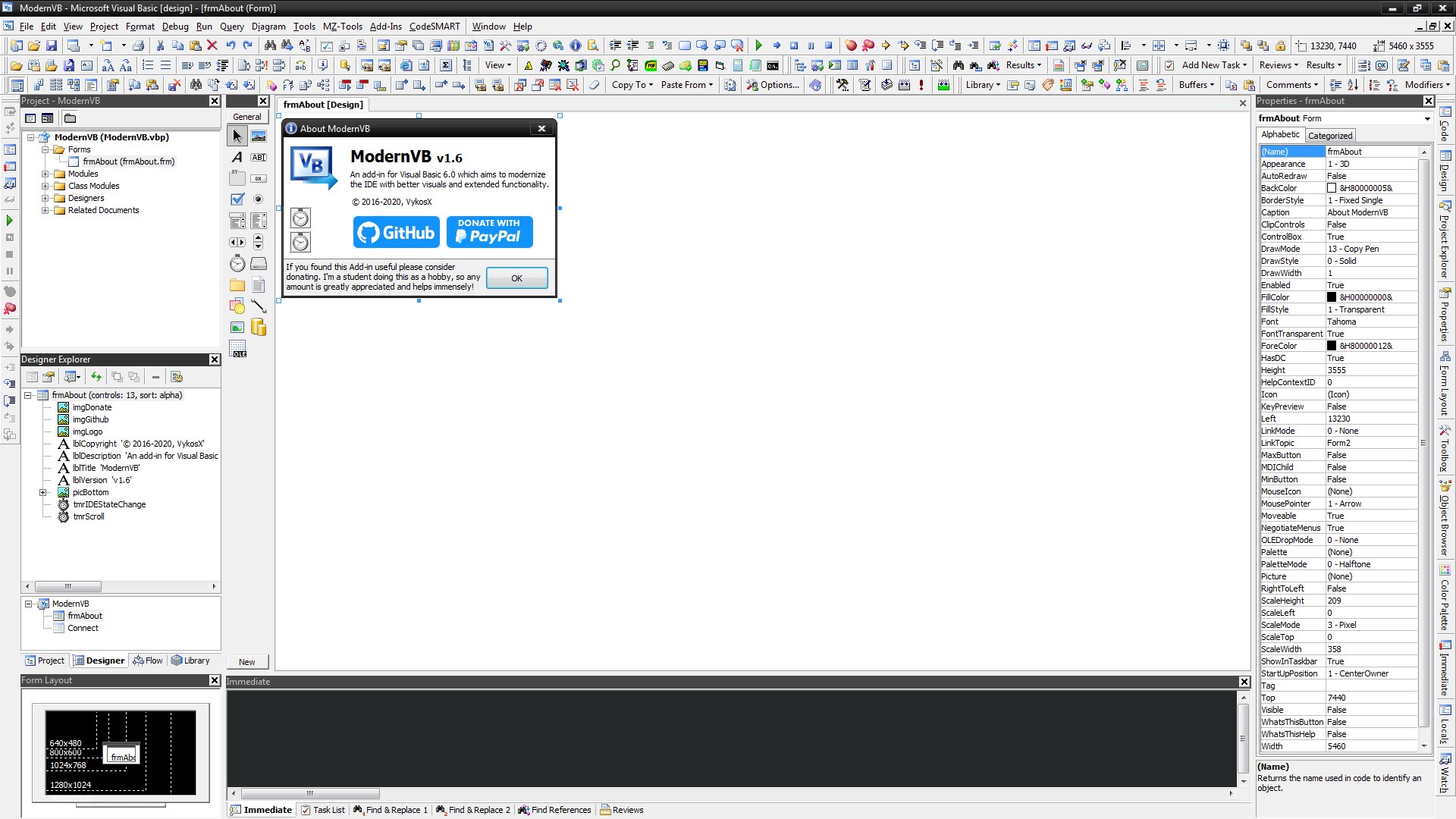
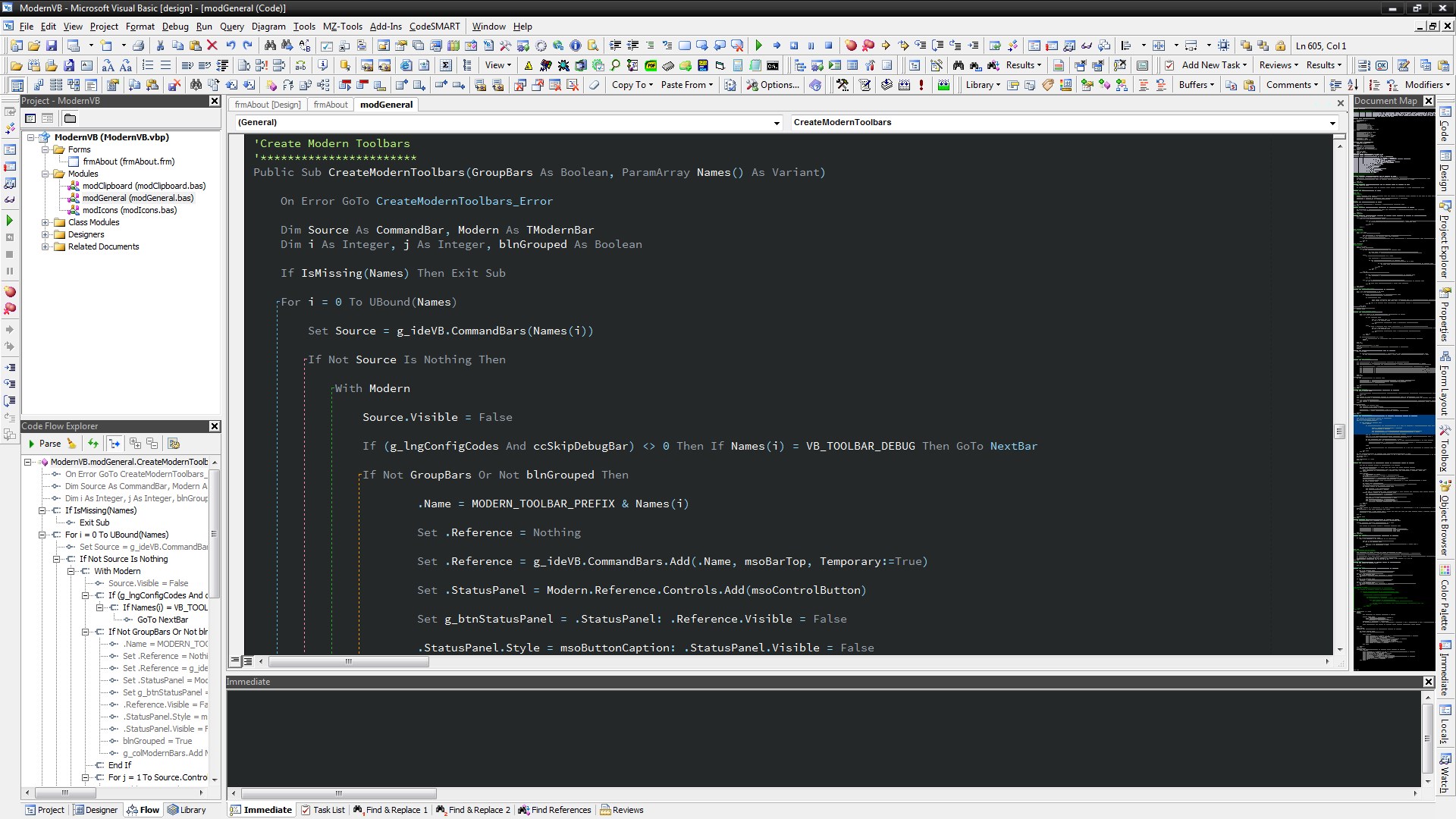
Essentially, it's a suite of modifications that attempt to modernize the Visual Basic 6 IDE to bring it more in line with modern applications and make it more functional and pleasing to the eye. Assuming there's interest in the community, I'm planning to release the package along with source codes in this forum once I've ironed out a few final kinks with the code.
So far my project is comprised of 5 different elements that work to enhance Visual Basic.
- A registry file you can merge that will add modern, full color visual studio icons to all the VB6 menus. Incidentally, Microsoft has made all the Visual Studio icons free to use at no cost without requiring a license, so there's no copyright infringement whatsoever from this.

- A custom add-in for the IDE I wrote which replaces the standard VB6 toolbars with replacement toolbars that use modern icons instead (this was required in order to avoid icons disappearing when items are disabled or unavailable in the regular toolbars).
- XDelta patch files for VB6.exe, VBA6.dll and VBIDE.dll that replace the native resources with high quality icons and bitmaps. Some minor adjustments to VB6.exe's assembly code were also required to force the IDE to render bitmaps in full 24bit color depth instead of 4bit by default. My patch also includes a manifest file to enable visual styles for controls within the Visual Basic IDE.
- Registry files with custom themes and fonts to enhance the look of the IDE as well as some configuration presets for an optimal coding experience.
- And finally, I'm compiling a list of all the addins I personally use or otherwise recommend that greatly extend the IDE's functionalities or interface, including links of where to legally obtain them.
That's it in a nutshell. I was mostly wondering if anyone here would have an interest in this project. Likewise, if any of you guys have attempted something similar, what kind of modifications have you made to your IDE to improve it or make it more appealing?
I've attached a couple screenshots (for now, only with the default theme) of my efforts so far, including an animated GIF that showcases the menu icons.
Let me know what you guys think of this whole idea! 

New Feature #1: Toggling Visual Basic panels

New Feature #2: Predefined UI Layouts

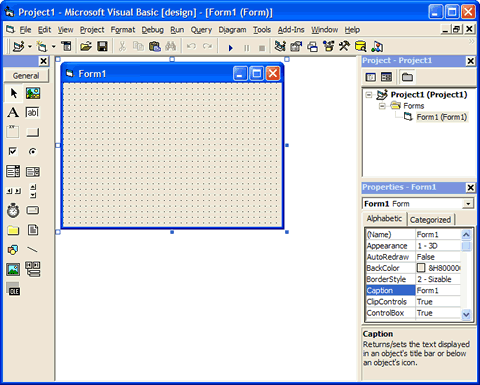
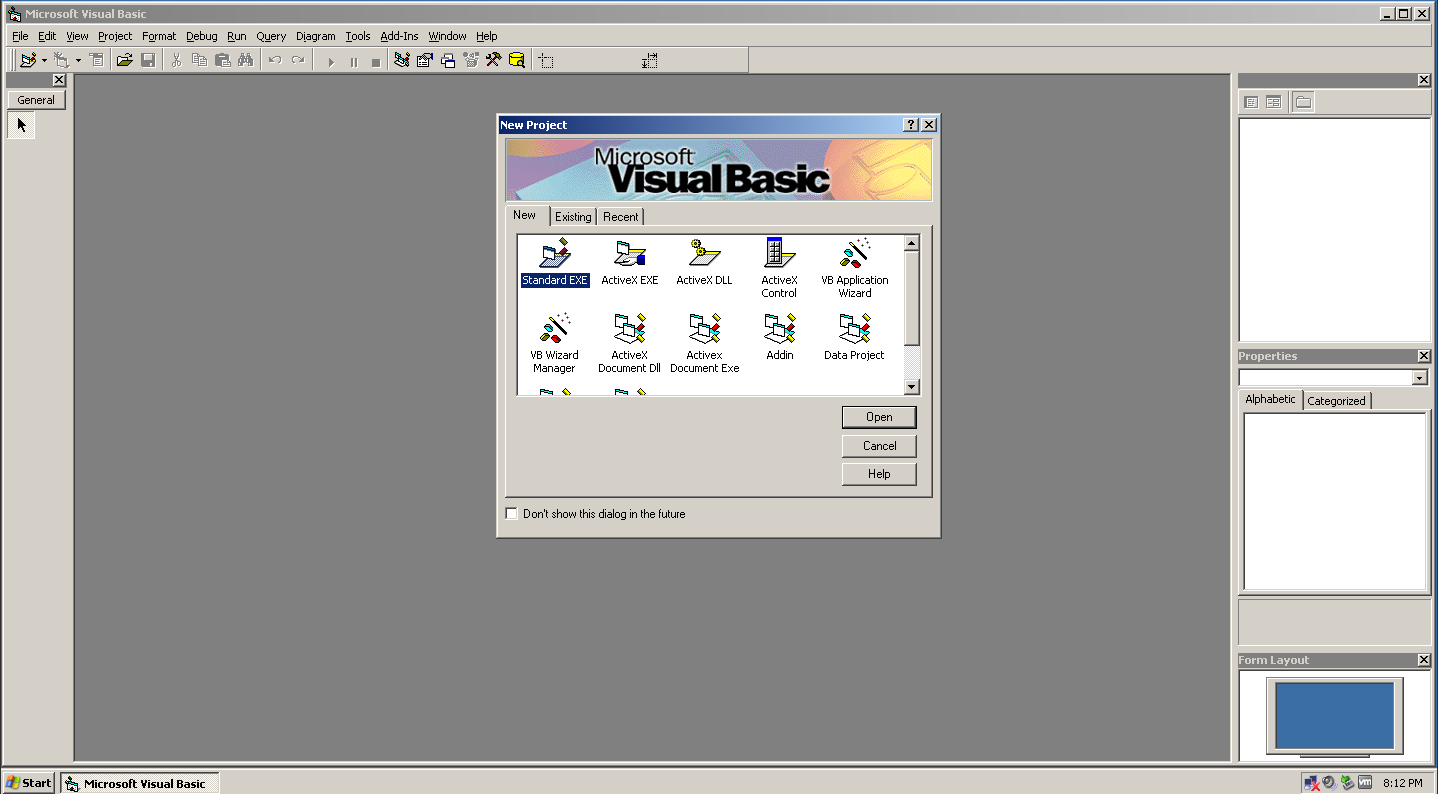
Original VB6 IDE for comparison:
EDIT: Removed attachments, using direct links for full resolution.
Last edited by LinkFX; May 2nd, 2020 at 04:37 AM.
Reason: Replaced low quality attachments with direct links to the images
 Posting Permissions
- You may not post new threads
- You may not post replies
- You may not post attachments
- You may not edit your posts
-
Forum Rules
|
Click Here to Expand Forum to Full Width
|



 Reply With Quote