|

-
Aug 24th, 2019, 09:33 AM
#1
VB6 PDFium-Binding (Viewing + Text- and ImageExports)
On request, here a little Demo which shows how to use the (license-wise very generous), "pdfium.dll in action".
PDFium (licensed under BSD by Google/Foxit) is the only PDF-reader/viewer-tool I know of,
which can be used (and deployed) also in commercial Apps ...
(the size of pdfium.dll is about 4 to 5MB in its windows-version, depending on optional compile-includes - that's normal)
The VB6-Demo here comes in form of a little Viewer-App, which also allows Exports of:
- Document-PlainText (into a Zip-Archive, which later will contain page_1.txt to page_n.txt files)
- Document-Images (also into a Zip, either as *.png or *.jpg images, within page_x subfolders)
Those exports are done in two stages:
Stage 1 is an export into appropriate InMemoryDB-tables (Tables Text and Images, from where the contents can be selected into a Rs - containing two Fields -> Name As Text and Data As Blob aka. ByteArray, so the FileSystem is not touched by stage 1).
Stage 2 (as used in the Zip-File-Export, triggered by appropriate Buttons in the Viewer-App),
will convert the contents of either the Text- or Images MemDB-Tables into a Zip-ByteArray (still not touching the FileSystem)
Stage 3 (one line of code) will then simply write-out the appropriate Zip-ByteArray to disk.
Also the Read-Direction (of a PDF) can be triggered "FileSystem-less", when the PDF-content exists in a ByteArray somewhere
(e.g. when retrieved via a Download, or retrieved via a RemoteDB-call, sitting in an Rs-BlobField).
Ok, the 3 RC5-Base-libs (+ vbWidgets.dll in addition) are a requirement for this demo -
please download and (re-)register them in a recent version (Zip-Archive support is only available in recent ones).
As for a recent build of the pdfium.dll, there's a build-service provided by Pieter van Ginkel on GitHub here:
https://github.com/pvginkel/PdfiumBu.../master/Builds
There's several different versions of it available behind the above URL,
the one I'm using is under: 2018-04-08/Pdfium-x86-no_v8-no_xfa
So, to make the Demo work in the IDE, you will have to install (or re-register) the RC5-libs
in a folder of your choice on your dev-machine...
(this should not be the Project-Folder of this Demo, but a spearate RC5-Folder - as e.g. C:\RC5\
...please make sure, that both: vbRichClient5.dll and vbWidgets.dll are reigstered beforehand)
Another pre-requisite before you run the Demo, is to place the pdfium.dll in the DemoProjects \Bin\-Folder.
(it is the only Dll which needs to be placed there, when you run the Demo in the IDE,
...if you compile - and run the Executable, then also the 4 RC5-BaseDlls need to be placed in \Bin\)
The just mentioned \Bin\ Folder of the Demo-Project does currently contain only a ReadMe.txt, which describes this as well).
The pdfium-wrapping is done in 3 Classes:
- cPDFium (the main-class)
- cPDFiumPageText (a cPDFium-derivable ChildClass, which allows interaction with Page-Texts)
- cPDFiumPageObject (a cPDFium-derivable ChildClass, which allows interaction with Page-Objects)
The latter class above, can represent different (enumerable) PageObject-types as shown in the following enum:
Code:
Public Enum ePdfObjectType
  FPDF_PAGEOBJ_UNKNOWN = 0
  FPDF_PAGEOBJ_TEXT = 1
  FPDF_PAGEOBJ_PATH = 2
  FPDF_PAGEOBJ_IMAGE = 3
  FPDF_PAGEOBJ_SHADING = 4
  FPDF_PAGEOBJ_FORM = 5
End Enum
The magenta-colored entry above, is the one we will filter for, when we do Image-Exports (per Page).
Note, that this Demo (due to using the RC5-libs), is (when compiled):
- directly regfree deployable as a true portable App (without any Setup)
- fully DPI-aware also on HighRes-Displays (without any problems with e.g. 200% DPI-scaling)
- not using any Win32-API-calls (and thus fully "linux-aware", when compiled by a future platform-independent compiler)
- not really requiring any manifesting (since the UI is not using any Windows-CommonControls, and DPI-awareness is ensured by Cairo)
Here a ScreenShot:
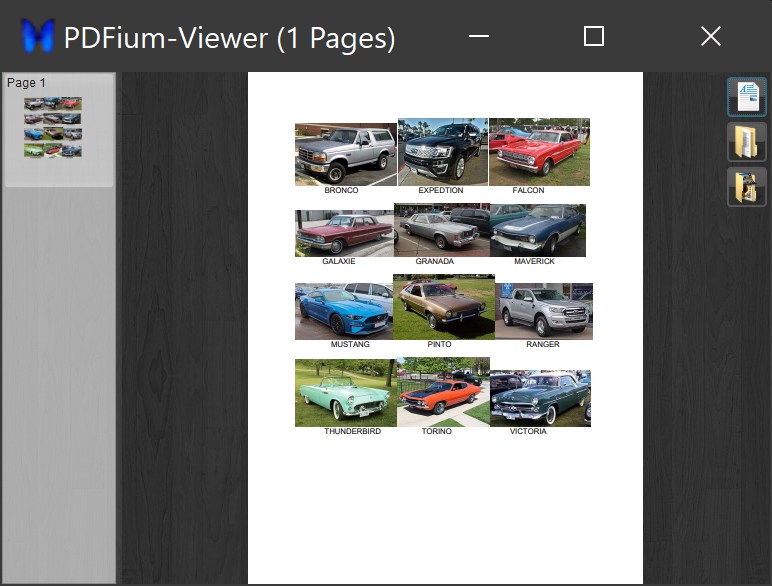
And here the Zipped Demo-Source (without any Dlls in the Bin-Folder, please ensure its population yourself)
PDFiumViewer.zip
Have fun!
Olaf
Last edited by Schmidt; Aug 24th, 2019 at 09:41 AM.
 Posting Permissions
- You may not post new threads
- You may not post replies
- You may not post attachments
- You may not edit your posts
-
Forum Rules
|
Click Here to Expand Forum to Full Width
|



 Reply With Quote