|

-
Apr 27th, 2019, 02:23 AM
#1
Thread Starter
Lively Member

How do I change the BG color of a Single Cell & store the color scheme in Textfile?
Hello all,
This thread will be a 2 part question.
A) How do I change the BG color of a Single Cell on a Table?
B) How can I store the color scheme, so that the cell BG color will be the same when program is re-opened?
A)
1) User clicks a Cell on the table

2) Then clicks a button called "Color"
3) A color window pops up
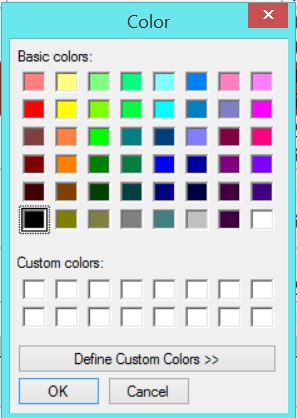
4) User choose Color and clicks OK
5) Color window closes
6) The Cell BG color changes according to user's choice
Previously, I have this code that change the color of the whole row. Now I just want ONE cell.
I want to ask, how do you make the system know which Cell is selected?
Code:
 Private Sub ProjectsDataGridView_CellFormatting(sender As System.Object, e As System.Windows.Forms.DataGridViewCellFormattingEventArgs) Handles ProjectsDataGridView.CellFormatting


        If Me.ProjectsDataGridView.Columns(e.ColumnIndex).Name = "DataGridViewTextBoxColumnJobStatus" Then
            If e.Value IsNot Nothing Then
                If Not IsDBNull(e.Value) Then
                    If CType(e.Value, String) = "Confirmed" Then
                        ProjectsDataGridView.Rows(e.RowIndex).DefaultCellStyle.BackColor = Color.FromArgb(CInt(colorArray(0)))
                    ElseIf CType(e.Value, String) = "On Hold" Then
                        ProjectsDataGridView.Rows(e.RowIndex).DefaultCellStyle.BackColor = Color.FromArgb(CInt(colorArray(1)))
                    ElseIf CType(e.Value, String) = "Completed" Then
                        ProjectsDataGridView.Rows(e.RowIndex).DefaultCellStyle.BackColor = Color.FromArgb(CInt(colorArray(2)))
                    ElseIf CType(e.Value, String) = "Incomplete" Then
                        ProjectsDataGridView.Rows(e.RowIndex).DefaultCellStyle.BackColor = Color.FromArgb(CInt(colorArray(3)))
                    ElseIf CType(e.Value, String) = "Cancelled" Then
                        ProjectsDataGridView.Rows(e.RowIndex).DefaultCellStyle.BackColor = Color.FromArgb(CInt(colorArray(4)))
                    ElseIf CType(e.Value, String) = "Urgent" Then
                        ProjectsDataGridView.Rows(e.RowIndex).DefaultCellStyle.BackColor = Color.FromArgb(CInt(colorArray(5)))

                    End If
                End If
            End If
        End If
    End Sub
=================================================================
B) The BG color must be persistent, meaning it must be saved somewhere (I am considering Textfile)
The program will then read from textfile to populate the correct colors.
(I have a column with auto-generated number called ID)
TextFile
121,description=-65536
125,client=-1
This is the one that I am really unsure if it is doable. The issue is, user may add/delete/sort the table.
How will the system remember which Cell should hold the color if the table is modified.
I am considering using ID as X and Column Name as the Y, but I need advise.
Tags for this Thread
 Posting Permissions
- You may not post new threads
- You may not post replies
- You may not post attachments
- You may not edit your posts
-
Forum Rules
|
Click Here to Expand Forum to Full Width
|



 Reply With Quote