|

-
Oct 31st, 2016, 01:41 PM
#1
Thread Starter
New Member

help Printing in a label printer
Good day to all, i come here with a question that possibly is very easy to answer but i am new on this and do not find it anywhere on the net.
i want to print using code in visual basic 2010, but i'm having a hard time because the printing is not being made into a conventional A4 paper sheet but instead in a label with size length = 28mm x height = 88mm.
i know from what i've read that i need to use the e.graphics.drawimage() or e.graphics.drawstring() to achieve this, this is what i have done.
this is the desired result.
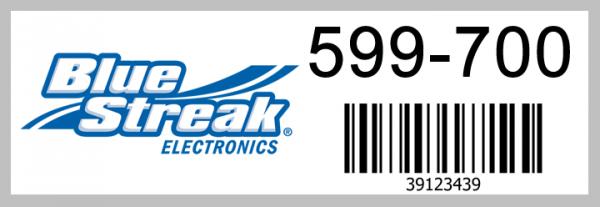
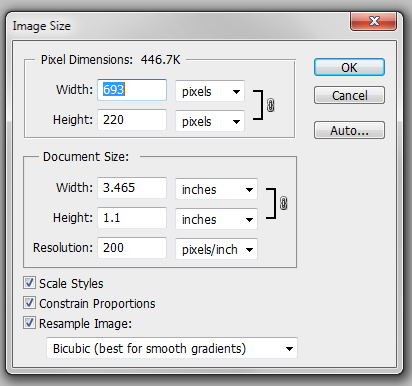
i did this label on photoshop with a DPI of 200, giving me an image size of what the picture shows
now this is my code, i just have the code so that it prinst me out the bluestreak logo
' i need to configure the page so it prints in landscape so i can print on the long side of the label
Dim PageSetup As New PageSettings
With PageSetup
.Landscape = True
End With
PrintDocu.DefaultPageSettings = PageSetup
PrintDocu.Print()
'Now i print out an image on the left half of the label
Private Sub PrintDocu_PrintPage(ByVal sender As System.Object, ByVal e As System.Drawing.Printing.PrintPageEventArgs) Handles PrintDocu.PrintPage
Dim image1 As Image = Image.FromFile("C:\ABS_Reader\Resources\335x122.png")
e.Graphics.DrawImage(image1, 7, 49, 335, 122)
with the above code when i print the picture comes out cropped as shown in the picture below.

also reading around the internet found out that possibly my problem is that VB is printing out the default DPI = 96DPI, i really don't know.... but if this really the case, is there a way to adjust the printout to adjust to my 200DPI?, my label printer supports up to 300DPI on the print head...
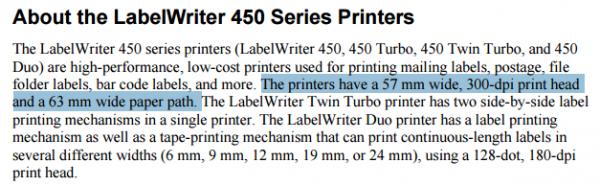
hope you can guide me to the correct path.
Best regards and thanks for advanced.
Tags for this Thread
 Posting Permissions
- You may not post new threads
- You may not post replies
- You may not post attachments
- You may not edit your posts
-
Forum Rules
|
Click Here to Expand Forum to Full Width
|



 Reply With Quote