|

-
May 9th, 2016, 12:41 PM
#1
 FolderView: Enhance Folder View "Templates" in Windows 10 FolderView: Enhance Folder View "Templates" in Windows 10
Something that bugs me about Windows 10 is how few Folder View Templates there are to choose from:
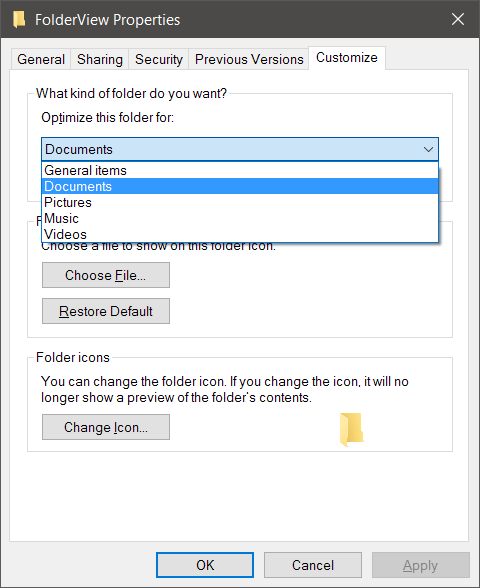
So I'm rolling up my sleeves and trying to figure out how to enhance/replace this functionality. This is a brand new project I'm starting today, written in VB6, and after initial research I already have many questions about Windows. Not so much VB6, but hopefully this is an acceptable thread. I just need a place to organize my notes and whatnot, and I'm most comfortable using MB threads for this kind of thing.
I envision FolderView's user interface as part of the context menu when you right-click the blank space on the right side of a folder in explorer. So far, I'm able to add both basic items as well as submenus, so that's all I should really need.
The actual Folder View settings for any given folder are held in the registry, so in theory it should be a simple matter to copy settings from any given folder to any other given folder or group of folders. (Like, for example: Apply this folder's view settings to all subfolders.)
Last edited by Ellis Dee; May 9th, 2016 at 12:47 PM.
 Posting Permissions
- You may not post new threads
- You may not post replies
- You may not post attachments
- You may not edit your posts
-
Forum Rules
|
Click Here to Expand Forum to Full Width
|



 Reply With Quote