


So I'm sure everyone has been asked by Explorer whether or not they want to open a file they downloaded from the internet. But how does Explorer know whether or not to ask this question? This information is recorded in an Alternative Data Stream, which is a disk level entry that's attached to the file, but not inside the file itself. Think of it like the date stamps on a file- they're not in the file itself right? A blank text file has them. And not in some database or registry, it's low level associated data on the disk itself.
There's several other uses for alternative data streams, and it's possible to read and write to them like a normal file, e.g. Open "C:\file.txt:Zone.Identifier" For... (if you know their name; not easy but covered by Karl Peterson).
But here we don't have to do that. For the specific case of the Zone Identifier, Windows provides an interface that allows for very simple access to read it, change it, or delete it. IZoneIdentifier, with its default implementation PersistentZoneIdentifier, makes this easy.
Requirements
-oleexp.tlb - IDE-only, you don't need to include anything when distributing your compiled app.
-Windows XP SP2 or higher
-This only works on NTFS file systems. If your hard drive is formatted as FAT32 or something else, this does not work.
Code
It's that simple. No other code needed.Code:Public Function GetFileSecurityZone(sFile As String) As URLZONE 'returns the Zone Identifier of a file, using IZoneIdentifier 'This could also be done by ready the Zone.Identifier alternate 'data stream directly; readfile C:\file.txt:Zone.Identifier Dim lz As Long Dim pZI As PersistentZoneIdentifier Set pZI = New PersistentZoneIdentifier Dim pIPF As IPersistFile Set pIPF = pZI pIPF.Load sFile, STGM_READ pZI.GetId lz GetFileSecurityZone = lz Set pIPF = Nothing Set pZI = Nothing End Function Public Sub SetFileSecurityZone(sFile As String, nZone As URLZONE) 'As suggested in the enum, you technically can set it to custom values 'If you do, they should be between 1000 and 10000. Dim pZI As PersistentZoneIdentifier Set pZI = New PersistentZoneIdentifier pZI.SetId nZone Dim pIPF As IPersistFile Set pIPF = pZI pIPF.Save sFile, 1 Set pIPF = Nothing Set pZI = Nothing End Sub Public Sub RemoveFileSecurityZone(sFile As String) Dim pZI As PersistentZoneIdentifier Set pZI = New PersistentZoneIdentifier pZI.Remove Dim pIPF As IPersistFile Set pIPF = pZI pIPF.Save sFile, 1 Set pIPF = Nothing Set pZI = Nothing End Sub
Now you can go get rid of those prompts for your downloads, or find files that were downloaded.
Thanks
Credit all goes to Raymond Chen at Old New Thing for demonstrating this technique.
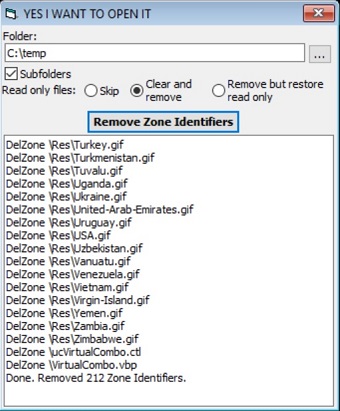
UPDATE: There's now a utility that implements these functions to remove all the zone identifiers in a folder posted below.
ZoneStripper

 Reply With Quote
