


 [RESOLVED] ComboBoxitis
I am still not getting it with how to get a combo box to do what I want it to do.
I have two datatables and 3 fields.
Table1 = lkpMBDept
FieldA is a string field of one character (alphanumeric) = strMBDeptID
FieldB is a string field of 125 characters for the department name = strMBDept
Table2 = setMBItemNumber
FieldA is a string field of one character (alphanumeric) = strMBDepartment
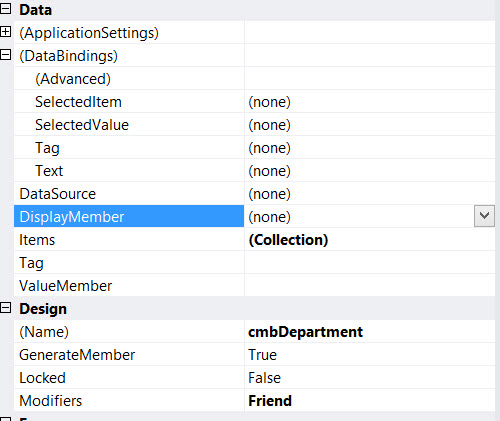
Using the comboBox properties window (as seen below) I attempted a number of variations on 6 of the Databinding properties:
For instance, here is one of my attempts, which did not work out the way I had hoped.
DataBindings
SelectedItem = BindingSource Table1.FieldB
SelectedValue = BindingSource Table2.FieldA
Tag = none
Text = none
DataSource = Table1BindingSource
DisplayMember = Table1.FieldB
Items = Collection
Tag = Empty
ValueMember = Table1.FieldA
Try as I might, I cannot seem to figure out what combination of properties or even if I have used all of the appropriate properties, to achieve what I am after with the combo box.

 Reply With Quote
