|

-
Jul 17th, 2013, 10:46 AM
#1
BSpline-based "Bezier-Art"
A small Graphics-Demo for VB6, which shows the nice effects one can produce, when Anti-Aliasing in conjunction with Color-Alpha-settings is combined with "curved Line-Output".
Here's the ~90 lines of code, to put into a single VB-Form:
Code:
'needs a reference to the free vbRichClient5-lib, which is located and available on:
'http://www.vbRichClient.com/#/en/Downloads.htm
Option Explicit

Private Srf As cCairoSurface, NumPoints As Single
Private pntX() As Single, pntY() As Single, sgnX() As Single, sgnY() As Single
Private WithEvents tmrRefresh As cTimer

Private Sub Form_Load()
Dim i As Long
'    Rnd -1 'uncomment, if you want to always start from the same "randomness"

    Me.ScaleMode = vbPixels
    Me.Caption = "Left-Click for Start/Stop, Right-Click to clear"

    NumPoints = 7
    ReDim pntX(1 To NumPoints): ReDim pntY(1 To NumPoints)
    ReDim sgnX(1 To NumPoints): ReDim sgnY(1 To NumPoints)

    For i = 1 To NumPoints
      pntX(i) = ScaleWidth * Rnd
      pntY(i) = ScaleHeight * Rnd
      sgnX(i) = IIf(i Mod 2, 1, -1)
      sgnY(i) = IIf(i Mod 2, -1, 1)
    Next i

    Set tmrRefresh = New_c.Timer(10, True)
End Sub

Private Sub Form_DblClick()
  tmrRefresh.Enabled = Not tmrRefresh.Enabled
End Sub
Private Sub Form_MouseDown(Button As Integer, Shift As Integer, x As Single, y As Single)
  If Button = 1 Then tmrRefresh.Enabled = Not tmrRefresh.Enabled
  If Button = 2 Then Set Srf = Cairo.CreateSurface(ScaleWidth, ScaleHeight) 'reset the surface
End Sub

Private Sub Form_Resize()
  Set Srf = Cairo.CreateSurface(ScaleWidth, ScaleHeight)
End Sub

Private Sub Form_Terminate()
  If Forms.Count = 0 Then New_c.CleanupRichClientDll
End Sub

Private Sub tmrRefresh_Timer()
Dim i As Integer, cc As Long

  For cc = 1 To 100 'just to perform some more operations within a single timer-event

    For i = 1 To NumPoints 'the next two lines influence the erratic point-movement (just play around)
      pntX(i) = pntX(i) + sgnX(i) * 0.0004 * Abs(pntY(i) - pntX(i))
      pntY(i) = pntY(i) + sgnY(i) * 0.1 / Abs((33 - pntY(i)) / (77 + pntX(i)))

      If pntX(i) < ScaleLeft Then pntX(i) = ScaleLeft: sgnX(i) = 1
      If pntX(i) > ScaleLeft + ScaleWidth Then pntX(i) = ScaleLeft + ScaleWidth: sgnX(i) = -1
      If pntY(i) < ScaleTop Then pntY(i) = ScaleTop: sgnY(i) = 1
      If pntY(i) > ScaleHeight + ScaleTop Then pntY(i) = ScaleHeight + ScaleTop: sgnY(i) = -1
    Next i

    Static j As Long, k As Single
    k = k + 0.34: If k > 255 Then k = 0: j = j + 1: If j > 5 Then j = 0
    Select Case j
      Case 0: draw RGB(k, 255 - k, 255)
      Case 1: draw RGB(255, k, 255 - k)
      Case 2: draw RGB(255 - k, 255, k)
      Case 3: draw RGB(0, 255 - k, k)
      Case 4: draw RGB(0, 0, 255 - k)
      Case 5: draw RGB(255 - k, k, 0)
    End Select

    If cc Mod 10 = 0 Then Srf.DrawToDC hDC

  Next cc
End Sub

Private Sub draw(ByVal Color As Long)
Dim i As Long, PolyArr() As Single
  ReDim PolyArr(0 To (NumPoints + 3) * 2 - 1)
  For i = 0 To NumPoints - 1 'this is just a normal copy-over
    PolyArr(2 * i) = pntX(i + 1) 'the dst-array has x at even indexes...
    PolyArr(2 * i + 1) = pntY(i + 1) 'and the y-coord at the uneven ones
  Next i
  For i = 0 To 2 'now we add 3 additional points, to "close the circle" (so to say)
    PolyArr(2 * (NumPoints + i)) = PolyArr(2 * i) 'those extra-points are copies ...
    PolyArr(2 * (NumPoints + i) + 1) = PolyArr(2 * i + 1) '...of the first 3 points
  Next i

  With Srf.CreateContext 'once we have filled our PolyArr, the rest is pretty simple
    .SetSourceColor Color, 0.05
    .SetLineWidth 0.5
      .PolygonSingle PolyArr, False, splNormal '... using the powerful Poly-call
    .Stroke
  End With
End Sub
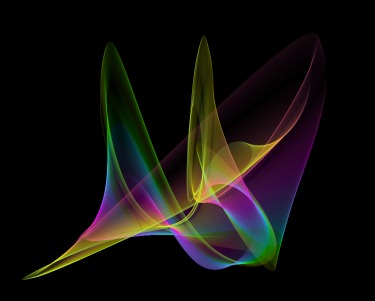
The example starts out producing something like that (all Screenshots were reduced in their Pixel-dimensions for smaller upload/download-size - they look even a bit better when directly rendered):
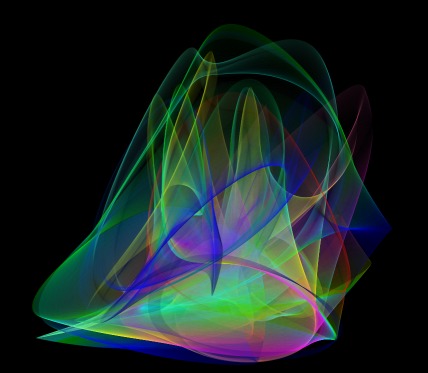
Then, as long as not resetted continues adding more and more alpha-curves (still the same "set" as above, just some more rendered lines on it):
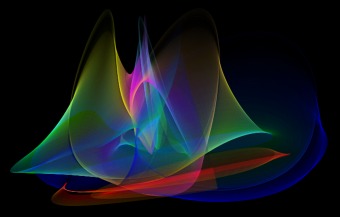
But one can reset the whole thing with the right Mouse and start with a fresh image, ending up with something like this:
Just play around with it (and maybe manipulate the PolyArray-xy-Coords with your own random move-formulas or parameters) ...
Have fun... :-)
Olaf
Last edited by Schmidt; Jul 17th, 2013 at 06:43 PM.
 Posting Permissions
- You may not post new threads
- You may not post replies
- You may not post attachments
- You may not edit your posts
-
Forum Rules
|
Click Here to Expand Forum to Full Width
|



 Reply With Quote