


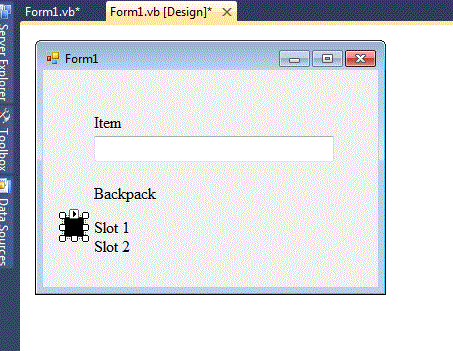
Working on building a RPG sample for my self and rightnow I need a little help with the inventory system and moving objects around in it. This si what I have but need better way. Just need a sample showing me how to move around a string object right now. Thanks in advance.
Designer:Code:Public Class Form1 Dim PointerIndex As Integer Dim Item(1) As String Dim Selected As Boolean Private Sub Form1_Load(ByVal sender As System.Object, ByVal e As System.EventArgs) Handles MyBase.Load 'Temp PointerIndex = 1 MovePointer() End Sub Private Sub Form1_KeyDown(ByVal sender As System.Object, ByVal e As System.Windows.Forms.KeyEventArgs) Handles MyBase.KeyDown Select Case e.KeyValue Case Keys.PageUp PointerIndex -= 1 'Move Pointer MovePointer() Case Keys.PageDown PointerIndex += 1 'Move Pointer MovePointer() Case Keys.Enter End Select End Sub Public Sub MovePointer() 'Check Index If PointerIndex >= 4 Then PointerIndex = 1 ElseIf PointerIndex <= 0 Then PointerIndex = 3 End If 'Location Select Case PointerIndex Case 1 pbTriangle.Location = New Point((lblSlot1.Location.X - (pbTriangle.Width + 10)), lblSlot1.Location.Y) Case 2 pbTriangle.Location = New Point((lblSlot2.Location.X - (pbTriangle.Width + 10)), lblSlot2.Location.Y) Case 3 pbTriangle.Location = New Point((tbEquiped.Location.X - (pbTriangle.Width + 10)), tbEquiped.Location.Y) End Select End Sub Public Sub SelectedItem() Select Case Item(1) Case 0 Item(0) = "Weapon 1" Case 1 Item(1) = "Weapon 2" End Select End Sub End Class

 Reply With Quote