|

-
Feb 3rd, 2013, 12:11 PM
#1
Thread Starter
New Member

(2010 Pro) Simple program troubles, can't find useful info to fix...
First of all, if this is in the wrong place, mods please relocate as necessary.
Okay so I'm making a program (if you look at "Programming in Visual Basic 2010, Julia Case Bradley and Anita C. Millspaugh, published by McGraw Hill, this particular program "The Switcher" is on page 98/99, programming exercise 2.1) for a school assignment, and everything shows green in my code. When I debug, everything works. However, after loading the print preview it kicks back to the code page and gives me an access violation. It highlights PrintForm1.Print() and throws a yellow arrow up next to it. Images below (sorry if they size badly, I'm on a pretty high resolution) as well as the exception information. Since this program is small, I've scrapped it and rewritten from scratch already, after spending hours troubleshooting and searching for answers which haven't really helped.
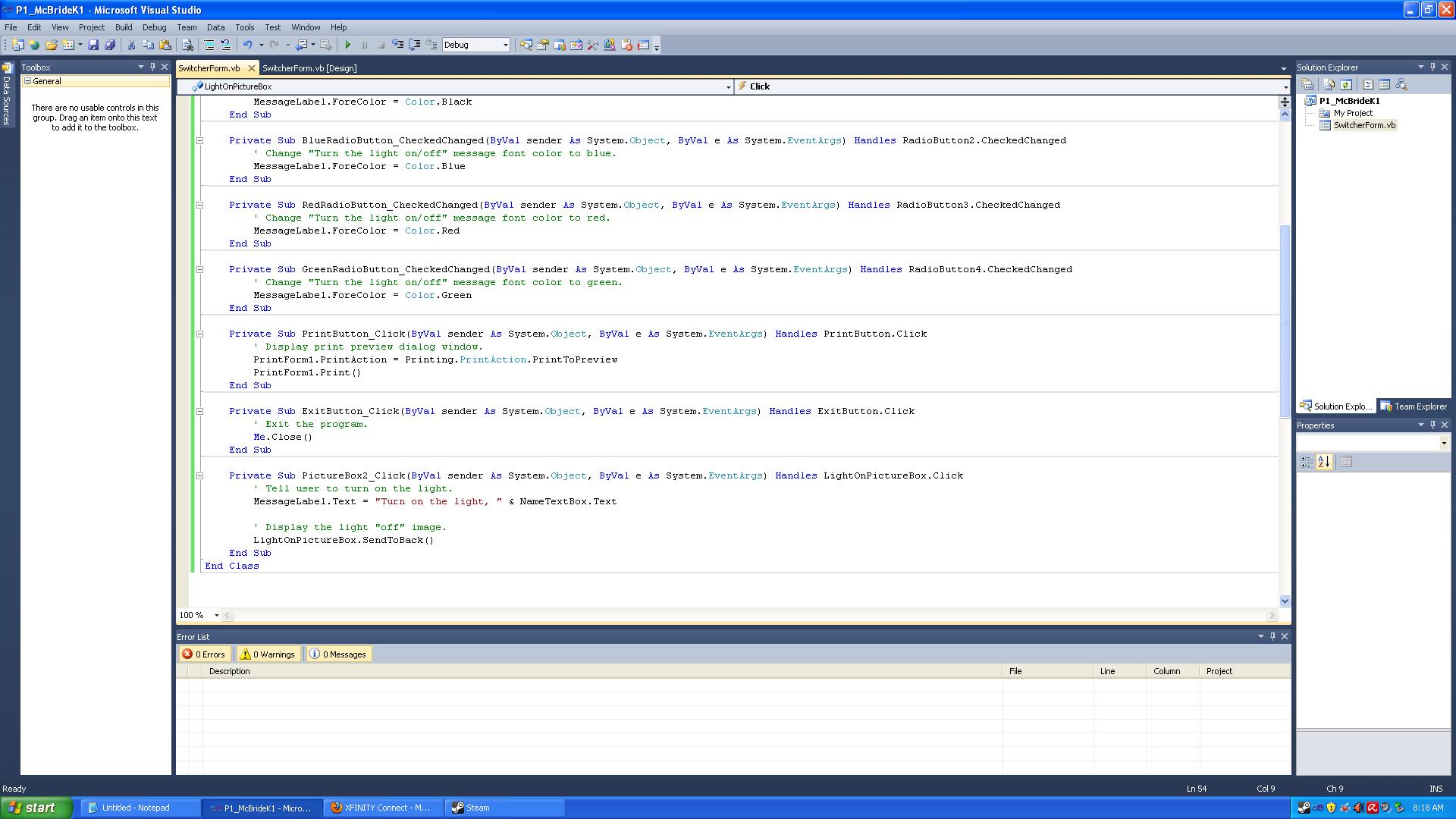
Here, the code shows all green, no errors, warnings, or messages
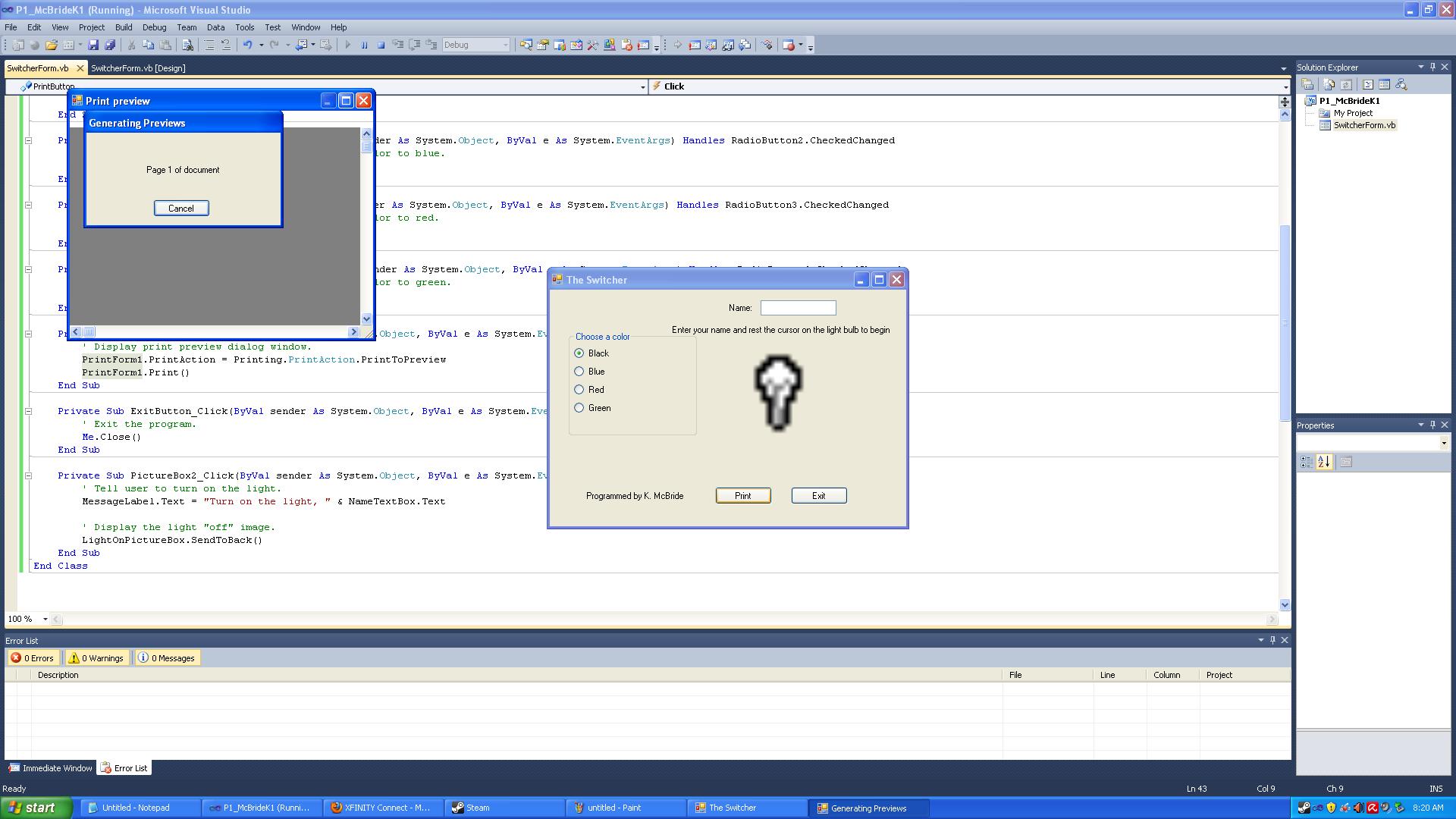
Here it's generating the print preview, you can see it's already pulling up the code and highlighting "PrintForm1" - I don't know it this is important, but I've verified that the naming matches up and that I'm using the PrintForm button like the assignment says. I've tried setting the PrintForm to "PrintToPrinter" as well as "PrintToPreview" but I don't know anything about its other settings, and certainly not enough to play with it.
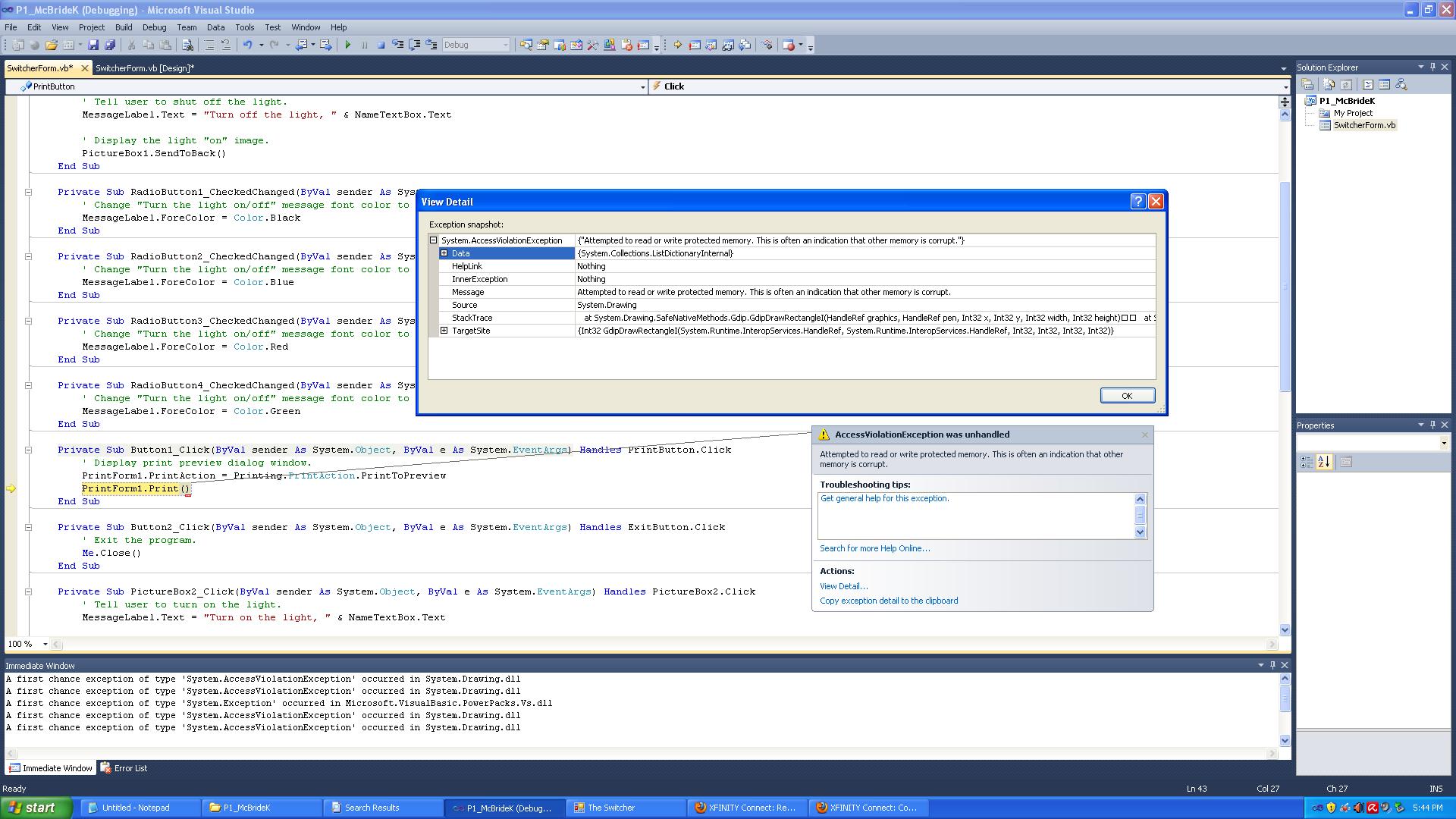
And here is the exception that comes up, along with the detail (there's more if I click the plus boxes, but it takes up too much space to get a screenshot with it displayed. It mentions System.Drawing, but I don't see anything called "System.Drawing" anywhere to even consider troubleshooting it.
Here is the exception detail that copied to the clipboard :
System.AccessViolationException was unhandled
Message=Attempted to read or write protected memory. This is often an indication that other memory is corrupt.
Source=System.Drawing
StackTrace:
at System.Drawing.SafeNativeMethods.Gdip.GdipDrawRectangleI(HandleRef graphics, HandleRef pen, Int32 x, Int32 y, Int32 width, Int32 height)
at System.Drawing.Graphics.DrawRectangle(Pen pen, Int32 x, Int32 y, Int32 width, Int32 height)
at System.Drawing.Graphics.DrawRectangle(Pen pen, Rectangle rect)
at System.Windows.Forms.UpDownBase.OnPaint(PaintEventArgs e)
at System.Windows.Forms.Control.PaintWithErrorHandling(PaintEventArgs e, Int16 layer)
at System.Windows.Forms.Control.WmPaint(Message& m)
at System.Windows.Forms.Control.WndProc(Message& m)
at System.Windows.Forms.ScrollableControl.WndProc(Message& m)
at System.Windows.Forms.UpDownBase.WndProc(Message& m)
at System.Windows.Forms.Control.ControlNativeWindow.OnMessage(Message& m)
at System.Windows.Forms.Control.ControlNativeWindow.WndProc(Message& m)
at System.Windows.Forms.NativeWindow.DebuggableCallback(IntPtr hWnd, Int32 msg, IntPtr wparam, IntPtr lparam)
at System.Windows.Forms.UnsafeNativeMethods.DispatchMessageW(MSG& msg)
at System.Windows.Forms.Application.ComponentManager.System.Windows.Forms.UnsafeNativeMethods.IMsoCompo nentManager.FPushMessageLoop(IntPtr dwComponentID, Int32 reason, Int32 pvLoopData)
at System.Windows.Forms.Application.ThreadContext.RunMessageLoopInner(Int32 reason, ApplicationContext context)
at System.Windows.Forms.Application.ThreadContext.RunMessageLoop(Int32 reason, ApplicationContext context)
at System.Windows.Forms.Application.RunDialog(Form form)
at System.Windows.Forms.Form.ShowDialog(IWin32Window owner)
at System.Windows.Forms.Form.ShowDialog()
at Microsoft.VisualBasic.PowerPacks.Printing.PrintForm.PrintDispatcher(Boolean in_ClientOnly)
at Microsoft.VisualBasic.PowerPacks.Printing.PrintForm.Print(Form form, PrintOption printOption)
at Microsoft.VisualBasic.PowerPacks.Printing.PrintForm.Print()
at P1_McBrideK.SwitcherForm.PrintButton_Click(Object sender, EventArgs e) in C:\Documents and Settings\Administrator\my documents\visual studio 2010\Projects\P1_McBrideK1\P1_McBrideK1\SwitcherForm.vb:line 43
at System.Windows.Forms.Control.OnClick(EventArgs e)
at System.Windows.Forms.Button.OnClick(EventArgs e)
at System.Windows.Forms.Button.OnMouseUp(MouseEventArgs mevent)
at System.Windows.Forms.Control.WmMouseUp(Message& m, MouseButtons button, Int32 clicks)
at System.Windows.Forms.Control.WndProc(Message& m)
at System.Windows.Forms.ButtonBase.WndProc(Message& m)
at System.Windows.Forms.Button.WndProc(Message& m)
at System.Windows.Forms.Control.ControlNativeWindow.OnMessage(Message& m)
at System.Windows.Forms.Control.ControlNativeWindow.WndProc(Message& m)
at System.Windows.Forms.NativeWindow.DebuggableCallback(IntPtr hWnd, Int32 msg, IntPtr wparam, IntPtr lparam)
at System.Windows.Forms.UnsafeNativeMethods.DispatchMessageW(MSG& msg)
at System.Windows.Forms.Application.ComponentManager.System.Windows.Forms.UnsafeNativeMethods.IMsoCompo nentManager.FPushMessageLoop(IntPtr dwComponentID, Int32 reason, Int32 pvLoopData)
at System.Windows.Forms.Application.ThreadContext.RunMessageLoopInner(Int32 reason, ApplicationContext context)
at System.Windows.Forms.Application.ThreadContext.RunMessageLoop(Int32 reason, ApplicationContext context)
at Microsoft.VisualBasic.ApplicationServices.WindowsFormsApplicationBase.OnRun()
at Microsoft.VisualBasic.ApplicationServices.WindowsFormsApplicationBase.DoApplicationModel()
at Microsoft.VisualBasic.ApplicationServices.WindowsFormsApplicationBase.Run(String[] commandLine)
at P1_McBrideK.My.MyApplication.Main(String[] Args) in 17d14f5c-a337-4978-8281-53493378c1071.vb:line 81
at System.AppDomain._nExecuteAssembly(RuntimeAssembly assembly, String[] args)
at System.AppDomain.ExecuteAssembly(String assemblyFile, Evidence assemblySecurity, String[] args)
at Microsoft.VisualStudio.HostingProcess.HostProc.RunUsersAssembly()
at System.Threading.ThreadHelper.ThreadStart_Context(Object state)
at System.Threading.ExecutionContext.Run(ExecutionContext executionContext, ContextCallback callback, Object state, Boolean ignoreSyncCtx)
at System.Threading.ExecutionContext.Run(ExecutionContext executionContext, ContextCallback callback, Object state)
at System.Threading.ThreadHelper.ThreadStart()
InnerException:
 Posting Permissions
- You may not post new threads
- You may not post replies
- You may not post attachments
- You may not edit your posts
-
Forum Rules
|
Click Here to Expand Forum to Full Width
|



 Reply With Quote