|
-
Dec 20th, 2012, 11:53 AM
#1
Thread Starter
New Member

Vba - find next empty column, insert column, copy paste values & copy paste formulas
WINDOWS 7
EXCEL 2010
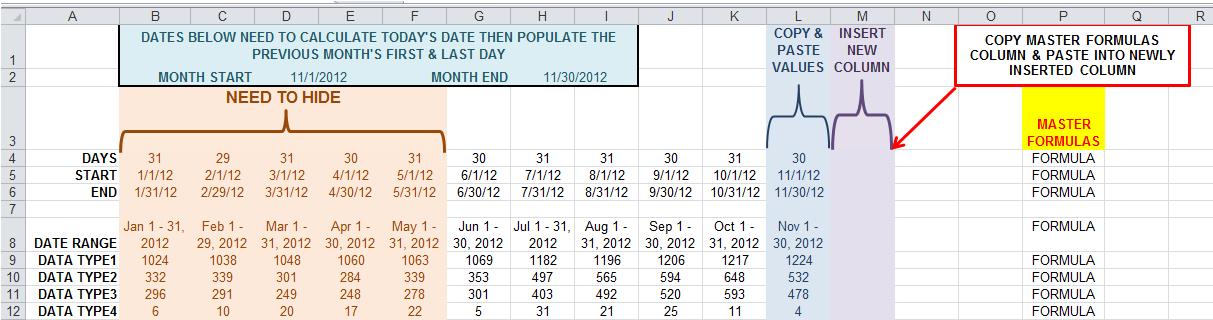
I am creating a report that will be updated monthly then create charts with the newly pulled data. I need to create code that will:
• Calculate current date, determine previous month's 1st and last dates
• find last column that contains data
• copy & paste values of that column (within that same column)
• find the next available blank column and insert a new column
• copy the master formula column
• paste formulas in the newly inserted column
• calculate
• Hide any columns older than 6 months.
Tags for this Thread
 Posting Permissions
- You may not post new threads
- You may not post replies
- You may not post attachments
- You may not edit your posts
-
Forum Rules
|
Click Here to Expand Forum to Full Width
|



 Reply With Quote