|
-
Feb 21st, 2009, 07:47 PM
#1
Blurry text when scrolling items in listbox (even after scrolling has stopped)
Apparently there is a massive problem with WPF's text rendering in general, in that it makes all text appear quite blurry. However I have to say I have not noticed this at all until now, but I only see it when when scrolling or animating text.
For example, here is a screenshot of some items in my listbox before I scroll:
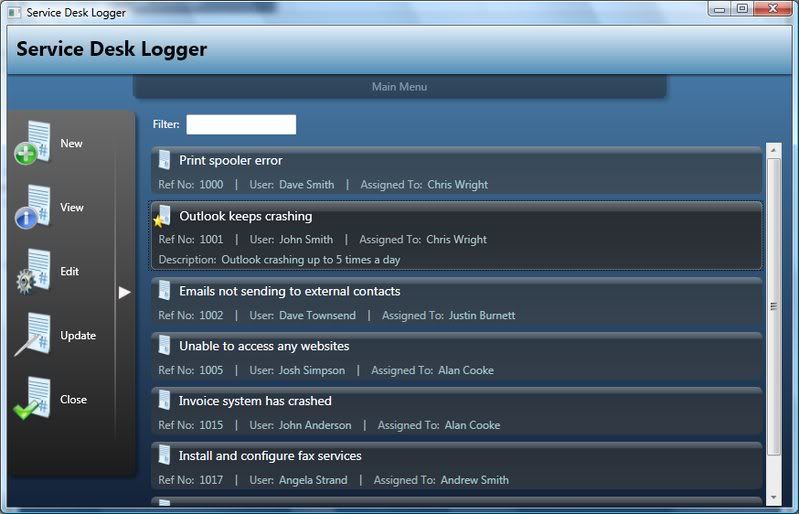
and here is one from after scrolling down a little (look at the selected item in particular)
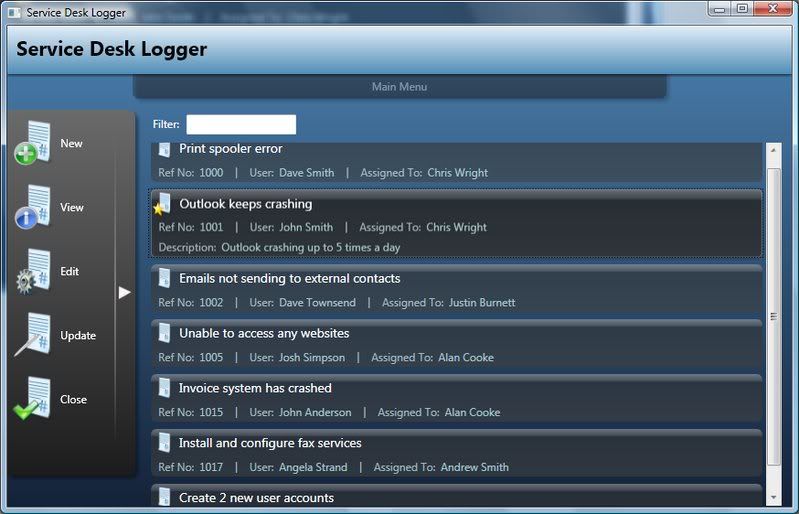
You probably cant see it that clearly from the screenshots but trust me when you are actually using the app it is very noticeable.
I have SnapToDevicePixels turned on and have tried specifying larger fonts etc but nothing seems to help and I just wondered if anyone had any suggestions?
Cheers
Chris
Last edited by chris128; Feb 21st, 2009 at 10:12 PM.
 Posting Permissions
- You may not post new threads
- You may not post replies
- You may not post attachments
- You may not edit your posts
-
Forum Rules
|
Click Here to Expand Forum to Full Width
|





 Reply With Quote