|

-
Sep 21st, 2008, 03:44 PM
#1
IIS: Cannot start IIS on local Win XP Pro (SP2)
I was not sure as where to put this thread, I put it here because all I use IIS when working on ASP.Net applications. If Mods feel it belongs to other more appropriate place, please move it.
All right, I didn't work on .Net or IIS for past few weeks (for about 3-4 weeks), but I am sure the last I used them, no problem occurred.
Today, I opened .Net IDE and tried to connect to an existing WebSite but it showed me this error box after waiting for almost 2-3 minutes.
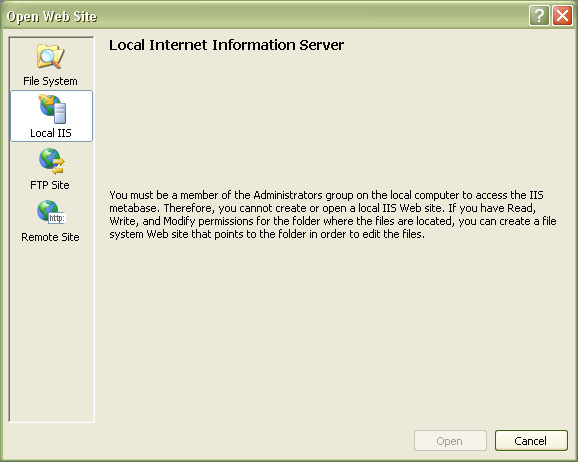
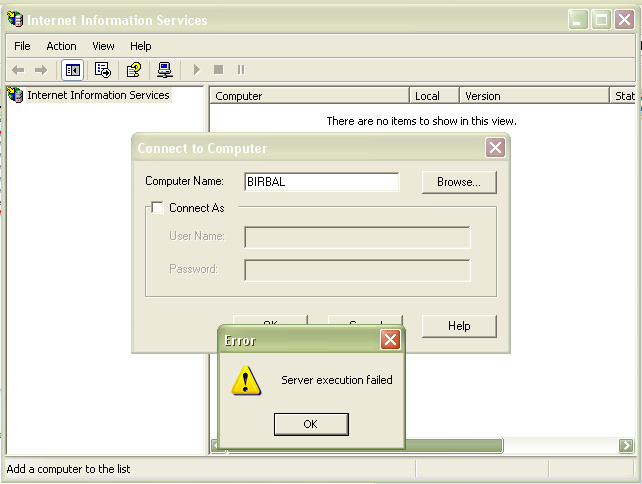
I tried running Inetmgr, but it didn't show me the list of Websites or any service running. I tried to connect from there, using local and also via Administrator (I am currently running on default Administrator account) and displayed the error:
Using Command line IISRESET (with all possible switches, /RESTART, /START, /NOFORCE) it showed me the error, that IIS Admin service is disabled:
 Originally Posted by from CMD window command line IISRESET
Attempting stop...
Internet services successfully stopped
Attempting start...
Restart attempt failed.
IIS Admin Service is disabled
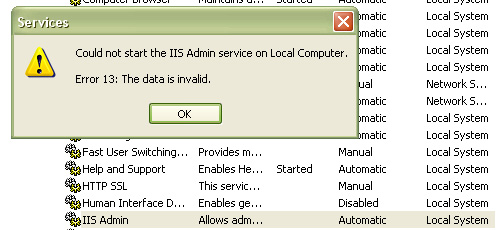
Under Services in Control Panel->Administrative Tools: I checked IIS Admin, whose status is blank, and startup type is Automatic. I tried running the service from there gave me this error:
I am now kinda stuck here. For past 1-2 months, I didn't create any new website in IIS, but yes modified and ran 1 of them, used CCleaner last week (but all it cleared were MUICache files and Recent files list, nothing from registry, though I still created the backup), and defragmented the system last week. Installed FireFox 3.01. Installed and uninstalled PowerPrep (GRE preparation software from ETS). And no other major work done except browsing and playing Solitaire, Hearts or FreeCell).
 Posting Permissions
- You may not post new threads
- You may not post replies
- You may not post attachments
- You may not edit your posts
-
Forum Rules
|
Click Here to Expand Forum to Full Width
|



 Reply With Quote