|

-
Apr 27th, 2006, 02:23 AM
#1
[FAQ's: OD] How do I show a custom template?
If you have created a custom Template Form then you can automate the loading of it and present it to the user to fil out and/or print.
This can be done one of two ways:
1. Local Automation of InfoPath by using the InfoPath Object Model.
2. Publishing your Template on an Intranet or the Internet for viewing/filling in using a standard web browser.
Here is one example of automating InfoPath using the IOM:
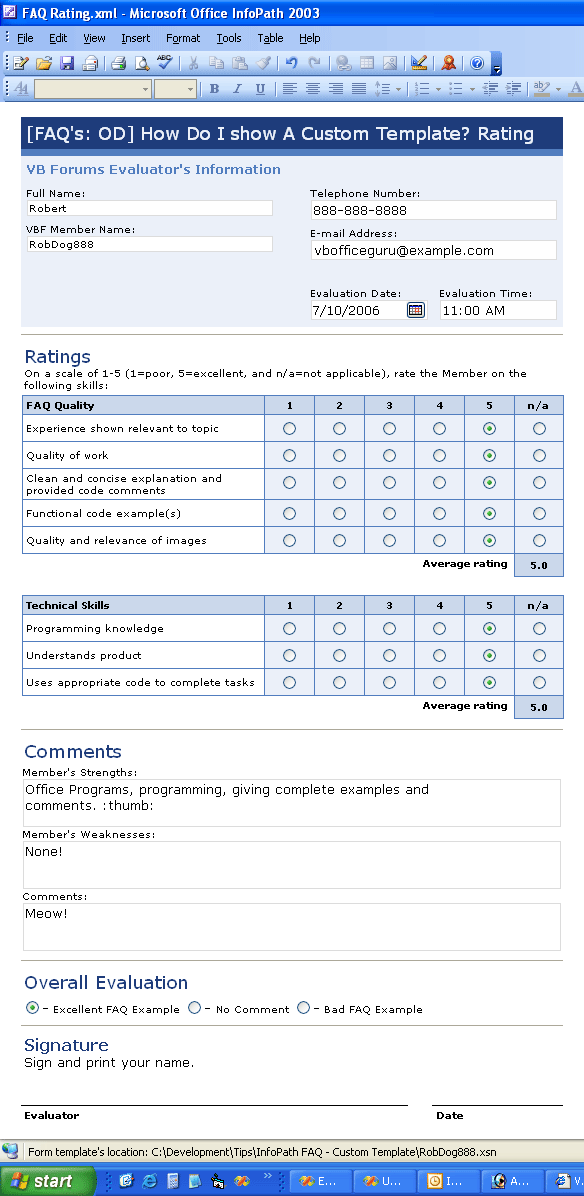
VB 6 Code Example and InfoPath 2003:
VB Code:
Option Explicit
'Add a reference to MS InfoPath xx.0 Object Library
 'Declare an Application and Document object variable for use throughout the VB 6 Form
Private moApp As InfoPath.Application
Private moXDoc As InfoPath.XDocument
 Private Sub Command1_Click()

    On Error GoTo MyError
    'Open your custom template in presentation view.
    Set moXDoc = moApp.XDocuments.NewFromSolution("C:\Development\Tips\InfoPath FAQ - Custom Template\RobDog888.xsn")
    'Notify the user that its open
    moXDoc.UI.Alert ("RobDog888.xsn Template Opened - Meow!")
    Exit Sub

MyError:
    MsgBox Err.Number & " - " & Err.Description, vbOKOnly + vbExclamation, "RobDog888s Office Development InfoPath FAQ Example"
End Sub
 Private Sub Form_Load()

    On Error GoTo MyError
    'Create an instance of the Application object
    Set moApp = New InfoPath.Application
    Exit Sub
MyError:
    MsgBox Err.Number & " - " & Err.Description, vbOKOnly + vbExclamation, "RobDog888s Office Development InfoPath FAQ Example"
    Unload Me
End Sub
 Private Sub Form_QueryUnload(Cancel As Integer, UnloadMode As Integer)
    Dim i As Integer
    'Upon program termination we check if any forms are still open
    'If so then we will close then to release all references
    If moApp.XDocuments.Count > 0 Then
        For i = moApp.XDocuments.Count - 1 To 0 Step -1
            moApp.XDocuments.Close (i)
        Next
    End If
    'Terminate the InfoPath application
    moApp.Quit True
    Set moApp = Nothing
End Sub
VB.NET 2003 Code Example: Coming Soon! 
Last edited by RobDog888; Jul 10th, 2006 at 04:30 PM.
VB/Office Guru™ (AKA: Gangsta Yoda™  ®) ®)
I dont answer coding questions via PM. Please post a thread in the appropriate forum. 
Microsoft MVP 2006-2011
Office Development FAQ (C#, VB.NET, VB 6, VBA)
Senior Jedi Software Engineer MCP (VB 6 & .NET), BSEE, CET
If a post has helped you then Please Rate it! 
• Reps & Rating Posts • VS.NET on Vista • Multiple .NET Framework Versions • Office Primary Interop Assemblies • VB/Office Guru™ Word SpellChecker™.NET • VB/Office Guru™ Word SpellChecker™ VB6 • VB.NET Attributes Ex. • Outlook Global Address List • API Viewer utility • .NET API Viewer Utility •
System: Intel i7 6850K, Geforce GTX1060, Samsung M.2 1 TB & SATA 500 GB, 32 GBs DDR4 3300 Quad Channel RAM, 2 Viewsonic 24" LCDs, Windows 10, Office 2016, VS 2019, VB6 SP6
 Posting Permissions
- You may not post new threads
- You may not post replies
- You may not post attachments
- You may not edit your posts
-
Forum Rules
|
Click Here to Expand Forum to Full Width
|



 Reply With Quote