This is my attempt to make control anchoring as quick and easy as possible in VB6.
VB6 control anchoring can be achieved with one line of code per Control in the Form1 Resize subroutine, with the addition of this one short module "ModuleControlAnchor"
To anchor a control, add this module to your project, and place this one line of code into the Sub Form_Resize():
Anchor ControlName, AnchorTop (True or False) , AnchorLeft, AnchorRight, AnchorBottom
Please check out the demo and use freely.
SeabrookStan
Last edited by SeabrookStan; Jan 11th, 2019 at 02:12 AM.
Reason: Code updated
Frames do not have ScaleWidth,ScaleHeight properties, nor a ScaleMode property (defaulted to twips). The fix might require testing for containers that are Frames and getting their height/width relative to the parent's scalemode (unless a frame in a frame scenario exists, then it gets to be a bit more fun). Looking at the code comments, appears it was intended to align controls on forms only, not in other containers.
And just FYI. I haven't tried the project, just looked at the module. I think there will be problems if an arrayed control is added for anchoring, i.e., Label1(0) and Labe1(1). Reason is that the module finds controls by their name and both of those labels have the same name.
Suggestion. Loop through the OB() array instead. And in doing so, I don't think you'll need the CTL() array.
Code:
If OBJ Is OB(X) Then ...
Last edited by LaVolpe; Jan 10th, 2019 at 01:06 PM.
Insomnia is just a byproduct of, "It can't be done"
Thank you for identifying the Scalemode bug, LaVolpe.
The new attachment, V3, now accommodates for Controls contained within other Controls, such as Frames and Pictureboxes (but assumes TWIPS for all containers) – see Demo.
Known issues are limitations when used on multiple Forms simultaneously, and for anchoring of Control Arrays, and for non-TWIP scales. I believe I can overcome those limitations and will submit an updated version when done.
Tips - as long as you are going to submit a new version
1. Resolve control arrays: already provided in previous post
2. Multiple forms: Passed control's Parent is always the form, usercontrol, propertypage, etc (top level container), regardless of its container
3. Prevent restricting to Twips for scale mode: Specifically test for frame containers and default to twips for them, otherwise, use the scalemode of the container as needed. To test for a frame:
Code:
If TypeOf OBJ.Container Is VB.Frame Then ...
Insomnia is just a byproduct of, "It can't be done"
Just some thoughts I had when looking at the code. Just take them for whatever you like.
1) I agree with LaVolpe that the CTL() array is possibly causing confusion, with everything you need done by the OB() array.
2) If it were me, I'd tend to use a Collection for that OB() array (rather than an array). That would allow a couple of things. You might use the ObjPtr() as your key, and then you could quickly check the collection (using it's binary tree) for the existence of controls. It would also allow you to get out-from-under your Redim Preserve statements.
3) I thought about possibly using API calls for the sizing/moving. That would circumvent all your ScaleMode problems. However, it would be difficult (if not impossible) to do that with light-weight controls (such as labels and drawing objects).
4) LaVolpe gave you a way to check for the Frame control. However, don't forget that UserControls can also be containers, and they don't necessarily have to expose a ScaleMode property either. In fact, they may be a problem in that they can have a ScaleMode other than Twips, but not necessarily expose that fact.
Cool stuff. Take Care,
Elroy
Last edited by Elroy; Jan 10th, 2019 at 06:58 PM.
Any software I post in these forums written by me is provided "AS IS" without warranty of any kind, expressed or implied, and permission is hereby granted, free of charge and without restriction, to any person obtaining a copy. To all, peace and happiness.
Just to give you a bit more information, you could use the following to move things around:
Code:
Public Type RECT
    Left   As Long
    Top    As Long
    Right  As Long ' This is +1 (right - left = width)
    Bottom As Long ' This is +1 (bottom - top = height)
End Type
'
Public Declare Function MoveWindow Lib "user32" (ByVal hWnd As Long, ByVal x As Long, ByVal y As Long, ByVal nWidth As Long, ByVal nHeight As Long, ByVal bRepaint As Long) As Long
Public Declare Function GetWindowRect Lib "user32" (ByVal hWnd As Long, lpRect As RECT) As Long
Using those would completely circumvent any concern with ScaleMode, and you'd always be working in pixels.
However, the problem you'd have is with light-weight controls (for example, Labels, Lines, and Shapes). Those light-weight controls don't have a hWnd. Therefore, they're difficult to resize with API calls.
For what you're doing, you may be better off to just "manage" the ScaleMode of the containers. In other words, save it, set it to some standard for you (say Twips), do your work, and then put it back to what it was. With that approach, you could still resize your light-weight controls.
Take Care,
Elroy
Any software I post in these forums written by me is provided "AS IS" without warranty of any kind, expressed or implied, and permission is hereby granted, free of charge and without restriction, to any person obtaining a copy. To all, peace and happiness.
Sorry to ask back: Have you tried your code in production already? I don't like my code. It requires 2 classes while the original code does not even require 1...
If your fix works, then I would prefer yours.
I made my own version as the original code did not work for me in some cases.
Byproduct is the ability to preserve initial size and position and prevent going offscreen.
Last edited by tmighty2; Jan 30th, 2025 at 07:20 AM.
Your fix does not work correctly if e. g. a picturebox is set to vbPixels.
Thanks for reporting the bug.
I have my own solution and it is working fine, but I never used Picturebox as container, and never changed the containers ScaleMode property to a value distinct of vbTwips, the atached file contains the versión with it fixed.
My solutions uses a unique class and the tag property to specify the anchor type, sets the minimum form size to the desing size.
Thanks for reporting the bug.
I have my own solution and it is working fine, but I never used Picturebox as container, and never changed the containers ScaleMode property to a value distinct of vbTwips, the atached file contains the versión with it fixed.
My solutions uses a unique class and the tag property to specify the anchor type, sets the minimum form size to the desing size.
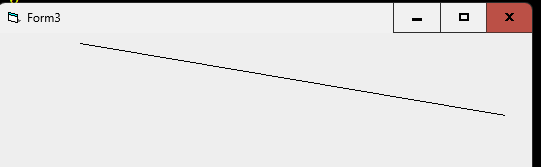
You have a bug and also a wrong concept with the lines. Imagine a vertical line that you want to have anchored top-right, this would be the form in design time:
I anchor LR so the line should be preserved top+right, but when I run the code it does this:
This is why you assume that X1 would be anchored different to X2 and may be true or not.
So I suggest you should add more tags for the lines, for example R1 y you want to anchor X1 to right, R2 if you want to anchor X2 to the right, etc. In that way you can get any anchoring for the lines.
If you change your code from this:
Code:
                'the line control don't have the Left, Top, Width and Height properties
                'it uses the X1, X2, Y1 and Y2 properties
                'Checking Tag
                If InStr(Tg, "B") Then   'Bottom
                    If InStr(Tg, "T") Then      'Top
                        'Only Anchor Top if the container is the form or the container is anchored Top
                        If HeightContainerChanges(oControl) Then
                            oControl.Y2 = oControl.Y2 + HeightChange
                        End If
                    Else
                        oControl.Y1 = oControl.Y1 + HeightChange
                    End If
                End If

                If InStr(Tg, "R") Then       'Right
                    If InStr(Tg, "L") Then      'Left
                        'Only Anchor Left if the container is the form or the container is anchored Left
                        If WidthContainerChanges(oControl) Then
                            oControl.X2 = oControl.X2 + WidthChange
                        End If
                    Else
                        oControl.X1 = oControl.Y2 + WidthChange
                    End If
                End If
To this:
Code:
                'the line control don't have the Left, Top, Width and Height properties
                'it uses the X1, X2, Y1 and Y2 properties
                'Checking Tag
                If InStr(Tg, "B") Then   'Bottom
                    If InStr(Tg, "T") Then      'Top
                        'Only Anchor Top if the container is the form or the container is anchored Top
                        If HeightContainerChanges(oControl) Then
                            oControl.Y2 = oControl.Y2 + HeightChange
                        End If
                    Else
                        If InStr(Tg, "B1") Then oControl.Y1 = oControl.Y1 + HeightChange
                        If InStr(Tg, "B2") Then oControl.Y2 = oControl.Y2 + HeightChange
                        If InStr(Tg, "B1") = 0 And InStr(Tg, "B2") = 0 Then oControl.Y1 = oControl.Y1 + HeightChange
                    End If
                End If

                If InStr(Tg, "R") Then       'Right
                    If InStr(Tg, "L") Then      'Left
                        'Only Anchor Left if the container is the form or the container is anchored Left
                        If WidthContainerChanges(oControl) Then
                            oControl.X2 = oControl.X2 + WidthChange
                        End If
                    Else
                        If InStr(Tg, "R1") Then oControl.X1 = oControl.X1 + WidthChange
                        If InStr(Tg, "R2") Then oControl.X2 = oControl.X2 + WidthChange
                        If InStr(Tg, "R1") = 0 And InStr(Tg, "R2") = 0 Then oControl.X1 = oControl.X1 + WidthChange
                    End If
                End If
It would be still compatible with your model "LR" but also with the new on like "L1R2"
Anyway in your code I guess this:
Code:
oControl.X1 = oControl.Y2 + WidthChange
should be this:
Code:
oControl.X1 = oControl.X1 + WidthChange
Last edited by zx81sp; Oct 19th, 2024 at 10:16 AM.
zx81, if you upload your images to imgur.com at https://imgur.com/upload when done, then right click - "get share links" - copy the BB code into your post. You will then see the images.
Skillset: VMS,DOS,Windows Sysadmin from 1985, fault-tolerance, VaxCluster, Alpha,Sparc. DCL,QB,VBDOS- VB6,.NET, PHP,NODE.JS, Graphic Design, Project Manager, CMS, Quad Electronics. classic cars & m'bikes. Artist in water & oils. Historian.
By the power invested in me, all the threads I start are battle free zones - no arguing about the benefits of VB6 over .NET here please. Happiness must reign.
zx81, if you upload your images to imgur.com at https://imgur.com/upload when done, then right click - "get share links" - copy the BB code into your post. You will then see the images.
Skillset: VMS,DOS,Windows Sysadmin from 1985, fault-tolerance, VaxCluster, Alpha,Sparc. DCL,QB,VBDOS- VB6,.NET, PHP,NODE.JS, Graphic Design, Project Manager, CMS, Quad Electronics. classic cars & m'bikes. Artist in water & oils. Historian.
By the power invested in me, all the threads I start are battle free zones - no arguing about the benefits of VB6 over .NET here please. Happiness must reign.
Thanks for reporting the bug.
I have my own solution and it is working fine, but I never used Picturebox as container, and never changed the containers ScaleMode property to a value distinct of vbTwips, the atached file contains the versión with it fixed.
My solutions uses a unique class and the tag property to specify the anchor type, sets the minimum form size to the desing size.
Hi Gilman
I've modded your code so it works with lines as in my previous post an also works with subforms embedded under controls. May be not a common use, but I have some apps that work in that way.
I've added a new propertie to oAnchor so you no can set form and container (optional):
Code:
        oAnchor.Form = Me
        oAnchor.container = frmMain.Contenedor
In this case all the controls of "Me" are referenced to frmMain.Contenedor size instead the size of "Me". I've attached your example plus two forms working in that way and also with a line.
The code probably could be optimized, may be I'll take a look later.
Offtopic but...was my first computer and it's still running. Old times, 1Kb, a book with some instructions and...that's all. In the 80's (84-87) I developed some things for the Spectrum, QL, Amstrad, etc. I was visiting UK and meeting with Sir Clive (fine), Alan Sugar (not so fine), and all those dinosaurs. There are some Sinclair Magazine articles about that software and some videogames I've participated at that time. Good old memories but I was 14-17 years old at that time and some things begin to seem sooo far
You have a bug and also a wrong concept with the lines. Imagine a vertical line that you want to have anchored top-right, this would be the form in design time:
I anchor LR so the line should be preserved top+right, but when I run the code it does this:
This is why you assume that X1 would be anchored different to X2 and may be true or not.
So I suggest you should add more tags for the lines, for example R1 y you want to anchor X1 to right, R2 if you want to anchor X2 to the right, etc. In that way you can get any anchoring for the lines.
If you change your code from this:
Code:
                'the line control don't have the Left, Top, Width and Height properties
                'it uses the X1, X2, Y1 and Y2 properties
                'Checking Tag
                If InStr(Tg, "B") Then   'Bottom
                    If InStr(Tg, "T") Then      'Top
                        'Only Anchor Top if the container is the form or the container is anchored Top
                        If HeightContainerChanges(oControl) Then
                            oControl.Y2 = oControl.Y2 + HeightChange
                        End If
                    Else
                        oControl.Y1 = oControl.Y1 + HeightChange
                    End If
                End If

                If InStr(Tg, "R") Then       'Right
                    If InStr(Tg, "L") Then      'Left
                        'Only Anchor Left if the container is the form or the container is anchored Left
                        If WidthContainerChanges(oControl) Then
                            oControl.X2 = oControl.X2 + WidthChange
                        End If
                    Else
                        oControl.X1 = oControl.Y2 + WidthChange
                    End If
                End If
To this:
Code:
                'the line control don't have the Left, Top, Width and Height properties
                'it uses the X1, X2, Y1 and Y2 properties
                'Checking Tag
                If InStr(Tg, "B") Then   'Bottom
                    If InStr(Tg, "T") Then      'Top
                        'Only Anchor Top if the container is the form or the container is anchored Top
                        If HeightContainerChanges(oControl) Then
                            oControl.Y2 = oControl.Y2 + HeightChange
                        End If
                    Else
                        If InStr(Tg, "B1") Then oControl.Y1 = oControl.Y1 + HeightChange
                        If InStr(Tg, "B2") Then oControl.Y2 = oControl.Y2 + HeightChange
                        If InStr(Tg, "B1") = 0 And InStr(Tg, "B2") = 0 Then oControl.Y1 = oControl.Y1 + HeightChange
                    End If
                End If

                If InStr(Tg, "R") Then       'Right
                    If InStr(Tg, "L") Then      'Left
                        'Only Anchor Left if the container is the form or the container is anchored Left
                        If WidthContainerChanges(oControl) Then
                            oControl.X2 = oControl.X2 + WidthChange
                        End If
                    Else
                        If InStr(Tg, "R1") Then oControl.X1 = oControl.X1 + WidthChange
                        If InStr(Tg, "R2") Then oControl.X2 = oControl.X2 + WidthChange
                        If InStr(Tg, "R1") = 0 And InStr(Tg, "R2") = 0 Then oControl.X1 = oControl.X1 + WidthChange
                    End If
                End If
It would be still compatible with your model "LR" but also with the new on like "L1R2"
Anyway in your code I guess this:
Code:
oControl.X1 = oControl.Y2 + WidthChange
should be this:
Code:
oControl.X1 = oControl.X1 + WidthChange
Thanks form reporting the bug.
The problem was in the way the line was drawn on the form, if the line was drawn from top to bottom and from left to right the anchor property worked relatively well, but not in other cases.
In this version it is resolved and doesn't need add nothing to the tag valid values:
I've modded your code so it works with lines as in my previous post an also works with subforms embedded under controls. May be not a common use, but I have some apps that work in that way.
I've added a new propertie to oAnchor so you no can set form and container (optional):
Code:
        oAnchor.Form = Me
        oAnchor.container = frmMain.Contenedor
In this case all the controls of "Me" are referenced to frmMain.Contenedor size instead the size of "Me". I've attached your example plus two forms working in that way and also with a line.
The code probably could be optimized, may be I'll take a look later.
EDITED: I've found more bugs in the original code so don't use this version, tomorrow I'll post a update.
You are free to modify the class as you wish, but in this case it would not be necessary, since all you need to do is resize the frmcargado after the call to the anchor method:
Code:
Private Sub Form_Resize()
    Static oAnchor As clsAnchor
    If Not oAnchor Is Nothing Then
    Else
        Set oAnchor = New clsAnchor
        oAnchor.Form = Me
    End If

    oAnchor.Anchor
    'If you need to resize something that is not correctly resized by the anchor class you can resize now.
    'In this case frmcargado is not a control, so resize it
    frmcargado.Move 0, 0, contenedor.Width, contenedor.Height
End Sub
However, it is necessary that the container has at least the same size as the form to be loaded, since otherwise, when reducing the initial form to its minimum size, the contained form would not be resized and a strange result would result.
Thanks form reporting the bug.
The problem was in the way the line was drawn on the form, if the line was drawn from top to bottom and from left to right the anchor property worked relatively well, but not in other cases.
In this version it is resolved and doesn't need add nothing to the tag valid values:
I'll take a look to that version, anyway still two bugs in the code:
Function HeightContainerChanges and Function WidthContainerChanges:
Code:
ContTag = UCase(Left(oControl.Container.Tag, 4))
This assumes that the tag are the first 4 digits and this could be right if you choose not to use a separator.
Since you extract the tag in more parts I've created a new function:
Code:
Private Function GetTag(t As String) As String
    Dim Properties() As String ' As Variant
    Properties = Split(t, pSeparator)
    If UBound(Properties) >= pPropertyNumber Then
        GetTag = UCase(Properties(pPropertyNumber))
    Else
        GetTag = ""
    End If
End Function
And changed those functions so:
Code:
ContTag = GetTag(Cont.Tag)
Also changed in the Anchor sub, originally it has this:
Code:
            If ByIndex Then
                'v. 1.1
                'The tag property can contain more properties codified not only the anchor
                'The tag property is a list of values separated by pSeparator, and the Anchor property is located at the postion (cero based) pPropertyNumber
                Dim Properties() As String ' As Variant
                Properties = Split(oControl.Tag, pSeparator)
                If UBound(Properties) >= pPropertyNumber Then
                    Tg = UCase(Properties(pPropertyNumber))
                Else
                    Tg = ""
                End If
            Else
                'In the v 1.0 if there more properties codified in the Tag property, the other properties should be after the 4th char o the tag property
                'Be case insensitive, and use only the 4 first chars
                Tg = UCase(Left(oControl.Tag, 4))
            End If
And now I use this:
Code:
Tg = GetTag(oControl.Tag)
After that all seems to run fine. In my case I use separator.
Last edited by zx81sp; Oct 20th, 2024 at 03:33 AM.
However, it is necessary that the container has at least the same size as the form to be loaded, since otherwise, when reducing the initial form to its minimum size, the contained form would not be resized and a strange result would result.
That was the problem. First time I tested your solution it failed with some "subforms", that's why I went to the "container" propertie solution that worked with all forms but the root of the problem was that the subforms that does not fit have 20 twips more than the container. You know, Murphy's law, I tested only with the ovesized forms, with the other the original code works well.
With the right dimensions the container propertie is useless so I've deleted if and back to the original code in that part.
I'll take a look to that version, anyway still two bugs in the code:
Function HeightContainerChanges and Function WidthContainerChanges:
Code:
ContTag = UCase(Left(oControl.Container.Tag, 4))
This assumes that the tag are the first 4 digits and this could be right if you choose not to use a separator.
Since you extract the tag in more parts I've created a new function:
Code:
Private Function GetTag(t As String) As String
    Dim Properties() As String ' As Variant
    Properties = Split(t, pSeparator)
    If UBound(Properties) >= pPropertyNumber Then
        GetTag = UCase(Properties(pPropertyNumber))
    Else
        GetTag = ""
    End If
End Function
And changed those functions so:
Code:
ContTag = GetTag(Cont.Tag)
Also changed in the Anchor sub, originally it has this:
Code:
            If ByIndex Then
                'v. 1.1
                'The tag property can contain more properties codified not only the anchor
                'The tag property is a list of values separated by pSeparator, and the Anchor property is located at the postion (cero based) pPropertyNumber
                Dim Properties() As String ' As Variant
                Properties = Split(oControl.Tag, pSeparator)
                If UBound(Properties) >= pPropertyNumber Then
                    Tg = UCase(Properties(pPropertyNumber))
                Else
                    Tg = ""
                End If
            Else
                'In the v 1.0 if there more properties codified in the Tag property, the other properties should be after the 4th char o the tag property
                'Be case insensitive, and use only the 4 first chars
                Tg = UCase(Left(oControl.Tag, 4))
            End If
And now I use this:
Code:
Tg = GetTag(oControl.Tag)
After that all seems to run fine. In my case I use separator.
Code:
ContTag = UCase(Left(oControl.Container.Tag, 4))
Is not a bug:
the full code for obtain Tg value is:
Code:
            If ByIndex Then
                'v. 1.1
                'The tag property can contain more properties codified not only the anchor
                'The tag property is a list of values separated by pSeparator, and the Anchor property is located at the postion (cero based) pPropertyNumber
                Dim Properties() As String ' As Variant
                Properties = Split(oControl.Tag, pSeparator)
                If UBound(Properties) >= pPropertyNumber Then
                    Tg = UCase(Properties(pPropertyNumber))
                Else
                    Tg = ""
                End If
            Else
                'In the v 1.0 if there more properties codified in the Tag property, the other properties should be after the 4th char o the tag property
                'Be case insensitive, and use only the 4 first chars
                Tg = UCase(Left(oControl.Tag, 4))
            End If
and ByIndex is
Code:
ByIndex = pPropertyNumber > -1
If You put the PropertyNumber to a non negative number is because you have more than one property holded in the Tag property in a list of values separated by pSeparator, and ByIndex value is true and the tg gets the value from the pPropertyNumber element of the list
If You don't do it the PropertyNumber value is a negative number and ByIndex is False, so the four first chars of Tag is the Anchor property value, and the following characters may contain additional information, not related to the Anchor property. The latter has been maintained for compatibility with version 1 in which a list was not supported in the Tag property.
Therefore, the following changes that you propose are not necessary. In fact, the way of obtaining the value as you propose would reduce compatibility with the initial version, and, although it is not much, the use of a function instead of using the code as is should entail a loss of performance since the value of Tg is only calculated once.



 Reply With Quote


 Originally Posted by SeabrookStan