|

-
Mar 30th, 2022, 01:23 PM
#881
Re: TwinBasic programming IDE
The new twinBASIC IDE is now available.
This is a custom-written twinBASIC IDE - not the VS Code IDE that was used previously.
This is a more VB6-like IDE for twinBASIC programming.
To install:
twinBASIC IDE LATEST BETA is now available: - See posts below for more details.
Download from here... https://github.com/WaynePhillipsEA/twinbasic/releases
- Click on "Assets" for the latest release
- Download and Extract the ZIP file into a local folder
- Then run the twinBASIC.exe from the local folder.
If you're NOT using Windows 11, you might need to download and install the WebView2 Runtime (32-bit). When you run the IDE it will show a message if the WebView2 Runtime isn't installed.
Download it here: https://tinyurl.com/twinbasicwebview2runtime
(in case of difficulty download from here https://developer.microsoft.com/en-u...wnload-section - you want "Evergreen Standalone Installer" > "x86")
Some products, like Office 365, now pre-install WebView2 for you, so you might not need this step. - See post #883 for more details.
Report any issues here https://github.com/WaynePhillipsEA/twinbasic/issues/772
See twinBASIC IDE for further details.
The new IDE is a big step forward for twinBASIC programming. And now with ActiveX support in twinBASIC forms too.
Last edited by VB6 Programming; Jun 19th, 2022 at 06:18 AM.
-
Mar 31st, 2022, 02:03 AM
#882
Re: TwinBasic
It seems that the following links cannot be opened in China:
https://tinyurl.com/twinbasicwebview2runtime
Could you provide an alternative link? Thanks.
-
Mar 31st, 2022, 10:32 AM
#883
Re: TwinBasic
 Originally Posted by SearchingDataOnly

You might find that the WebView2 runtime is already installed on your machine. It seems that it has come pre-installed with Office 365 for the last year or so, so many will already have it installed. If you run the twinBASIC EXE (from the second link) and it does nothing, then it will be due to the missing WebView2 runtime. If that's the case you can try to download it at the following alternative link:
https://developer.microsoft.com/en-u...wnload-section
(you want "Evergreen Standalone Installer" > "x86")
-
Mar 31st, 2022, 10:33 AM
#884
Re: TwinBasic
BETA 2 is now available:
https://www.twinbasic.com/downloads/...IDE_0.15.2.zip
Changes;
- improved: all panels are now resizable, and their states are restored when the IDE is reloaded
- improved: some minor theme tweaks
- improved: escape key will now cancel editing a variable value in the VARIABLES panel
- improved: after importing from a VBP file, the IMPORT_LOG.txt file is now opened automatically
- fixed: importing a VBP file would show duplicate entries in the PROJECT EXPLORER
- fixed: DEBUG CONSOLE auto-scrolling sometimes got out-of-sync
- improved: debugging experience, with less code-editor flickering
- fixed: DEBUG CONSOLE not being able to access local variables from the debugged callframe
- fixed: compiler bug involving non-ANSI UDTs being passed ByVal to As Any arguments [FullValueRider]
- added: 'Ask before delete files' IDE option (default: true)
-
Mar 31st, 2022, 12:30 PM
#885
Re: TwinBasic
Originally Posted by WaynePhillipsEA
You might find that the WebView2 runtime is already installed on your machine. It seems that it has come pre-installed with Office 365 for the last year or so, so many will already have it installed. If you run the twinBASIC EXE (from the second link) and it does nothing, then it will be due to the missing WebView2 runtime. If that's the case you can try to download it at the following alternative link:
https://developer.microsoft.com/en-u...wnload-section
(you want "Evergreen Standalone Installer" > "x86")
After installing WebView2, twinBasic can run normally. Thank you, WaynePhillipsE.
-
Mar 31st, 2022, 12:53 PM
#886
Re: TwinBasic
Originally Posted by WaynePhillipsEA
BETA 2 is now available:
https://www.twinbasic.com/downloads/...IDE_0.15.2.zip
Changes;
- improved: all panels are now resizable, and their states are restored when the IDE is reloaded
- improved: some minor theme tweaks
- improved: escape key will now cancel editing a variable value in the VARIABLES panel
- improved: after importing from a VBP file, the IMPORT_LOG.txt file is now opened automatically
- fixed: importing a VBP file would show duplicate entries in the PROJECT EXPLORER
- fixed: DEBUG CONSOLE auto-scrolling sometimes got out-of-sync
- improved: debugging experience, with less code-editor flickering
- fixed: DEBUG CONSOLE not being able to access local variables from the debugged callframe
- fixed: compiler bug involving non-ANSI UDTs being passed ByVal to As Any arguments [FullValueRider]
- added: 'Ask before delete files' IDE option (default: true)
Very outstanding and amazing work.
Last edited by SearchingDataOnly; Mar 31st, 2022 at 08:22 PM.
-
Mar 31st, 2022, 12:59 PM
#887
Re: TwinBasic
@SearchingDataOnly - I think the Run button is for running a procedure from a line of code where the caret (sic, cursor) is? Not sure because there is no tooltip, but there is such an button in the VS Code version. Try clicking the Round "Preview" button instead - it doesn't look like a button, which is a bit confusing.
-
Mar 31st, 2022, 08:16 PM
#888
Re: TwinBasic
Originally Posted by jpbro
@SearchingDataOnly - I think the Run button is for running a procedure from a line of code where the caret (sic, cursor) is? Not sure because there is no tooltip, but there is such an button in the VS Code version. Try clicking the Round "Preview" button instead - it doesn't look like a button, which is a bit confusing.
Yes, you are right. Thank you jpbro
-
Mar 31st, 2022, 08:45 PM
#889
Re: TwinBasic
@WaynePhillipsEA:
In the process of testing, I found several phenomena:
(1) I dbl-clicked the Cmd button on MyForm, and the twinBasic smoothly entered the "Control1_Click" procedure in the code window. However, if I dbl-click MyForm, the twinBasic does not enter the code window, that is, does not enter the procedure related to the MyForm event. It seems that MyForm events can only be selected on the "Events" tab next to the properties window.
(2) "Save Project" cannot save newly created projects. However, after reopening twinBasic, in the "New-Samples-Recent" window, the Recent tab will still display the last saved "project name and path". If I open this "project name and path", twinBasic displays the following information:
(1) Error reading file
(2) bad file format: invalid header
(3) here 1 failed
Then, twinBasic stops working and goes into a long "Please Wait..." suspended state. Maybe it's just a copyright protection mechanism specific to the beta version.
(3) The default names of the controls on MyForm should not be "Control1", "Control2", "Control3", etc. It would be better if the default names could be the same as the VB6-controls.
Last edited by SearchingDataOnly; Mar 31st, 2022 at 08:52 PM.
-
Apr 1st, 2022, 12:40 AM
#890
Re: TwinBasic
Originally Posted by SearchingDataOnly
@WaynePhillipsEA:
In the process of testing, I found several phenomena:
(1) I dbl-clicked the Cmd button on MyForm, and the twinBasic smoothly entered the "Control1_Click" procedure in the code window. However, if I dbl-click MyForm, the twinBasic does not enter the code window, that is, does not enter the procedure related to the MyForm event. It seems that MyForm events can only be selected on the "Events" tab next to the properties window.
(2) "Save Project" cannot save newly created projects. However, after reopening twinBasic, in the "New-Samples-Recent" window, the Recent tab will still display the last saved "project name and path". If I open this "project name and path", twinBasic displays the following information:
(1) Error reading file
(2) bad file format: invalid header
(3) here 1 failed
Then, twinBasic stops working and goes into a long "Please Wait..." suspended state. Maybe it's just a copyright protection mechanism specific to the beta version.
(3) The default names of the controls on MyForm should not be "Control1", "Control2", "Control3", etc. It would be better if the default names could be the same as the VB6-controls.
Thanks @SearchingDataOnly. (1) and (3) are now fixed and will be included in BETA 3 coming later today. I haven't been able to reproduce (2) yet.
-
Apr 1st, 2022, 09:05 AM
#891
Re: TwinBasic
BETA 3 is now available:
https://www.twinbasic.com/downloads/...IDE_0.15.3.zip
- improved: IDE minimize/maximize/restore and window sizing/positioning is now allowed (some known resizing issues remain)
- fixed: double clicking on a form design was not opening the default event [VBF:SearchingDataOnly]
- improved: default names of newly added controls now match VBx [VBF:SearchingDataOnly]
- improved: added tooltips to the toolbar icons
- fixed: Ln/Col status bar text no longer visible if the code editor is not visible
- added: FormBorderStyleConstants.vbSizableNoTitleBar enumeration (now used by the IDE)
-
Apr 2nd, 2022, 01:29 AM
#892
Re: TwinBasic
BETA 4 is now available:
https://www.twinbasic.com/downloads/...IDE_0.15.4.zip
- fixed: close button not at the very right edge of the window [jpbro]
- fixed: click again on a top-level menu should cancel it [jpbro]
- fixed: escape should cancel menus [jpbro]
- fixed: form designer context-menus not at expected position [aliensoftGB]
- fixed: switch between form/code not working [aliensoftGB]
- added property TextBox._Default [DefaultMember] [wopag]
- added property HScrollBar._Default [DefaultMember]
- added property VScrollBar._Default [DefaultMember]
- added property Timer._Default [DefaultMember]
- added property OptionButton._Default [DefaultMember]
- added property ListBox._Default [DefaultMember]
- added property Label._Default [DefaultMember]
- added property ComboBox._Default [DefaultMember]
- added property CheckBox._Default [DefaultMember]
- 'Standard EXE' is now the first and default entry in the initial project-selector dialog
- modal dialogs will now reposition upon IDE window resize, and will scale smaller if content won't fit
- fixed: StrComp handling of empty strings now matches VBx [ https://github.com/WaynePhillipsEA/twinbasic/issues/767 ]
- changed: rearranged the toolbar icons, in preparation of becoming context-aware
-
Apr 3rd, 2022, 04:34 AM
#893
Re: TwinBasic
BETA 5 is now available:
https://www.twinbasic.com/downloads/...IDE_0.15.5.zip
- fixed: resolution of UDTs problem, involving ordering of implicit ANSI<->UDT conversions, causing link-time failures [ https://github.com/WaynePhillipsEA/twinbasic/issues/777 ]
- fixed: resetting the compiler doesn't reset the total error count
- improved: F12 key is now mapped to go-to definition
-
Apr 4th, 2022, 01:59 AM
#894
Re: TwinBasic
BETA 6 is now available:
https://www.twinbasic.com/downloads/...IDE_0.15.6.zip
- improved: added IDE option of 'Restore State Of Code Editors On Opening Project'
- improved: added keybinding for CTRL+K: Comment Selection
- improved: added keybinding for SHIFT+CTRL+K: Uncomment Selection
- improved: added keybinding for SHIFT+CTRL+F: Find in files (project)
- fixed: Escape key not working in Find popup monaco dialog
- fixed: Enter key not working in Find popup monaco dialog
- improved: reduced the effect of the dimmed overlay when menus are visible
- improved: form designer control selector dropdown was glitching when focused
- fixed: problems with library references were not being reported
- fixed: unimplemented DAP message of "custom/buildUnregisterFailed" on DllUnregister failure
- added: experimental FULL SCREEN mode for the code/designer area, using F4 key to toggle
-
Apr 4th, 2022, 03:40 AM
#895
Hyperactive Member

Re: TwinBasic
I'm very impressed.
This makes it really easy for someone like me to try out twinbasic.
One downside of that is that it's possible for me to find bugs such as code doesn't work quite as expected.
Code:
 Private Sub Command1_Click() Handles Command1.Click
        If Me.BackColor = vbRed Then
        	Me.BackColor = vbBlue
        Else
            Me.BackColor = vbRed
        End If
    End Sub
-
Apr 4th, 2022, 04:02 AM
#896
Re: TwinBasic
Thanks @vbrad, glad you like it.
That bug did get reported a few days ago. It will be fixed in BETA 8 tomorrow, but here is a fix for now:
Code:
    Private Declare PtrSafe Function RedrawWindow Lib "user32" (ByVal hwnd As LongPtr, ByVal lprcUpdate As LongPtr, ByVal hrgnUpdate As LongPtr, ByVal fuRedraw As Long) As Long
    Private Sub Command1_Click() Handles Command1.Click
        If Me.BackColor = vbRed Then
        	Me.BackColor = vbBlue
        Else
            Me.BackColor = vbRed
        End If

        RedrawWindow Me.hWnd, 0, 0, RDW_ERASE Or RDW_INVALIDATE
    End Sub
-
Apr 4th, 2022, 04:04 AM
#897
Hyperactive Member
Re: TwinBasic
Originally Posted by WaynePhillipsEA
Thanks @vbrad, glad you like it.
That bug did get reported a few days ago. It will be fixed in BETA 8 tomorrow, but here is a fix for now:
Code:
    Private Declare PtrSafe Function RedrawWindow Lib "user32" (ByVal hwnd As LongPtr, ByVal lprcUpdate As LongPtr, ByVal hrgnUpdate As LongPtr, ByVal fuRedraw As Long) As Long
    Private Sub Command1_Click() Handles Command1.Click
        If Me.BackColor = vbRed Then
        	Me.BackColor = vbBlue
        Else
            Me.BackColor = vbRed
        End If

        RedrawWindow Me.hWnd, 0, 0, RDW_ERASE Or RDW_INVALIDATE
    End Sub
Thanks Wayne, you're a busy man!
-
Apr 4th, 2022, 02:41 PM
#898
Re: TwinBasic
twinBASIC status update:
twinBASIC update April 3,2022
Highlights include the release of the new IDE and an announcement about twinBASIC's role at the upcoming Access DevCon Vienna conference.
-
Apr 5th, 2022, 10:26 AM
#899
Re: TwinBasic
BETA 7 is now available:
https://www.twinbasic.com/downloads/...IDE_0.15.7.zip
- added: project setting of 'Startup Object'
- changed: F5 key behaviour to match VBx, invoking the designated Startup Object
- changed: F6 key now executes the code under the cursor when in the code editor, or previews the active form in the form designer
- removed: MainModule from 'Standard EXE' project, as we no longer require the Sub Main bootstrap
- improved: full screen mode (F4) now includes a titlebar with min/max/close and exit full screen buttons
- improved: rearranged toolbar icons and added undo/redo buttons
- fixed: global variables were not always reset by the debugger when a debug session was terminated [ https://github.com/WaynePhillipsEA/twinbasic/issues/778 ]
- fixed: (WinNativeForms) Form.Refresh now includes the RDW_ERASE flag in call to RedrawWindow
- fixed: RaiseEvent argument validation too strict [ https://github.com/WaynePhillipsEA/twinbasic/issues/773 ]
- fixed: missing Optional attribute on ListBox.AddItem and CheckBox.AddItem from original VB6.OLB [ https://github.com/WaynePhillipsEA/twinbasic/issues/776 ]
-
Apr 5th, 2022, 12:10 PM
#900
Hyperactive Member
-
Apr 6th, 2022, 01:40 AM
#901
Re: TwinBasic
BETA 8 is now available:
https://www.twinbasic.com/downloads/...IDE_0.15.8.zip
- fixed: undo/redo buttons on the toolbar were not properly visible with the LIGHT theme active
- fixed: regression, internal form Create event not firing, leading to Form.Load event being lost [EduardoVB]
- improved: tweaked the front page opening dialog
- added: IDE option of 'Focus The Recent Tab On IDE Startup' (default: false)
- improved: 'New Project' / 'Open Project' / 'Open Recent' / 'Close Project' menu options are now implemented
-
Apr 6th, 2022, 05:46 PM
#902
Fanatic Member
-
Apr 7th, 2022, 02:08 AM
#903
Re: TwinBasic
Thanks everyone.
BETA 9 is now available:
https://www.twinbasic.com/downloads/...IDE_0.15.9.zip
- fixed: the Save dialog before opening a new project now offers a 'Discard Changes' option [ https://github.com/WaynePhillipsEA/twinbasic/issues/786 ]
- improved: all modal dialogs now accept ESCAPE key to cancel or close
- improved: verbized modal dialog action buttons
- added: (WinNativeForms) Form.Unload event
- fixed: closing the IDE now checks the project dirty state and requests to save changes if necessary
-
Apr 7th, 2022, 10:17 AM
#904
Re: TwinBasic
@WaynePhillipsEA:
(1) About Save-Button:
- Open twinBasic, create a new project (Standard EXE)
- Click the "Save" button on the Toolbar, the twinBasic does not prompt to save the "new project"
(2) About Save-Proect:
- Create a new project (Standard EXE)
- Add a button to MyForm
- Click the close button in the upper right corner of the twinBasic main window, then twinBasic can't exit, the system prompts "SAVE PROJECT FAILED"
(3) twinBasic doesn't seem to support control-array.
(4) It's recommended to change MyForm to Form1, and change "This is MyForm" to "Form1"
-
Apr 7th, 2022, 11:14 AM
#905
Re: TwinBasic
Originally Posted by SearchingDataOnly
@WaynePhillipsEA:
(1) About Save-Button:
- Open twinBasic, create a new project (Standard EXE)
- Click the "Save" button on the Toolbar, the twinBasic does not prompt to save the "new project"
(2) About Save-Proect:
- Create a new project (Standard EXE)
- Add a button to MyForm
- Click the close button in the upper right corner of the twinBasic main window, then twinBasic can't exit, the system prompts "SAVE PROJECT FAILED"
(3) twinBasic doesn't seem to support control-array.
(4) It's recommended to change MyForm to Form1, and change "This is MyForm" to "Form1"
Thanks...
1) Yes, that's a bug when there are no changes made to a new project. I'll get that fixed.
2) I can't reproduce that, but I note that it you had an issue saving in earlier versions, so it is probably related to that. After clicking the close button, we get prompted to save, and clicking the Save button results in the Save file dialog showing, and then save works and the window closes correctly here. I haven't had any other reports of the save problem, so I'm not sure why that's not working for you at the moment.
3) Correct. Forms-GUI support is still ongoing so there are some missing features.
4) Yes, this is planned and will probably be done in the next update.
-
Apr 8th, 2022, 01:47 AM
#906
Re: TwinBasic
BETA 10 is now available:
https://www.twinbasic.com/downloads/...DE_0.15.10.zip
- added: IDE option of 'File Explorer: Single-Click Preview' (default: true)
- added: 'Run the code at the cursor position / Preview the form' toolbar button (running man) to match the F6 function key
- improved: 'Standard EXE' renamed form 'MyForm' to 'Form1' to match VBx
- fixed: clicking the Save toolbar button after creating a new project without making any changes did not prompt to save the project
- fixed: 'startup object' set to '(none)' not working correctly with F5/Start button
- fixed: 'startup object' set to 'Sub Main' not working correctly with F5/Start button
- fixed: 'startup object' will now use the PredeclaredId instance, if that attribute is set on the Form
- improved: error handling and notification around project file saving
-
Apr 9th, 2022, 01:24 AM
#907
Re: TwinBasic
@WaynePhillipsEA:
(1) When saving the project, if the project file already exists, twinBasic does not prompt "The project file already exists, do you want to overwrite it?"
(2) First place a Frame1 into Form1, and then place a CommandButton1 in Frame1. Then drag Frame1 with the mouse. At this time, CommandButton1 does not move with Frame1. That is, Frame1 did not become the container for CommandButton1.
-
Apr 9th, 2022, 01:50 AM
#908
Re: TwinBasic
Originally Posted by SearchingDataOnly
@WaynePhillipsEA:
(1) When saving the project, if the project file already exists, twinBasic does not prompt "The project file already exists, do you want to overwrite it?"
(2) First place a Frame1 into Form1, and then place a CommandButton1 in Frame1. Then drag Frame1 with the mouse. At this time, CommandButton1 does not move with Frame1. That is, Frame1 did not become the container for CommandButton1.
Thanks.
1) I'll get that fixed.
2) Frame is not supported yet. (the control exists, but the container functionality is not yet implemented).
-
Apr 9th, 2022, 02:53 AM
#909
Fanatic Member
Re: TwinBasic
sometimes it happens to me.
The ide gets stuck in an infinite loop on the loading screen.
close with the task manager, the next times it is opened this window appears.
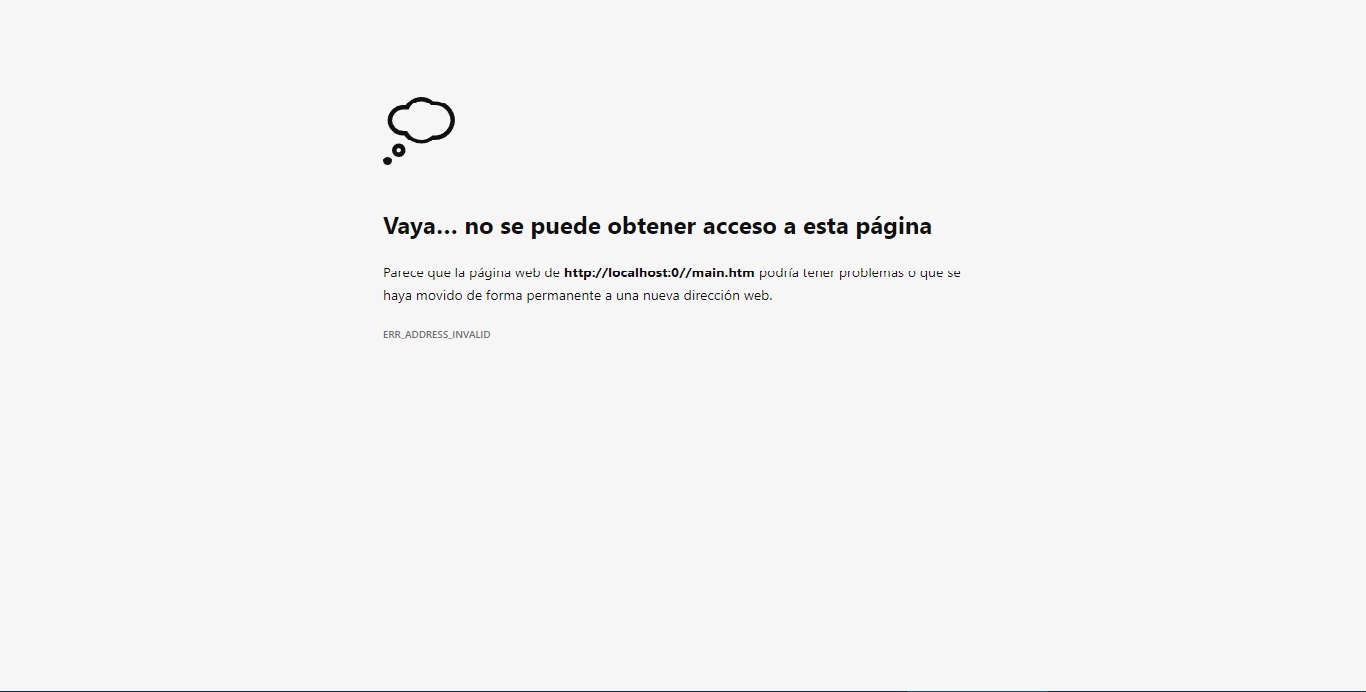
greetings and great job
-
Apr 9th, 2022, 09:58 AM
#910
Re: TwinBasic
BETA 11 is now available:
https://www.twinbasic.com/downloads/...DE_0.15.11.zip
- fixed: Settings 'Startup Object' now doesn't show '(none)' option if the build type is 'Standard EXE'
- improved: Outline panel now offers filtering options via the ellipses button (filters: Class Fields/Module Variables/Enumerations/User Defined Types/DLL Declares/Constructors/Properties/Procedures/Variables/Parameters)
Last edited by WaynePhillipsEA; Apr 9th, 2022 at 10:49 AM.
-
Apr 10th, 2022, 10:23 AM
#911
Re: TwinBasic
BETA 12 is now available:
https://www.twinbasic.com/downloads/...DE_BETA_12.zip
- added: Outline panel alphabetical sort option (via the ellipses menu)
- fixed: context menu position will now be repositioned if it extends past the bottom or right edge of the viewport
-
Apr 11th, 2022, 02:33 AM
#912
Re: TwinBasic
twinBASIC status update:
twinBASIC update April 10, 2022
Highlights include 7 (!) new releases of the twinBASIC IDE and twinBASIC solving a difficult problem for a popular MS Access open-source addin.
-
Apr 11th, 2022, 08:12 AM
#913
Re: TwinBasic
@WaynePhillipsEA:
Three tiny imperfections:
(1) In design mode, the style of ComboBox is win10-style, but the style of ListBox is xp-style.
(2) In the code window, after entering "dim i as long", press the "Space-Bar", and then try to press the "Enter" key. But at this point, the system seems to prohibit pressing the "Enter" key.
(Note: In the VB6 code window, "Space-Bar" is a common key for selecting "drop-down list items")
(3) In the code window, after entering "dim sMsg as string", press the Enter key, at this time, the "string" becomes "String", and then press the "Enter key" again, the cursor moves to the next line. (That is to say, you need to press the Enter-key 2 times)
(Note: The VB6 code window only needs to press the "Enter key" once to achieve a similar effect, that is, automatically change "dim sMsg as string" to "Dim sMsg As String"
(4) It's recommended that the default size of Form1 is 450 * 360 or 360 * 360
Last edited by SearchingDataOnly; Apr 11th, 2022 at 08:22 AM.
-
Apr 11th, 2022, 08:53 AM
#914
Re: TwinBasic
The VB6 code input window has an excellent "input experience", which allows you to enter the fewest keys. For example: when you enter left-double-quotation mark, the system does not automatically display the second "double quotation mark". The purpose of this is to great benefit.
Take i = len("abc") as an example:
- In twinBasic, after entering i = len(, the system automatically displays i = len()
- After entering double quotes, the system displays i= len("")
- After entering abc, the system displays i=len("abc")
- At this point, we need to press the "right-arrow" key twice to move the cursor to the end of the line, and then press Enter again. This is very cumbersome and confusing. But I know other programming languages are similar to twinBasic.
However, VB6's approach is better, that is, when you enter left-bracket, the system does not automatically display right-bracket, and when you enter left-double quotation-mark, the system does not automatically display the right-double quotation-mark, The purpose of doing so has great advantages:
- When the system does not automatically display the right-bracket and the second double quotation mark, the programmer will instinctively enter the double quotation mark and the right-bracket. without typing "right-arrow" twice
- When you enter sMsg = "Hello World, press the Enter key, the system will automatically complete the second double quotation mark and move the cursor to the next line. However, since twinBasic automatically displays the second double quotation mark, then We cannot press enter directly, we need to move the cursor to the end of the line and press enter again.
In fact, almost no modern code editor's "code-input experience" can reach the level of VB6-IDE. Even for vscode, the "code-input experience" when entering VB code is far from comparable to VB6. This is why I must develop my own Code-Editor. Hope twinBasic could do better than vscode.
Edit:
Many people think that the VB6 language is not as concise as the C-series languages, but they ignore several facts:
- Reading VB6 code consumes less brain power than other languages
- Due to the excellent VB6-IDE, the number of keystrokes required to input VB6 code is far less than that of C-series languages
.
Last edited by SearchingDataOnly; Apr 11th, 2022 at 09:41 AM.
-
Apr 11th, 2022, 09:19 AM
#915
Re: TwinBasic
Originally Posted by SearchingDataOnly
The VB6 code input window has an excellent "input experience", which allows you to enter the fewest keys. For example: when you enter left-double-quotation mark, the system does not automatically display the second "double quotation mark". The purpose of this is to great benefit.
Take i = len("abc") as an example:
- In twinBasic, after entering i = len(, the system automatically displays i = len()
- After entering double quotes, the system displays i= len("")
- After entering abc, the system displays i=len("abc")
- At this point, we need to press the "right-arrow" keyboard twice to move the cursor to the end of the line, and then press Enter again. This is very cumbersome and confusing. But I know other programming languages are similar to twinBasic.
However, VB6's approach is better, that is, when you enter left-bracket, the system does not automatically display right-bracket, and when you enter left-double quotation-mark, the system does not automatically display the right-double quotation-mark, The purpose of doing so has great advantages:
- When the system does not automatically display the right-bracket and the second double quotation mark, the programmer will instinctively enter the double quotation mark and the right-bracket. without typing "right-arrow" twice
- When you enter sMsg = "Hello World, press the Enter key, the system will automatically complete the second double quotation mark and move the cursor to the next line. However, since twinBasic automatically displays the second double quotation mark, then We cannot press enter directly, we need to move the cursor to the end of the line and press enter again.
In fact, almost no modern code editor's "code input experience" can reach the level of VB6-IDE. Even for vscode, the "code input experience" when entering VB code is far from comparable to VB6. This is why I must develop my own Code-Editor. Hope twinBasic could do better than vscode.
On another hand ... I use an IDE (IntelliJ) which works like this (and is intuitive to me) ... Using i = len("abc") as the example...
When I type "(" it auto adds the closing ")" for me... when I hit the double quotes, it auto adds the closing one for me as well: so now I have i = len("") with the cursor between the quotes. Since it's still habit, I enter abc and press the double quotes, and the closing parens... the IDE keeps track that it's already added it (or rather that the quote parens are already there, and so just moves the cursor on. Or I press End.
It could also be an option... which I think is what IntelliJ does... offers it as an option that can be turned on/off... personally I like it... but I'm also often dealing with paren several levels deep sometimes, so... take it for what it is.
-tg
-
Apr 11th, 2022, 09:28 AM
#916
Re: TwinBasic
Originally Posted by techgnome
On another hand ... I use an IDE (IntelliJ) which works like this (and is intuitive to me) ... Using i = len("abc") as the example...
When I type "(" it auto adds the closing ")" for me... when I hit the double quotes, it auto adds the closing one for me as well: so now I have i = len("") with the cursor between the quotes. Since it's still habit, I enter abc and press the double quotes, and the closing parens... the IDE keeps track that it's already added it (or rather that the quote parens are already there, and so just moves the cursor on. Or I press End.
I've noticed the phenomenon you're talking about long ago, but I don't think that's reasonable, that is, not more reasonable (or user-friendly) than VB6-IDE.
Originally Posted by techgnome
It could also be an option... which I think is what IntelliJ does... offers it as an option that can be turned on/off... personally I like it... but I'm also often dealing with paren several levels deep sometimes, so... take it for what it is.
Having one more option does no good other than adding to the hassle. Having different people develop different code-input habits doesn't bring the benefit of diversity.
Last edited by SearchingDataOnly; Apr 11th, 2022 at 09:33 AM.
-
Apr 11th, 2022, 10:57 AM
#917
Re: TwinBasic
Originally Posted by SearchingDataOnly
Having one more option does no good other than adding to the hassle. Having different people develop different code-input habits doesn't bring the benefit of diversity.
Nonsense...but not surprising attitude. In the West, options are a good thing.
-
Apr 11th, 2022, 10:59 AM
#918
Re: TwinBasic
VS now does some of that automatic addition of closing quotes and the like, and occasionally gets it wrong. I'm inclined to agree with your view, as I found the automatic addition to be jarring, at first. I believe I either started a thread on this, or replied to an existing thread about this, in the VB.NET forum. However, I was thinking about it the other day, and realized that I'm now quite indifferent to the feature. The muscle memory got corrected to the new behavior, and now I can take it or leave it. I can't say that I feel grateful for not having to type an extra key stroke, but if that extra stroke was typed for me, I no longer screw it up.
The bottom line for me is, while I agree with your point of view, I think what TG stated and what VS is now doing, shows that this is become a standard in IDE's, so it might be expected anymore. We might just be curmudgeons...and I'm okay with that.
My usual boring signature: Nothing
 
-
Apr 11th, 2022, 07:36 PM
#919
Re: TwinBasic
This is a technical forum. But some people always seem to want to steer technical debates into other non-technical ones.
Of course, I'm not referring to Shaggy Hiker, I'm referring to another person who is obviously not a good programmer because he doesn't know when options are needed and when they are not. He would simply say "In the West , options are a good thing.”
Last edited by SearchingDataOnly; Apr 11th, 2022 at 07:41 PM.
-
Apr 11th, 2022, 07:51 PM
#920
Re: TwinBasic
Originally Posted by SearchingDataOnly
This is a technical forum. But some people always seem to want to steer technical debates into other non-technical ones.
Of course, I'm not referring to Shaggy Hiker, I'm referring to another person who is obviously not a good programmer because he doesn't know when options are needed and when they are not. He would simply say "In the West , options are a good thing.”
Zing!
 Posting Permissions
- You may not post new threads
- You may not post replies
- You may not post attachments
- You may not edit your posts
-
Forum Rules
|
Click Here to Expand Forum to Full Width
|



 Reply With Quote

