|

-
Jul 14th, 2015, 03:00 PM
#1
Thread Starter
New Member

 Trouble with ADODB and Access (DATAGRID), after deleting an entry it shows nothing Trouble with ADODB and Access (DATAGRID), after deleting an entry it shows nothing
Hello people, I'm new in this forum, and you've already solved my problems 2 times, and that's really nice here, the best forum i've found... Thank you very much!
Now let me ask something, why this happens?:
When I run the program, I made this code for the connection to start running and the datagrid to get filled
Code:
Dim conexion As New ADODB.Connection
Dim registros As New ADODB.Recordset
Dim Busqueda As New ADODB.Recordset
Dim eliminar As New ADODB.Recordset

Private Sub Form_Load()

Set DataGrid1.DataSource = registros

If conexion.State <> 1 And registros.State <> 1 Then
conexion.CursorLocation = adUseClient
conexion.Open "Provider = Microsoft.Jet.OLEDB.4.0;Data source=" & App.Path & "\dbInventario.mdb"

registros.CursorLocation = adUseClient
registros.Open "SELECT * FROM Prestaciones ORDER BY IdPrestamo ASC", conexion, adOpenDynamic, adLockOptimistic

Set DataGrid1.DataSource = registros

End If
End Sub
OK, so from now shows this
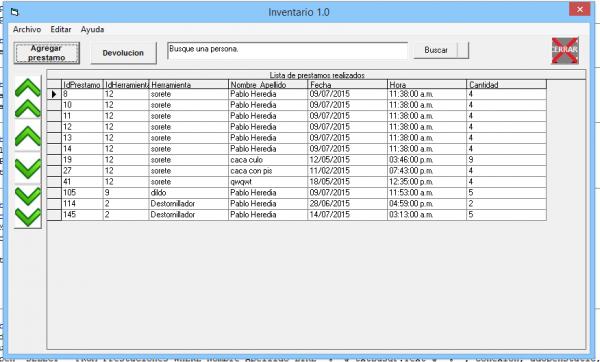
Then, for the search button (Buscar in spanish there) I've put this:
Code:
Private Sub cmdBusqP_Click()
Set Busqueda = New ADODB.Recordset
Busqueda.CursorLocation = adUseClient
Busqueda.Open "SELECT * FROM Prestaciones WHERE Nombre_Apellido LIKE '%" & txtBusqP.Text & "%'", conexion, adOpenStatic, adLockOptimistic
Set DataGrid1.DataSource = Busqueda

If txtBusqP.Text = "" Then
Busqueda.Close
frmPrincipal.Refresh
Set DataGrid1.DataSource = registros
End If
End Sub
it works all prefect...
BUT... There is a command button which function is to delete a selected entry, basically, what it does is ask if you want to delete the entry, then if you click Yes then it will delete it being searched or not (registros or busqueda) that's why i've put the code "On error", because if the datagrid is showing registros and not Busqueda then it will cause an error when trying to delete the entry, so to avoid that error i did that... 
Code:
intResponse = MsgBox("¿Desea eliminar el prestamo?", _
vbYesNo + vbQuestion, _
"¿Eliminar?")

If intResponse = vbYes Then
On Error GoTo error
registros.Delete
Busqueda.Delete
MsgBox "Registro eliminado", vbInformation + vbOKOnly, "Devuelto"
error:
Label1.Caption = "Devuelto"
Exit Sub

End If
When I try to delete an entry (all shown when the program starts):

It works perfectly ... But when I try to delete an entry after having done a search this happens: ... But when I try to delete an entry after having done a search this happens:
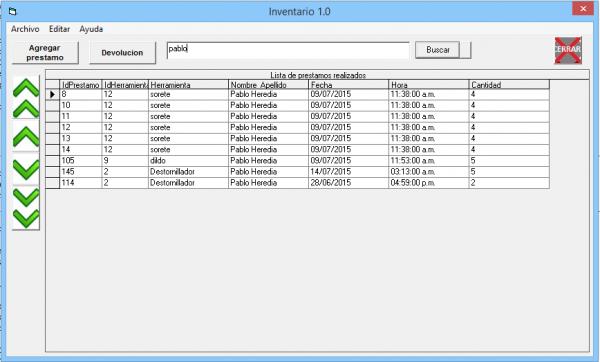
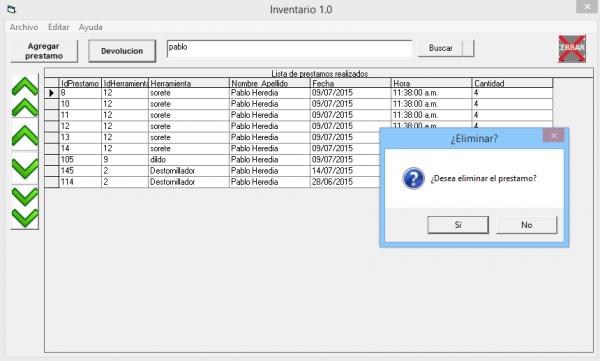
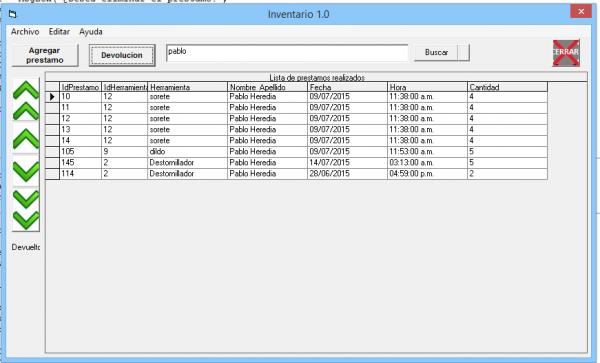
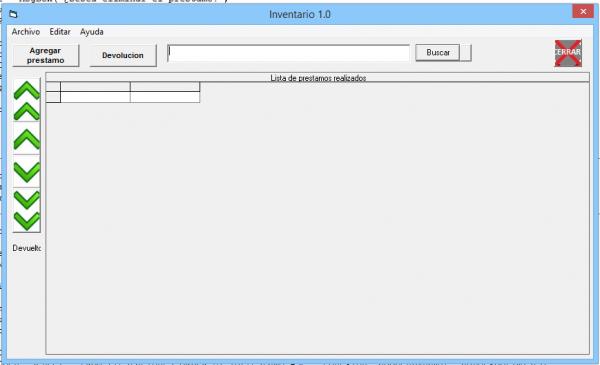
There is showing "Set DataGrid1.DataSource = Busqueda" first, after the entry gets deleted, I go back to show all entries showing them with "Set DataGrid1.DataSource = registros" but it shows nothing..... I made a button which function is "Unload Me" for that form then I Load the form again with another command button from the other form and it works again perfectly showing ""Set DataGrid1.DataSource = registros"" entries...
So that... I made a long explain so you can understand my doubt , if u didn't understand tell me so i find another way to explain it.... , if u didn't understand tell me so i find another way to explain it....
Sorry for my bad english... And thank you very much for being reading this, even if you don't have the answer... Any idea will be appreciated...
Best regards
Last edited by pabheredia; Jul 14th, 2015 at 03:03 PM.
-
Jul 14th, 2015, 09:28 PM
#2
Re: Trouble with ADODB and Access (DATAGRID), after deleting an entry it shows nothin
Maybe you need to call the .Requery method on the recordset after deletion
However, this could be a big problem and if so, you will need fix it.
Code:
registros.Delete
Busqueda.Delete
It is not very likely that Busqueda & registros are currently pointing at the same record because Busqueda might be filtered by your WHERE clause in its query.
Oh, your English is extremely good 
Tags for this Thread
 Posting Permissions
- You may not post new threads
- You may not post replies
- You may not post attachments
- You may not edit your posts
-
Forum Rules
|
Click Here to Expand Forum to Full Width
|



 Reply With Quote

