|

-
Nov 14th, 2014, 07:53 AM
#1
Thread Starter
Fanatic Member

Connect to printer and add it to "Devices and Printers"
I wish to programmatically add a printer to devices and printers, the printer has a remote url (which i can't share). The easiest way to explain, what i want to do, is explaining how i add the printer manually.
First i go to devices and printers, press add printer, then i choose "Add a network, wireless or Bluetooth printer" then i click "The printer i wanted isn't listed" and then i type in the url:
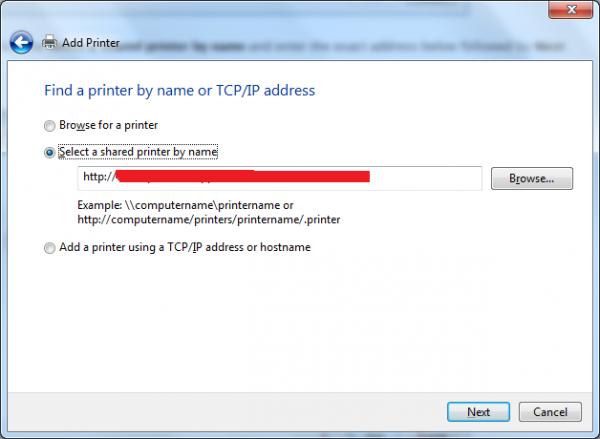
And when it's done connecting, when it is at the drivers window, i choose "I have a disk" and then i locate the inf file, and that's the whole process, so basically what i want to do is automate it. I really don't have any idea where to begin on this, i tried rundll32 as in the thread linked below, but without luck.
http://www.vbforums.com/showthread.p...-on-a-Computer
Last edited by Justa Lol; Nov 14th, 2014 at 09:05 AM.
 Posting Permissions
- You may not post new threads
- You may not post replies
- You may not post attachments
- You may not edit your posts
-
Forum Rules
|
Click Here to Expand Forum to Full Width
|



 Reply With Quote