|

-
May 19th, 2010, 03:15 PM
#1
Thread Starter
Hyperactive Member

Strange Problem
I've a database application where i can add the records of the workers of a place etc. Now im encountering a strange problem while adding data in one of the table. the problem is that when i add records, ideally it should be added as employee1 followed by employee2 then 3 and so on... It works perfectly upto record no 13. i.e employee 2... 3...4...----11-12-13 but after 13 the 14th record is added before record no1 1. then 15th after it.. i.e. 14-15-1-2-3----13.
This is kinda weird and im not able to find out why?? There's no such code to do it and i cant imagine why's dis happening... Hope someone else has had something like this before...!!!!
Also the database shows dem in correct order i.e 12--13--14 and 14 doesnt appear in the starting!!!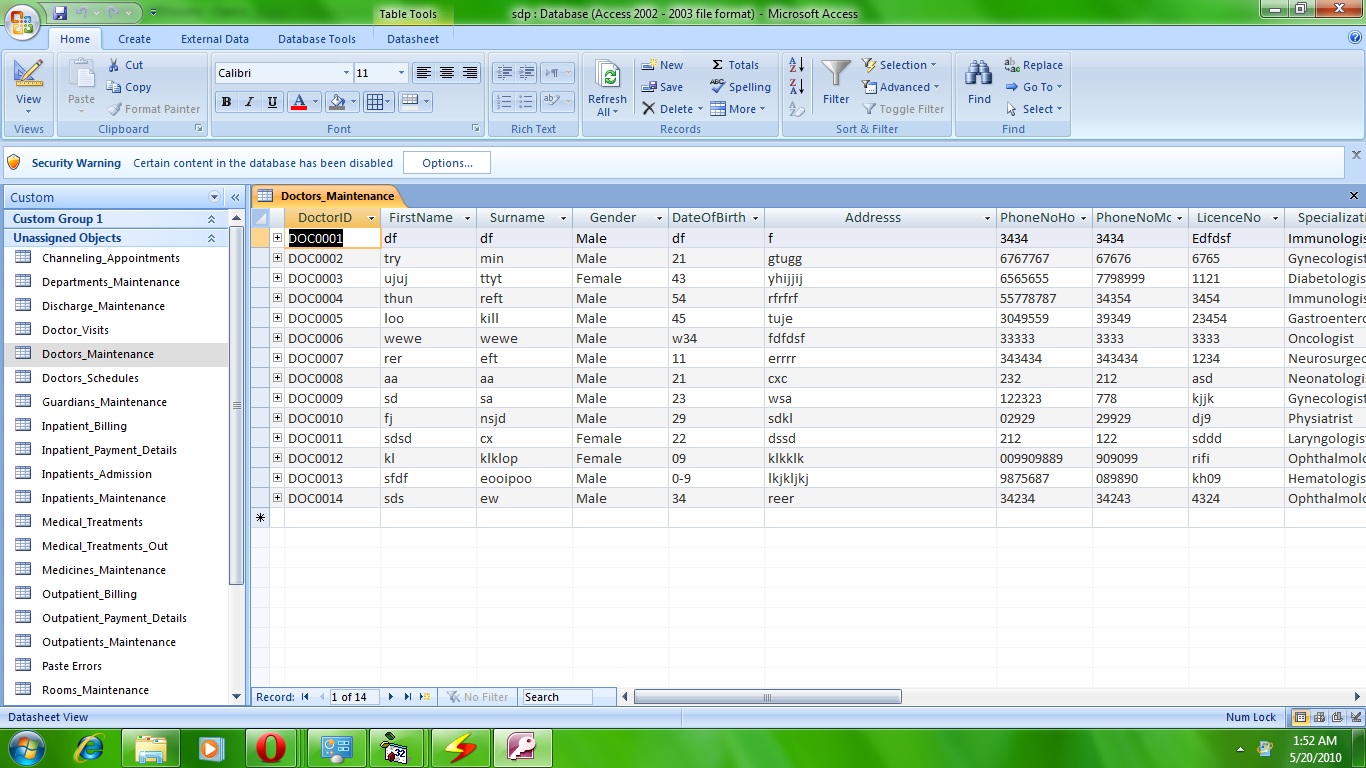
Last edited by developerno1; May 19th, 2010 at 03:24 PM.
Reason: update
-
May 19th, 2010, 03:24 PM
#2
Re: Strange Problem
It's hard to tell without seeing any code.
-
May 19th, 2010, 03:33 PM
#3
Re: Strange Problem
Devel
You have a nice screenshot of a "correct" situation.
Could you also provide a screenshot of the "strange" situation.
Spoo
-
May 19th, 2010, 04:00 PM
#4
Thread Starter
Hyperactive Member
Re: Strange Problem
It's hard to tell without seeing any code.
i know but i cant figur out how much of code to add....
still here's the code that saves the data.
Code:
 With rsDoctorsMaintenance

            'Making sure that the user wants to save the record
            If MsgBox("Are You Sure You Wish To Save This Record?", vbYesNo + vbQuestion, "Save This Record?") = vbYes Then
                'Save the user-entered data into the recordset
                .Fields(0) = txtDoctorID.Text
                .Fields(1) = txtFirstName.Text
                .Fields(2) = txtSurname.Text
                .Fields(3) = cboGender.Text
                .Fields(4) = txtage.Text
                .Fields(5) = txtAddress.Text
                .Fields(6) = txtHomePhone.Text
                .Fields(7) = txtMobPhone.Text
                .Fields(8) = txtLicenseNo.Text
                .Fields(9) = txtDoctorSpecialization.Text
                .Fields(10) = cboDoctorCategory.Text
                .Fields(11) = txtServiceCharges.Text
                .Fields(12) = txtChannelingCharges.Text
                .Fields(13) = cboappointmentduration.Text
                If txtReferringCharges.Text <> "" Then
                .Fields(14) = txtReferringCharges.Text
            Else
            .Fields(14) = "--"
            End If
                .Update

                'Display Success Message
                MsgBox "The Record Was Saved Successfully!", vbInformation, "Succesful Save Procedure"
You have a nice screenshot of a "correct" situation.
Could you also provide a screenshot of the "strange" situation.
There's nothing significant i can add the last record and after i add a new record its the first one.
here they are::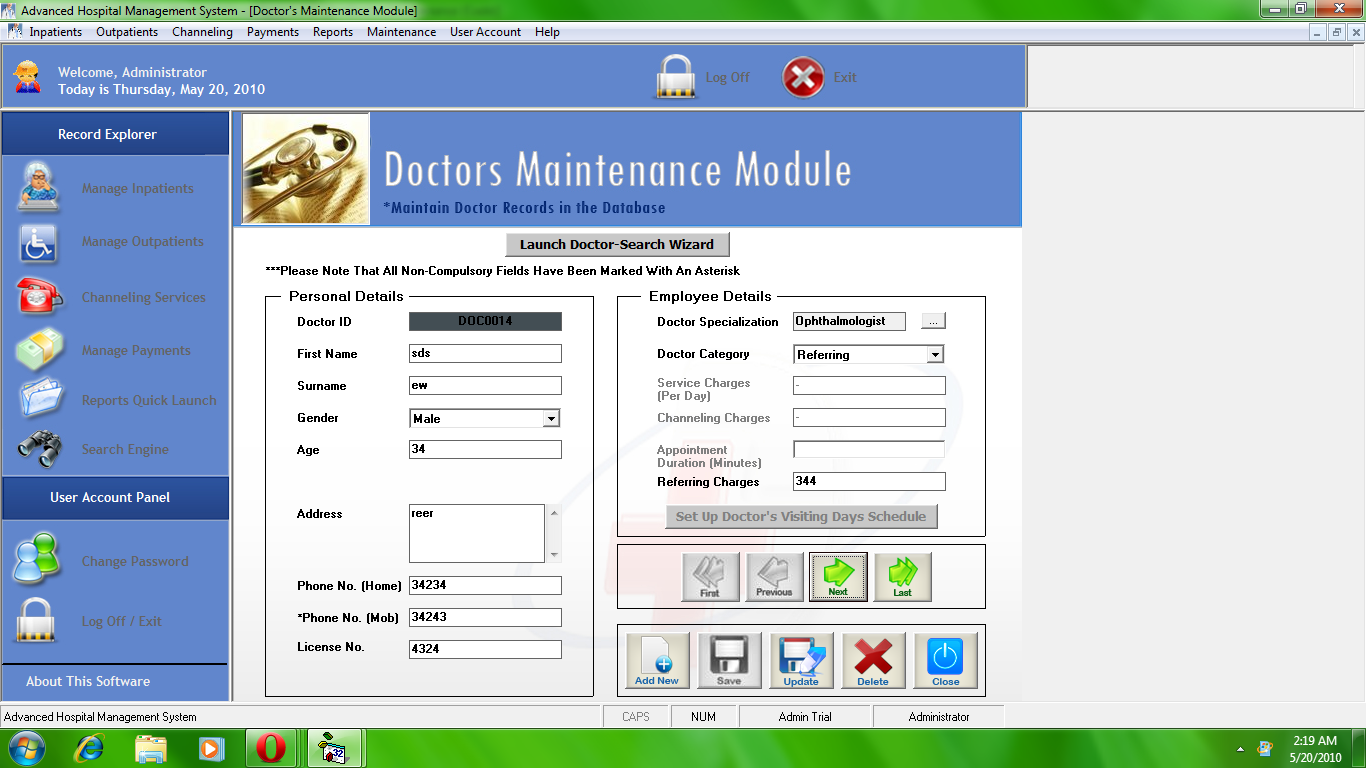 (14 is the first, first and previous buttons are disabled. (14 is the first, first and previous buttons are disabled. 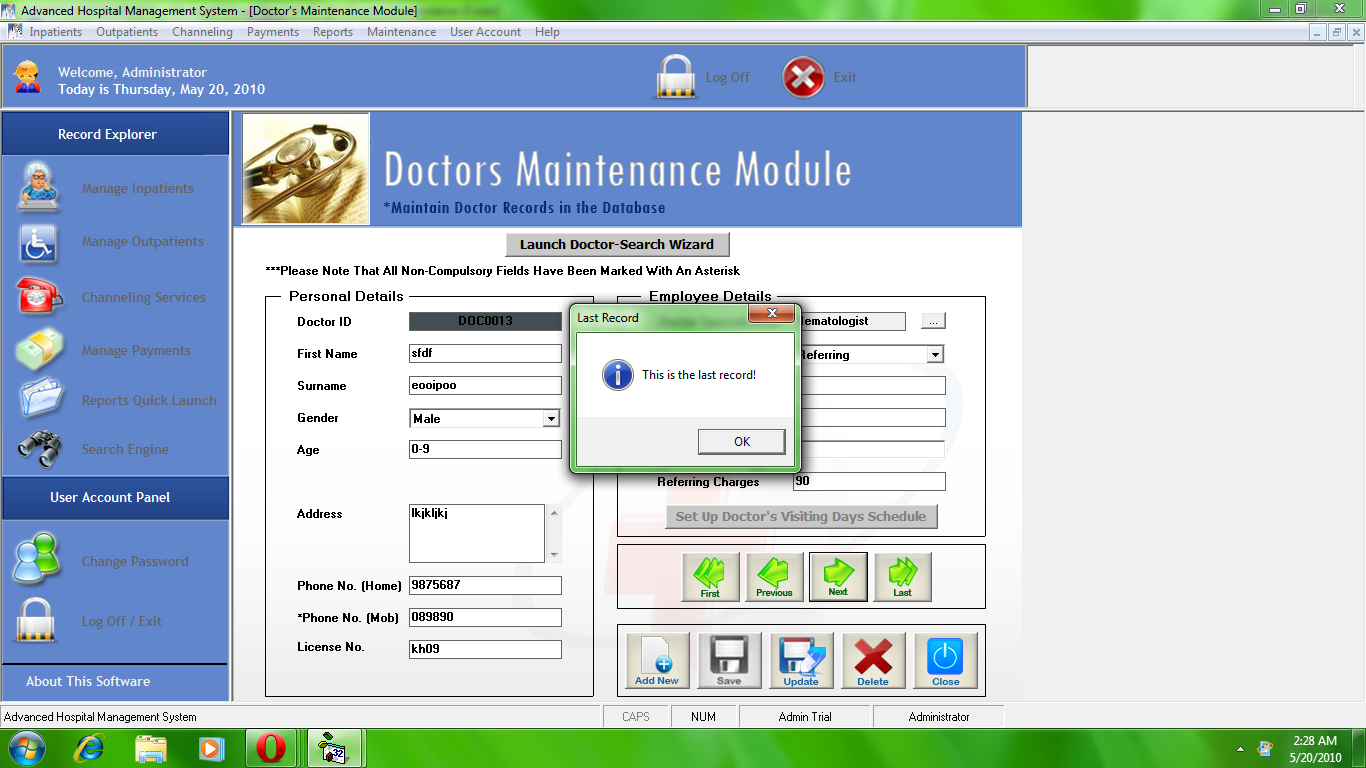 13 is the last 13 is the last
-
May 19th, 2010, 04:06 PM
#5
Re: Strange Problem
The code only shows you updating the record with entered data (.Update), but where do you create a new record?
-
May 19th, 2010, 04:13 PM
#6
Re: Strange Problem
Devel
Thanks for screenshots, but I'm still confused.
What are these screenshots showing?
- data entry (ie, you have just entered data and are about to press Save button)
- "recall" of existing data (ie, you are navigating using First, Prev, Next, Last buttons)
- something else
Spoo
-
May 19th, 2010, 04:19 PM
#7
Re: Strange Problem
One note on the table structure, it's always good to have a separate primary identifier field, ID that will start from 1 (usualy) and autoincrement as you add new records to the table. You don't have to show it to the user but it's good to have for internal use, indexing etc.
-
May 19th, 2010, 04:42 PM
#8
Re: Strange Problem
Don't confuse how data is stored with how data is displayed... when you view data in the tables in the database, NEVER TRUST it... it's going to be affected by Indexes, keys and other things. Your DoctorID is probably the PKey on that table right? So when Access displays thge data for you, it enforces an implied sort on it, so it "Looks right" ... the actual storage of it is that it's going to plug in the data where it has space for it.... if you need/want your data in a specific order in your app, SORT it when you SELECT it....
-tg
 Posting Permissions
- You may not post new threads
- You may not post replies
- You may not post attachments
- You may not edit your posts
-
Forum Rules
|
Click Here to Expand Forum to Full Width
|



 Reply With Quote


