|

-
May 27th, 2009, 05:12 AM
#1
 How to maximize the form designer window? How to maximize the form designer window?
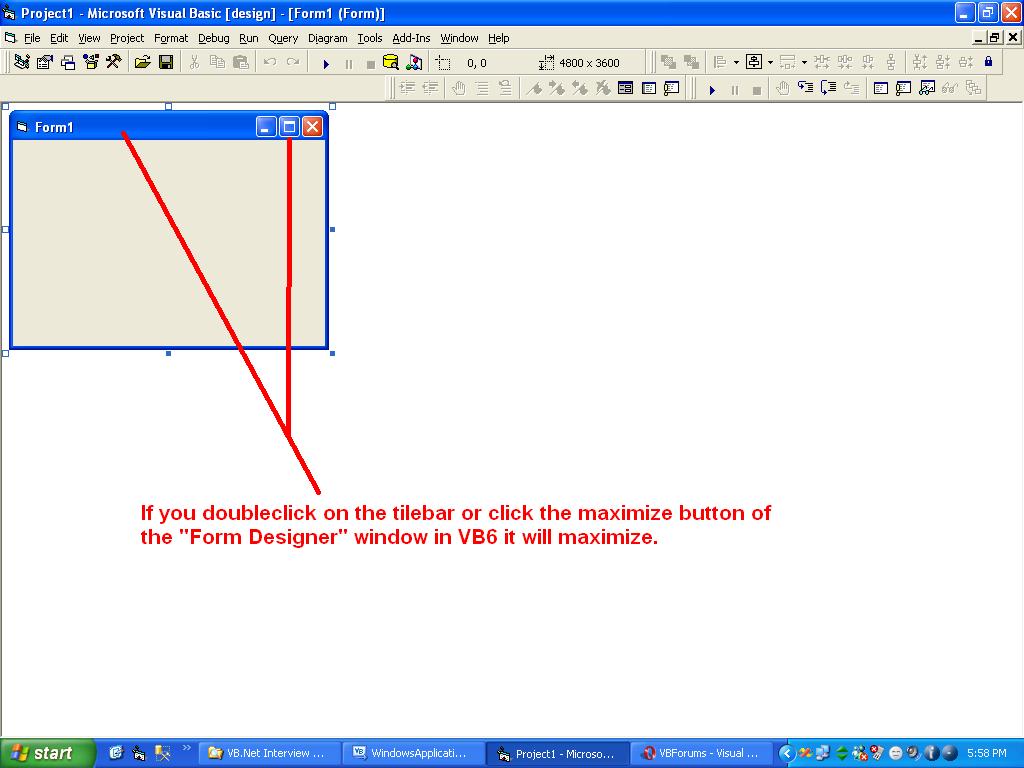
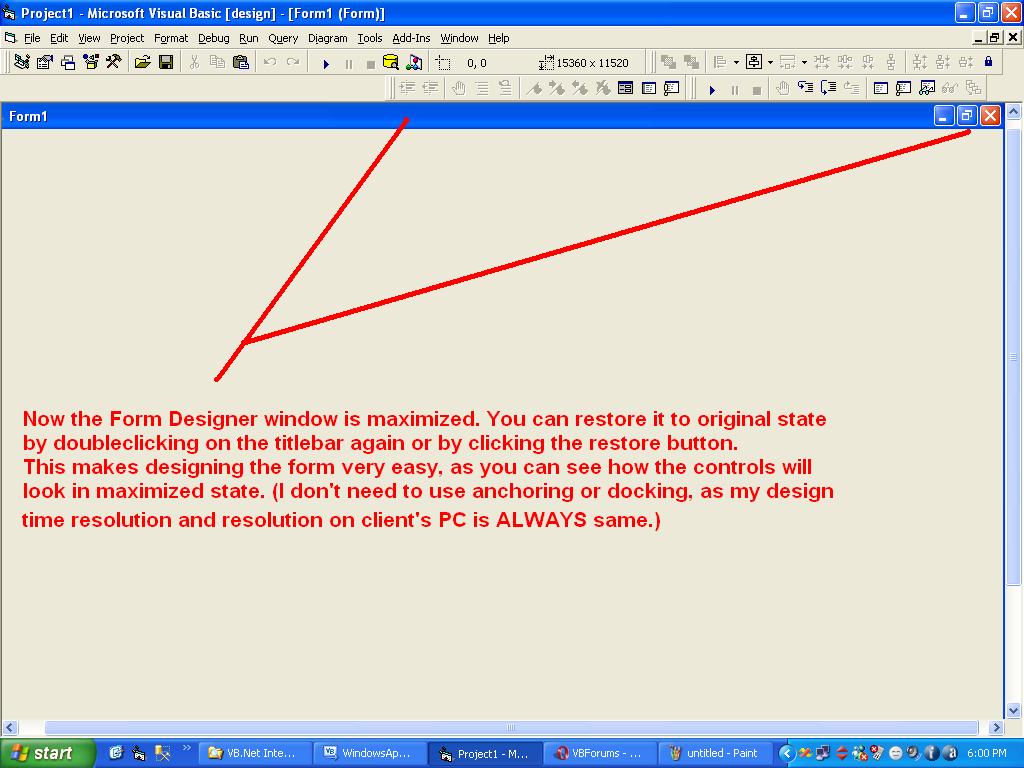
In VB6 IDE if you doubleclick on the titlebar of the form designer, it maximizes/restores. But in VB.net it opens up code window.
How do you quickly maximize/restore the form designer window ?
-
May 27th, 2009, 07:49 AM
#2
Re: How to maximize the form designer window?
Shift+Alt+Enter is the keyboard shortcut to send VS full-screen on my system. Check the View menu to check what it is on yours.
-
May 28th, 2009, 07:42 AM
#3
Re: How to maximize the form designer window?
No. I don't mean fullscreen.
I want to maximize the "Form Designer" window, whick is the child window of the main VS.Net IDE.
Please see the pictures below.
Last edited by iPrank; May 28th, 2009 at 07:46 AM.
-
May 28th, 2009, 07:51 AM
#4
Re: How to maximize the form designer window?
So what you actually meant was the form in the designer, as opposed to the form designer itself. As far as I'm aware that's not possible in VS.NET.
-
May 28th, 2009, 11:39 PM
#5
Re: How to maximize the form designer window?
Isn't there any other way to maximize the form other than by manually setting width/height ?
Anybody ?
 Posting Permissions
- You may not post new threads
- You may not post replies
- You may not post attachments
- You may not edit your posts
-
Forum Rules
|
Click Here to Expand Forum to Full Width
|



 Reply With Quote