Mars base one Username: Jim Davis Password: yCrm33
Posts
1,284
Gdi gui
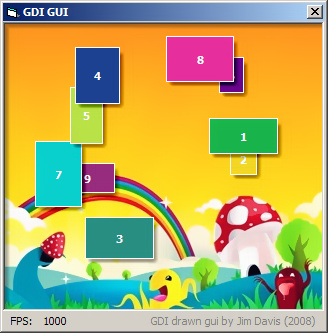
This little demo app i build on top of my brand new gdi module (v1.2), to draw the gui area. There are numerous features that are used in this demo. There is a z-order handling also. Read my notes to learn how to use it.
Please report any memleak and error asap! Any improvement is welcome!
Edit: i have tested this demo app in all 3 initialization mode, by walking thru LaVolpe's tutorial and steps ( http://www.vbforums.com/showthread.php?t=543969 ), i found no any GDI leaks so far. You also can test it, by placing two command buttons on the form, and copy the initialization events from the Form_Load event to Command1 then place an UnloadEngine() calling to the Command2 (just place a PCT.Cls:PCT.Enabled = False also after the unloadengine, to avoid the accidental picturebox events!). Now lets play with them, and lets see what is you get! You also can press the Command1 button as much as you just want it, the InitEngine() method does some clean up before initializes the dc's and so on.
i hope you still find some leaks, so please report them here
edit2: i got a gdi leak, the zip is contains the fixed version.
Have fun!
Last edited by Jim Davis; Dec 26th, 2008 at 07:35 AM.
Mars base one Username: Jim Davis Password: yCrm33
Posts
1,284
Re: Gdi gui
Sure it will! The thing is that i just never saw any such a nicely organized thread about handling and preventing leaks, just small chops and some feedbacks on coding sites about, so i just figured out by myself how to overcome these problems. I wish i could see it before! Your tutorial helps to any1 that using 'complex' api calls.



 Gdi gui


 Reply With Quote

 Your tutorial helps to any1 that using 'complex' api calls.
