diekick
Jun 14th, 2006, 04:23 PM
Hi everyone ,
I'm a new user in this excellent site and forums
and I registered here to share my talent in VB6.0 to everyone in the world
No much speech, Let's Start:
download the Attachment File ( VB Project Ver. 6.00 E.E )
and open it the run the script. I think it's easy to understand.
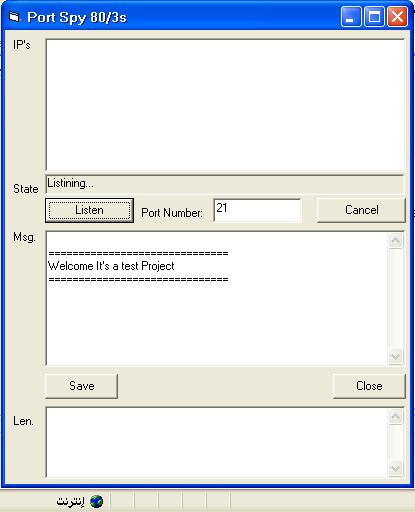
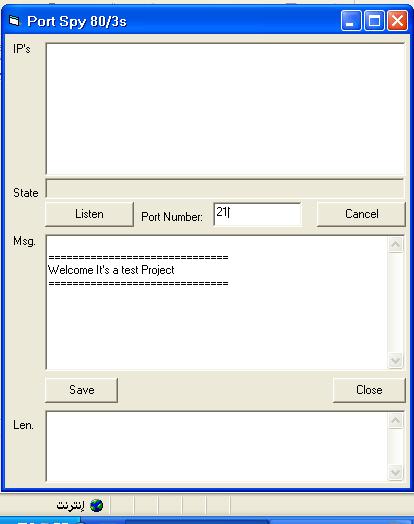
for example you want to send something to any computer try to reach yours on port 21
http://www.vbforums.com/attachment.php?attachmentid=48556&stc=1
then Click Listen Button
http://www.vbforums.com/attachment.php?attachmentid=48557&stc=1
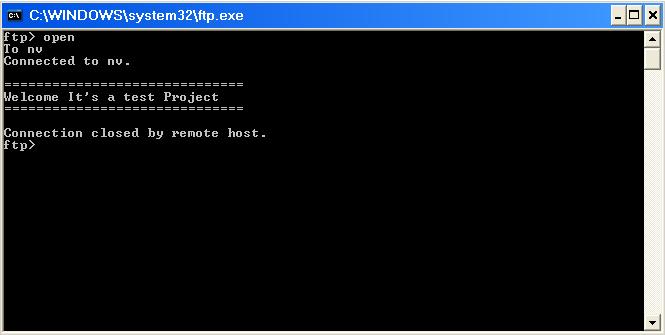
Now Goto FTP Command ( Start -> Run. Print 'ftp -n' . Then OK )
and Print 'open X'.
Replace X with your IP Address Or Your Host Name(Your Computer Name On Network)
then press 'Enter'
you will see the following
http://www.vbforums.com/attachment.php?attachmentid=48558&stc=1
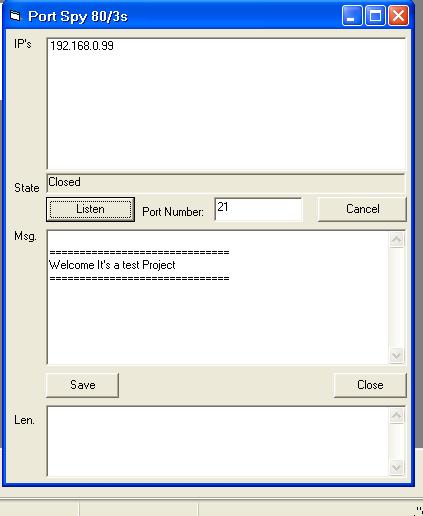
Go to the Program and don't surprise
http://www.vbforums.com/attachment.php?attachmentid=48559&stc=1
Now, What do you think ??????????
I'm a new user in this excellent site and forums
and I registered here to share my talent in VB6.0 to everyone in the world
No much speech, Let's Start:
download the Attachment File ( VB Project Ver. 6.00 E.E )
and open it the run the script. I think it's easy to understand.
for example you want to send something to any computer try to reach yours on port 21
http://www.vbforums.com/attachment.php?attachmentid=48556&stc=1
then Click Listen Button
http://www.vbforums.com/attachment.php?attachmentid=48557&stc=1
Now Goto FTP Command ( Start -> Run. Print 'ftp -n' . Then OK )
and Print 'open X'.
Replace X with your IP Address Or Your Host Name(Your Computer Name On Network)
then press 'Enter'
you will see the following
http://www.vbforums.com/attachment.php?attachmentid=48558&stc=1
Go to the Program and don't surprise
http://www.vbforums.com/attachment.php?attachmentid=48559&stc=1
Now, What do you think ??????????